How to Standardize Your SuiteCRM Sales Process with Kanban (Step-by-Step)
September 9, 2026·By Nhat Thieu·8 min read
TL;DR — Key takeaways
A standardized SuiteCRM sales process means one stage model, explicit entry/exit criteria per stage, and rules the system enforces — not reminders managers repeat.
Most CRM failures aren’t a features problem; they’re a consistency problem: every rep runs a different process in their head.
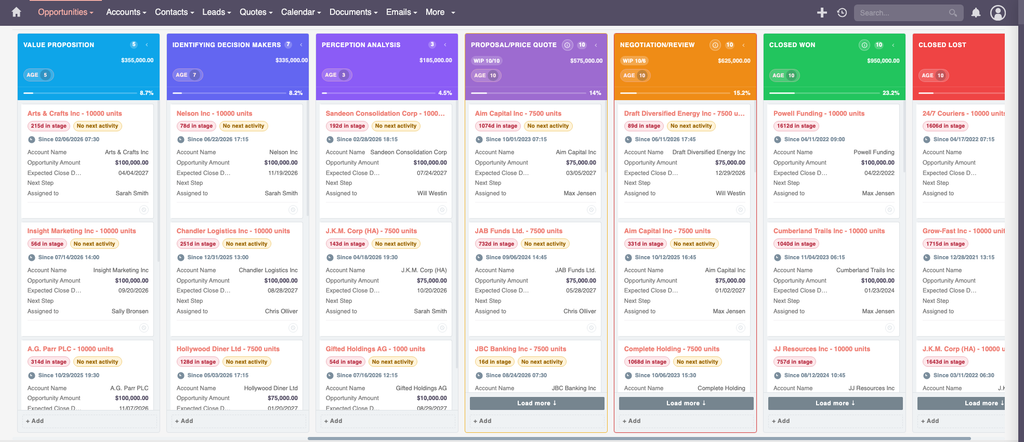
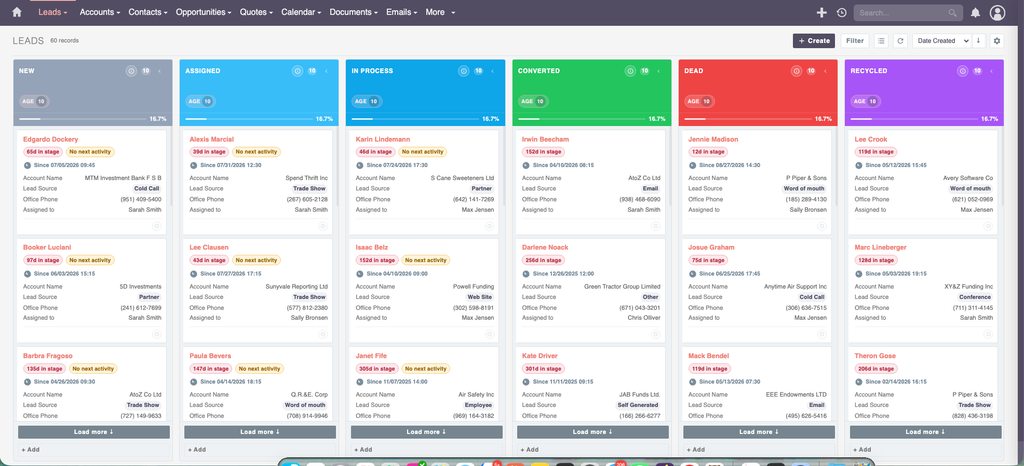
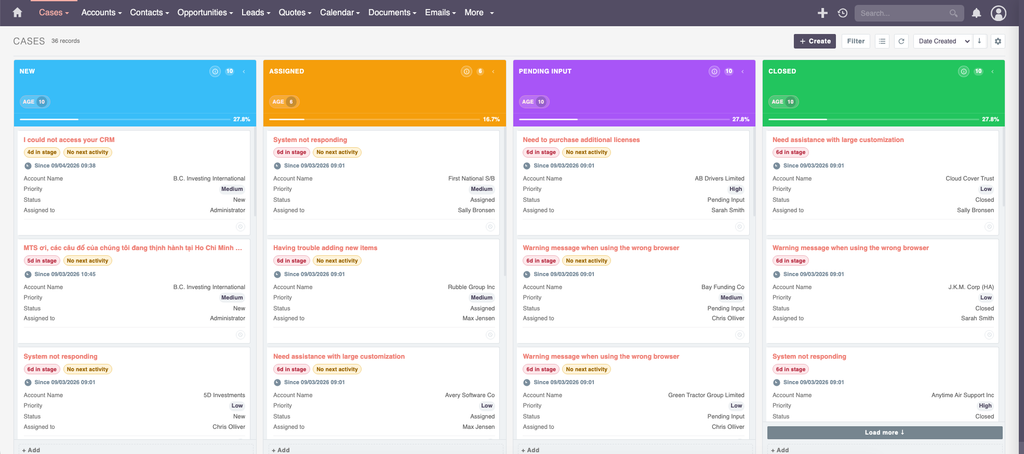
A Kanban board becomes the single working surface where reps triage, edit, and move deals — replacing List → Detail → Edit navigation and Friday “update your CRM” nudges.
Stage gates, WIP limits, and stage aging turn each pipeline stage into a set of verifiable facts, which is what makes a forecast defensible.
You can implement all of this on SuiteCRM 8.x and 7.x with no core modifications — using Studio, Security Groups, logic hooks, and the MTS Kanban plugin.
What does “standardizing a sales process in SuiteCRM” actually mean?
Standardizing a sales process in SuiteCRM means defining one stage model that every sales rep uses, giving each stage a clear “definition of done” (entry and exit criteria), and enforcing those rules inside the CRM so the pipeline reflects what should happen next — not just what already happened.
Most SuiteCRM deployments don’t fail because a feature is missing. They fail because the process lives in each rep’s head. The CRM then becomes a system of record for history instead of a system of action for the future. The fix is not more training reminders — it’s making the correct behavior the path of least resistance.
Why unstandardized pipelines break your forecast
When stages mean different things to different reps, everything downstream degrades:
Stage inflation before quarter-end makes the forecast optimistic and unreliable.
Stalled deals stay hidden in a list view until the quarter closes.
Data gaps (no next step, no loss reason) make win/loss analysis impossible.
Onboarding a new rep takes months because the process isn’t written into the tool.
The outcome you actually want — a forecast you can trust, a pipeline you can inspect, and fast onboarding — depends on one thing: stages that mean the same thing for everyone.
The standard sales process: one model, clear stages
A reliable SuiteCRM sales process spans three phases — Lead → Opportunity → Post-sale — with the Opportunity pipeline doing the heavy lifting.
Quote created and delivered, proposal presented (meeting logged)
4
Negotiation
75%
Terms agreed, final quote issued, close date confirmed by the customer
5
Closed Won / Closed Lost
100% / 0%
Quote accepted + contract created — or loss reason and competitor recorded
Design rule: a stage is not a feeling — it is a set of facts present in the record. If the facts are missing, the card cannot move. That is what makes a forecast defensible.
How a Kanban board turns the process into daily work
A SuiteCRM Kanban board is not a report you look at once a week. It is the screen the rep works in all day. Here is how the board enforces the standardized process:
1. Stage gates (transition rules)
The board can block or warn on invalid moves:
Block backward jumps of two or more stages.
Block any move into Closed Lost without a loss reason.
BlockProposal → Negotiation without a linked quote.
Warn when a rep skips a stage or sets an unrealistic close date.
This puts hard gates on data quality at the exact moment work happens.
2. WIP limits
Work-in-progress limits (for example, Discovery 15, Proposal 10, Negotiation 6) stop a rep from hoarding new deals while older ones stall. A full column visibly refuses another card.
3. Stage aging
Each column has an aging threshold. Cards that sit too long visibly age past the threshold, so stalled deals surface themselves on day 15 — not at quarter close.
4. Inline edit and quick add
Reps update amount, close date, and next step directly on the card. Updating the CRM becomes cheaper than not updating it. Pipeline reviews run live on the board, with no exported spreadsheet.
What the board replaces
Old behavior
With a standardized Kanban board
Weekly review from an exported spreadsheet
Review runs on the board; edits are live
“Update your CRM before Friday” reminders
Inline edit makes updating the easy path
Stage inflation before quarter-end
Transition rules block unqualified moves
Stalled deals found at quarter close
Stage aging flags them on day 15
“What’s the next step on this one?”
Next step is a field on every card
Data standards that make reporting trustworthy
Reporting quality is decided at data entry, not at report time. Make these mandatory on every Opportunity:
Assigned user, Account, close date, amount, currency, lead source, and type.
A concrete next step with a date — always populated.
Every stage change accompanied by at least one logged activity.
Add a few custom fields via Studio to power analysis: lost_reason, competitor, stage_entered_date (set by a logic hook), and a risk_flag that drives card color. Prevent duplicate Accounts, Contacts, and Leads at creation, and remove free-text wherever a dropdown can exist.
Roll it out without a revolt
A staged rollout keeps adoption while still landing discipline:
Design — confirm the stage model, exit criteria, roles, and field list.
Stabilize — start rules as warnings for two weeks, then switch to blocking.
No core modifications required
Everything above is configuration and add-on driven. Stage values live in the Dropdown Editor, gates run as before_save logic hooks, and board behavior is packaged as an extension. On SuiteCRM 8, the same legacy hooks still execute, and additional UI logic is registered through the Symfony extension framework — the SuiteCRM core is never modified, so upgrades stay safe.
Frequently asked questions
What is a SuiteCRM sales process?
A SuiteCRM sales process is a defined set of stages — from lead qualification through opportunity close — that every rep follows in the CRM, with explicit exit criteria for each stage and rules the system enforces so the pipeline data stays consistent and the forecast stays reliable.
Does SuiteCRM have a Kanban board by default?
SuiteCRM’s standard views are list, detail, and edit views. A drag-and-drop Kanban board with stage gates, WIP limits, and stage aging is added through a plugin such as MTS Kanban, which works on both SuiteCRM 8.x and 7.x.
How do I enforce sales stages in SuiteCRM without editing the core?
Use before_save logic hooks to validate exit criteria and stamp a stage-entered date, define required fields in the module’s view metadata, and configure transition rules on a Kanban board. All of this lives in custom/, logic hooks, and the extension framework — the SuiteCRM core is never touched.
What are WIP limits and why do they matter in a sales pipeline?
Work-in-progress (WIP) limits cap how many deals can sit in a stage at once. They stop reps from starting new deals while older ones stall, forcing focus on moving existing opportunities forward — which improves both cycle time and forecast accuracy.
Can I standardize the sales process on SuiteCRM 7 as well as 8?
Yes. The stage model, data standards, and logic-hook gates apply to both versions. On SuiteCRM 7 the board provides core Kanban functionality with gates enforced via logic hooks; SuiteCRM 8 adds board-level transition rules, WIP limits, and stage aging.
Standardize your SuiteCRM pipeline today
A trustworthy forecast starts with a process every rep actually follows. MTS Kanban turns your standardized SuiteCRM sales process into the screen your team works in every day — with stage gates, WIP limits, and live inline editing, on SuiteCRM 8 and 7, with no core changes.