SuiteCRM Upgrade Service: Upgrade SuiteCRM 7 (and Legacy SugarCRM CE) to SuiteCRM 8
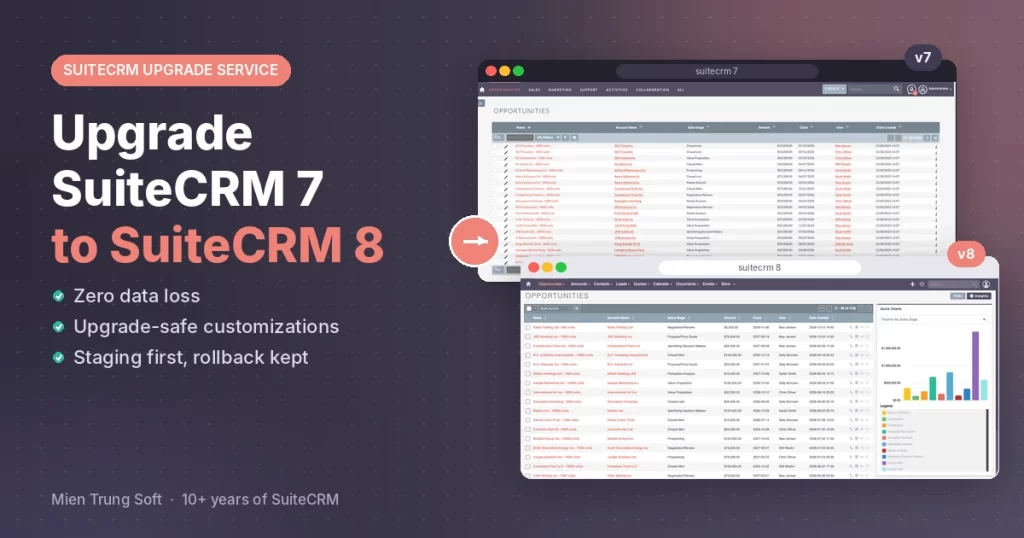
Mien Trung Soft upgrades any SuiteCRM 7.x installation, and legacy SugarCRM Community Edition 6.5, to the latest SuiteCRM 8 release with all records, users, customizations and attachments intact. We have worked with SuiteCRM for more than 10 years and publish 40+ plugins on the official SuiteCRM Store, so we know both the classic version 7 code and the new version 8 architecture from the inside.
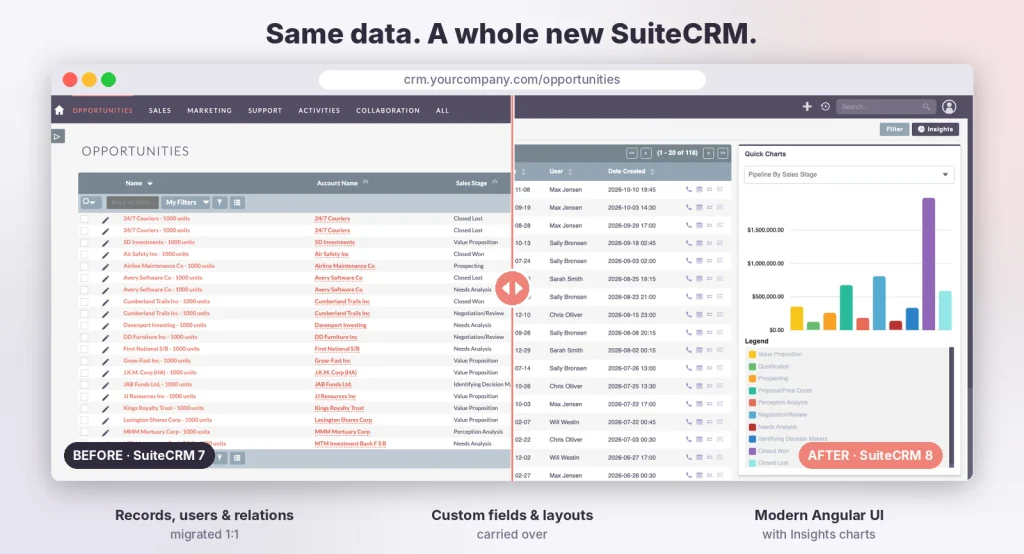
SuiteCRM upgrade: quick answers
- Can SuiteCRM 7 be upgraded to SuiteCRM 8? Yes. SuiteCRM 8 migrates from the latest SuiteCRM 7 line (7.15.x at the time of writing), so older versions are brought up to date first and then migrated.
- Can very old versions be upgraded? Yes. Even early SuiteCRM 7.x and SugarCRM CE 6.5 systems can be upgraded without losing data.
- Does my old server need to keep running? No. A database backup and a few folders from your current system are enough to start.
- Will my CRM be offline for long? No. The whole upgrade is rehearsed on a staging copy, so the final switch usually takes only a short maintenance window.
- How much does it cost? It depends on your version, data size and customizations. You get a fixed quote after a free audit.
Why upgrade SuiteCRM now
Old SuiteCRM versions become harder and riskier to run every year. Upgrading solves several problems at once:
- Security: older versions miss years of security fixes.
- PHP and hosting: old releases do not run on supported PHP versions, so hosting providers eventually force a change.
- Email: Gmail and Microsoft 365 now require OAuth2, which old versions do not support.
- User experience: SuiteCRM 8 brings a modern, faster interface built on Angular and Symfony.
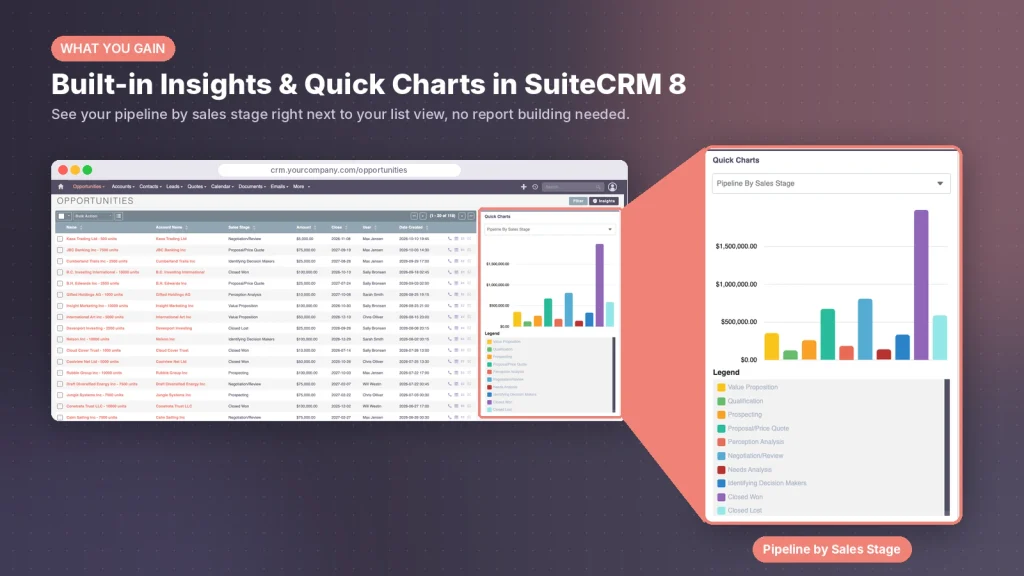
- Future upgrades: once you are on SuiteCRM 8, later updates are much simpler.
Which versions we upgrade
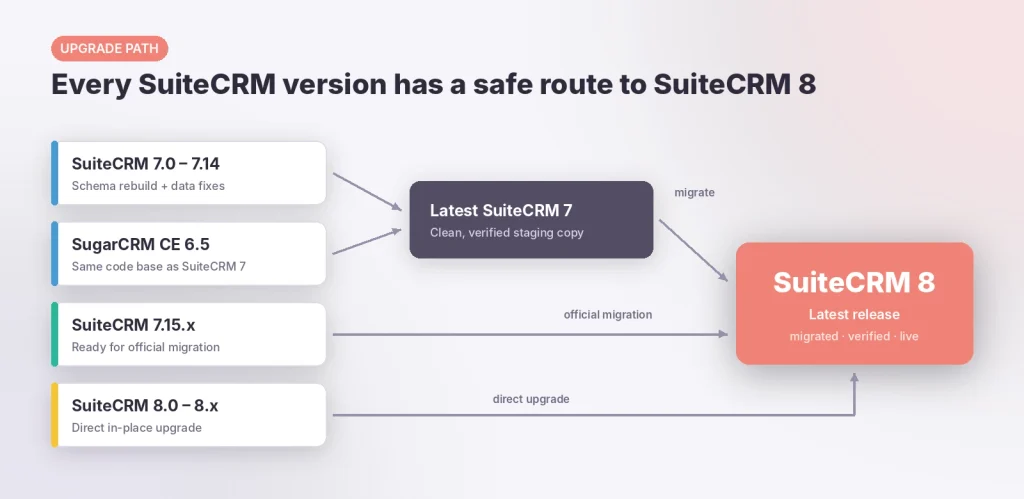
We upgrade every SuiteCRM 7 release and SugarCRM CE 6.5 to SuiteCRM 8, or to the latest SuiteCRM 7 if you prefer the classic interface.
| Your current version | Upgrade path |
|---|---|
| SuiteCRM 8.x | Direct upgrade to the latest SuiteCRM 8 |
| Latest SuiteCRM 7 (7.15.x) | Official SuiteCRM 7 to 8 migration |
| SuiteCRM 7.10 to 7.14 | Upgrade to the latest 7.x, then migrate to 8 |
| SuiteCRM 7.0 to 7.9 | Database and schema rebuild to the latest 7.x, then migrate to 8 |
| SugarCRM CE 6.5 | Same path as early SuiteCRM 7 (shared code base) |
| SugarCRM 7 or later (Pro, Enterprise) | Data migration into a fresh SuiteCRM 8 |
Common SuiteCRM upgrade problems, and how we avoid them
Most failed upgrades break on the same few issues. Our process checks for each of them before your live system is touched.
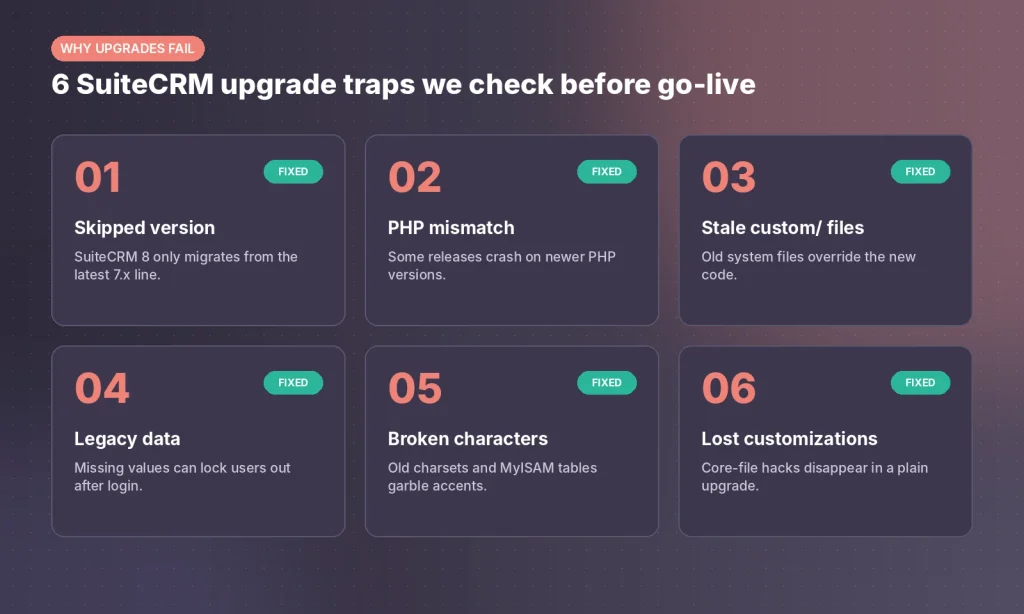
- Skipping the required version. SuiteCRM 8 only migrates from the latest 7.x line. Upgrading from an older version without the intermediate step leaves the database incomplete.
- PHP incompatibility. Some intermediate SuiteCRM releases fail on newer PHP versions. We choose a path and environment that work for your exact versions.
- Outdated files in the custom folder. Early SuiteCRM versions stored many of their own files in
custom/. Copied blindly, these override the new code and break screens. We separate your real customizations from leftover system files. - Old data that the new version rejects. Some records created in old versions miss values that SuiteCRM 8 expects, for example user status fields that lock users out after the upgrade. We find and fix these during testing.
- Character set and database engine issues. Old databases often use legacy character sets or MyISAM tables. We convert them so accents and special characters display correctly.
- Lost customizations. Logic hooks, custom views and code changes made directly in core files are lost in a plain upgrade. We rebuild them upgrade-safe.
Our SuiteCRM upgrade process
Every upgrade runs on a private staging copy first, so your live CRM keeps working until you approve the result.
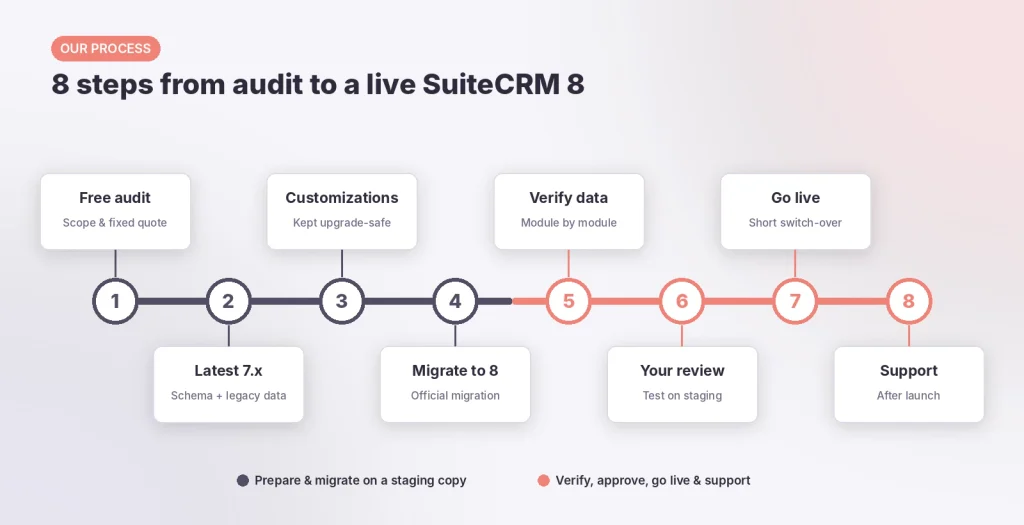
- Free audit. You send a database backup and your custom, upload and config files. We review your version, data size, customizations and add-ons, then send a fixed quote.
- Upgrade to the latest SuiteCRM 7. We rebuild the database schema, update roles and scheduled jobs, and fix legacy data.
- Move your customizations. Studio fields, layouts, dropdowns, workflows and logic hooks are carried over. Custom code goes into the
custom/folder and the extension framework, never into core files. - Migrate to SuiteCRM 8. We run the official migration, adapt your layouts to the new interface and configure URL rewriting, cron jobs and file permissions.
- Verify the data. We compare record counts module by module and test logins, attachments, emails, workflows, reports and PDF templates.
- Your review. Your team tests the staging system and we fix anything you report.
- Go live. We repeat the rehearsed upgrade on your final data, switch over and reconnect mailboxes. Your old system stays available as a rollback.
- Support. We stay on call after go-live to fix any issue that appears in daily use.
What we need from you
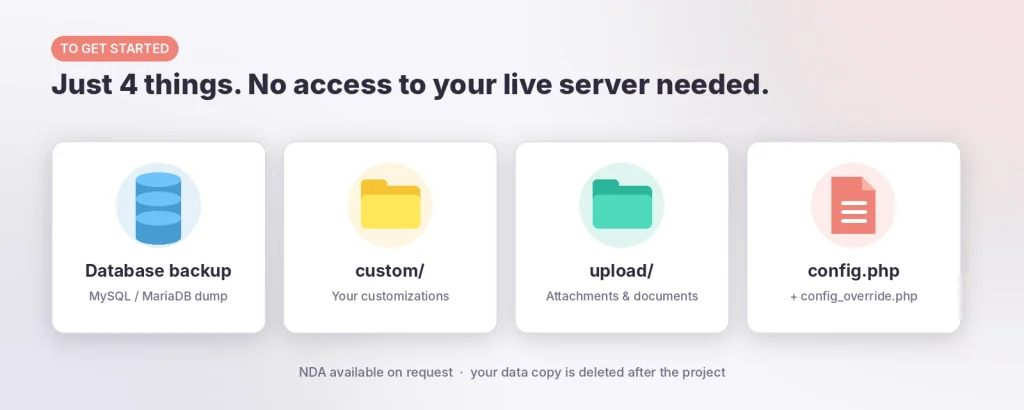
You do not need to give us access to your live server to get started. We only need:
- A backup (dump) of your CRM database
- The
custom/folder - The
upload/folder with your attachments and documents config.phpandconfig_override.php
We can sign an NDA, and we delete our copy of your data when the project ends.
What you get
- SuiteCRM 8 running on your server, or a ready-to-deploy package
- All records, relationships, users, roles and attachments migrated
- Your customizations rebuilt in an upgrade-safe way
- A data verification report
- Notes for future SuiteCRM 8 updates
- Post-launch support
How pricing works
Every SuiteCRM upgrade is quoted as a fixed price after a free audit, so you know the full cost before any work starts. The price depends on:
- Your current version and how far it is from SuiteCRM 8
- Database size and the volume of attachments
- The number and type of customizations, custom modules and logic hooks
- Third-party plugins and integrations that need updating
- Whether you also want us to set up hosting, SSL, cron jobs and mailboxes
Extra work outside the agreed scope is only done after your approval.
Why choose Mien Trung Soft
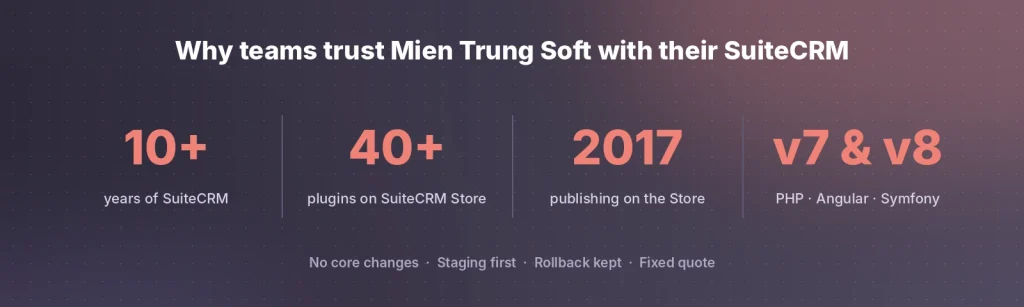
- 10+ years of SuiteCRM and SugarCRM CE experience
- 40+ plugins on the official SuiteCRM Store since 2017, maintained for both SuiteCRM 7 and SuiteCRM 8
- Deep knowledge of both architectures: PHP, Smarty and logic hooks in version 7; Angular, Symfony and REST API v8 in version 8
- No core changes: customizations are kept upgrade-safe, so your next upgrade stays simple
- Staging first, rollback kept: your live system is never at risk
SuiteCRM upgrade FAQ
How much does it cost to upgrade SuiteCRM 7 to SuiteCRM 8?
The cost depends on your version, data size and customizations. We give a fixed quote after a free audit of your system.
Can I upgrade SuiteCRM 7 directly to SuiteCRM 8?
Only from the latest SuiteCRM 7 line. Older 7.x versions must first be upgraded to the latest 7.x release, then migrated with the official SuiteCRM 8 migration.
Will I lose data during a SuiteCRM upgrade?
No. We work on a copy, verify every module before go-live and keep your old system as a rollback.
Can SugarCRM be migrated to SuiteCRM?
Yes. SugarCRM Community Edition 6.5 shares its code base with SuiteCRM and can be upgraded directly. Data from newer SugarCRM editions can be migrated into SuiteCRM 8.
Do my custom fields and layouts survive the upgrade?
Yes. Studio fields, dropdowns and layouts are carried over. Custom PHP code is reviewed and updated where SuiteCRM 8 requires it.
Do users need to reset their passwords?
No. Existing user accounts and passwords keep working after the upgrade.
How long does a SuiteCRM upgrade take?
A standard installation usually takes a few working days, including testing. Heavily customized systems take longer; the audit gives you an exact timeline.
Should I stay on SuiteCRM 7 or move to SuiteCRM 8?
Stay on the latest SuiteCRM 7 if heavy custom code depends on the classic interface. Move to SuiteCRM 8 for the modern interface and the active development line. We can help with either.
Get a free SuiteCRM upgrade audit
Tell us your current SuiteCRM version and roughly how much data you have. We will review your system and send a fixed quote, usually within one business day.

Nhat Thieu
CRM · HRM · Custom SoftwareCRM Solution Architect & Developer specializing in open-source CRM/HRM customization, system integration, custom software and AI.