Introducing our brand new store — store.mientrungsoft.com Explore  →
BLOG

Transform Workflows with the SuiteCRM Kanban Plugin
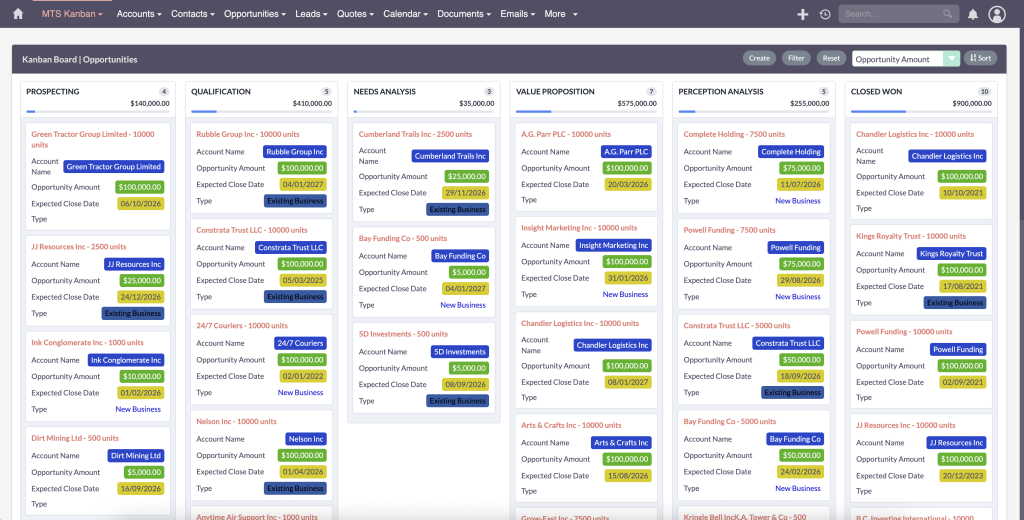
Comprehensive guide to implementing and customizing the SuiteCRM Kanban Plugin for visual pipeline management

⚡ Quick Summary / Key Takeaway

SuiteCRM Kanban Plugin: A SuiteCRM Kanban Plugin is a visual pipeline management tool that transforms standard data rows into interactive, drag-and-drop columns. By organizing CRM records based on their current stage or status, it empowers teams to effortlessly visualize workflows, advance deals, and manage tasks from a single, unified interface.

For fast-paced sales and support teams, endlessly scrolling through static list views is a drain on productivity. Modern CRM users expect intuitive, visual interfaces where managing a pipeline is as simple as dragging a card from one column to the next. The [MTS Kanban](https://store.mientrungsoft.com/mts-kanban/) plugin revolutionizes how you interact with your data, providing a dynamic SuiteCRM Kanban Plugin experience that seamlessly integrates into both SuiteCRM 7 and SuiteCRM 8 environments. In this guide, we explore how transforming your CRM into a visual workspace can accelerate deal velocity and streamline daily operations.

Why Your Team Needs a SuiteCRM Kanban Board
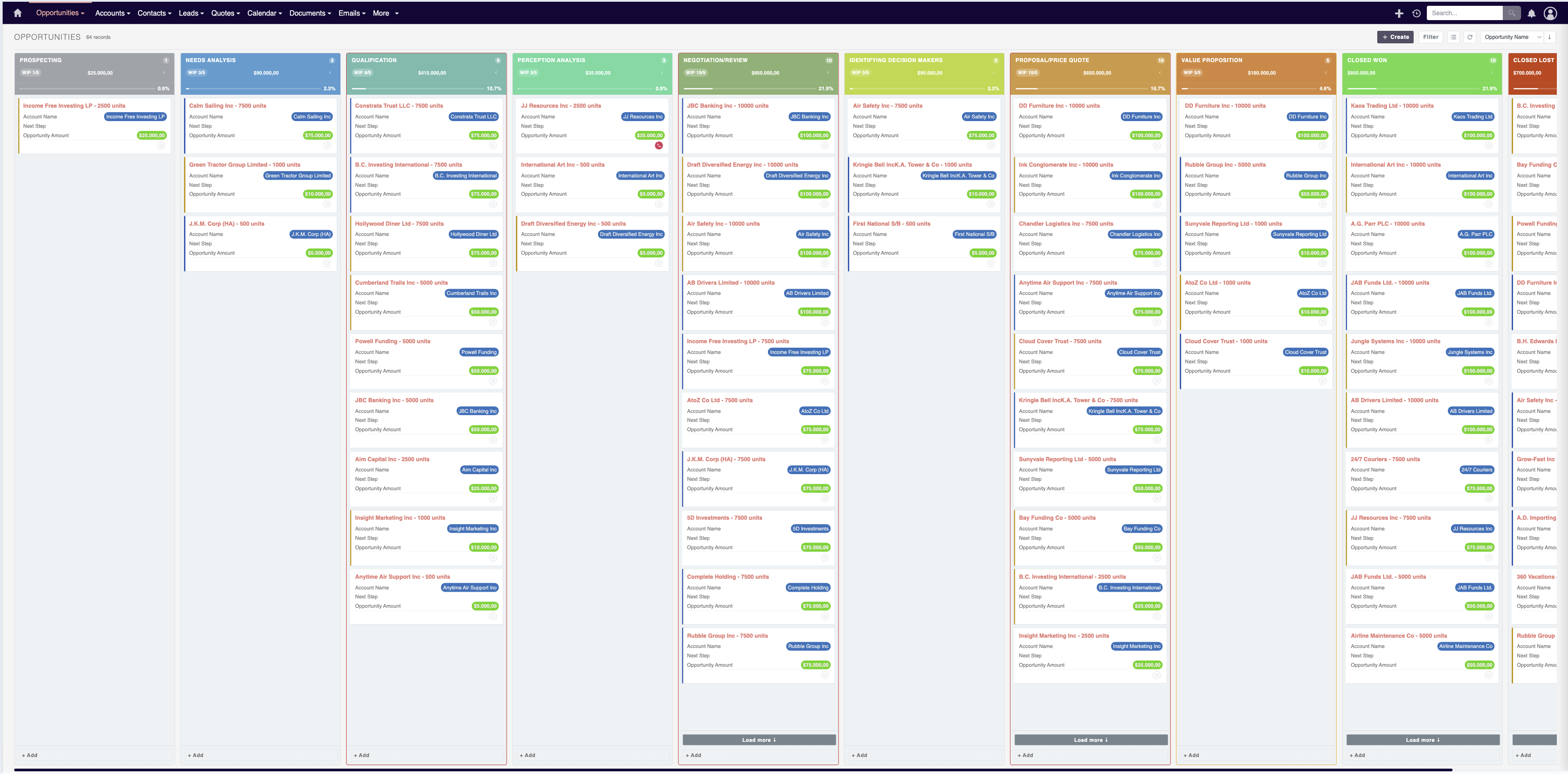
Business team collaborating using a SuiteCRM Kanban board for visual pipeline management
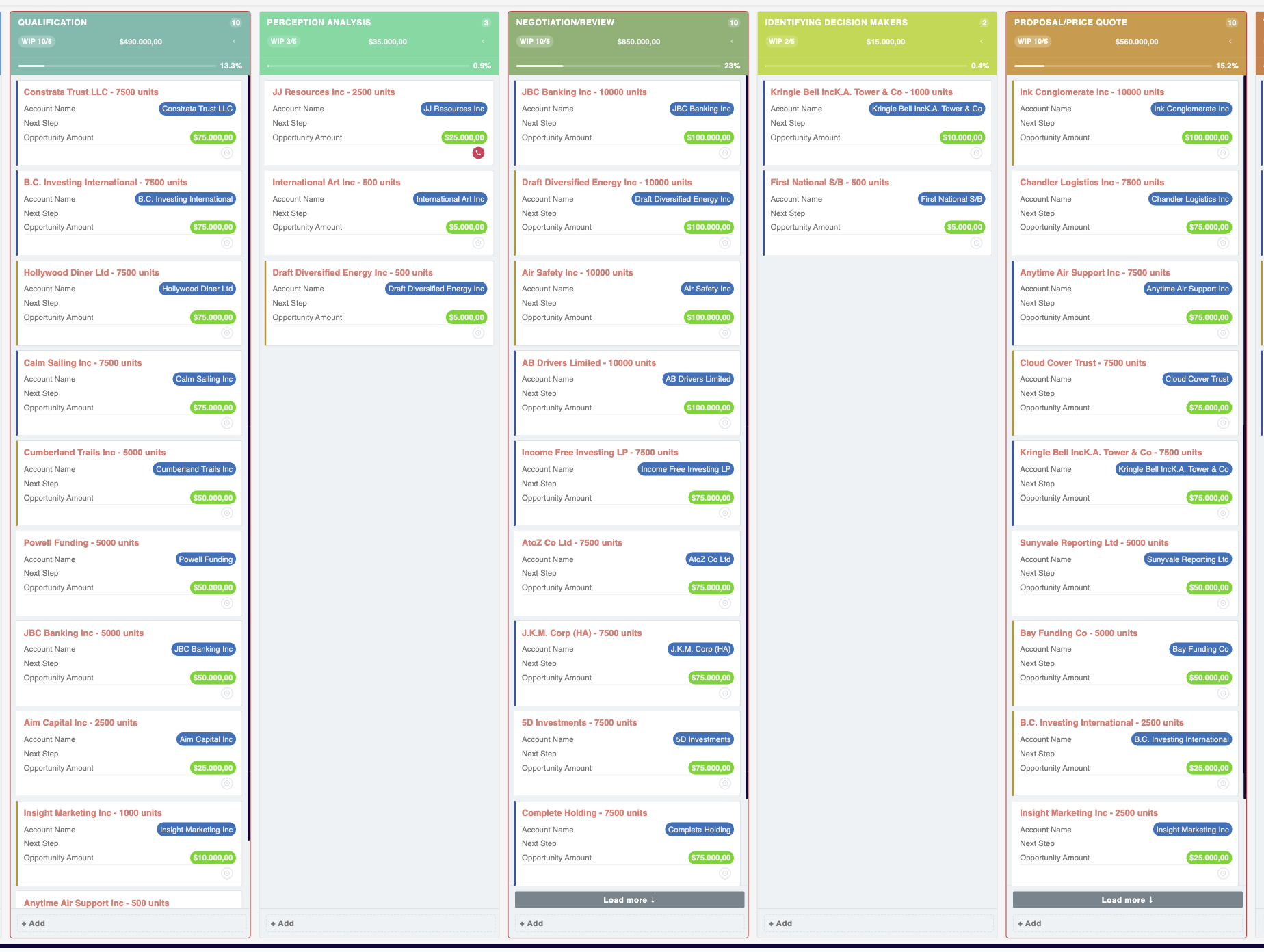
Traditional CRM list views often force users to open individual records just to understand the current status of a project, support ticket, or sales opportunity. A SuiteCRM Kanban board eliminates this friction by providing a bird’s-eye view of your entire pipeline. Business Benefits: * Instant Visual Clarity: Quickly identify bottlenecks and see exactly where every opportunity stands in the sales funnel. * Frictionless Updates: Update a record’s status simply by dragging and dropping it into the next column, saving valuable clicks and time. * Enhanced Team Collaboration: Provide a centralized, easily digestible dashboard that aligns sales, marketing, and support teams on current priorities. By moving away from spreadsheets and static lists, businesses can foster a more agile, responsive work environment.

Core Features of the MTS SuiteCRM Kanban Plugin
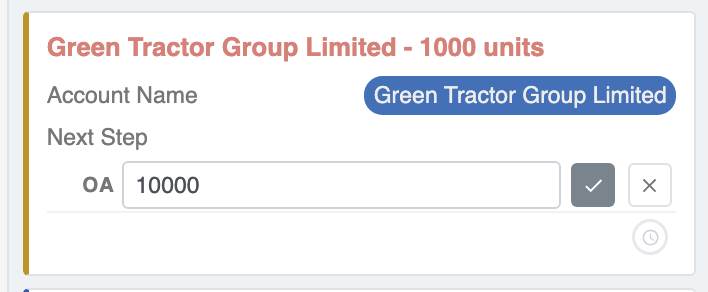
MTS SuiteCRM Kanban Plugin interface showing drag-and-drop functionality
The MTS Kanban extension by Mien Trung Soft is engineered for high performance and seamless user experience. It is fully compatible with both legacy and modern architectures, making it the definitive SuiteCRM 8 Kanban guide for businesses upgrading their systems. Key Capabilities Include: * Universal Module Support: Apply Kanban views to standard modules (like Opportunities, Leads, and Tasks) as well as any custom modules built within your CRM. * Dynamic Status Mapping: Automatically generate columns based on existing dropdown fields, such as ‘Sales Stage’ or ‘Ticket Status’. * Real-Time Data Synchronization: Dragging a card instantly updates the underlying database record without requiring a page refresh. * Quick Actions: Access critical record details directly from the Kanban card without navigating away from the main board.

Step-by-Step SuiteCRM Kanban Customization
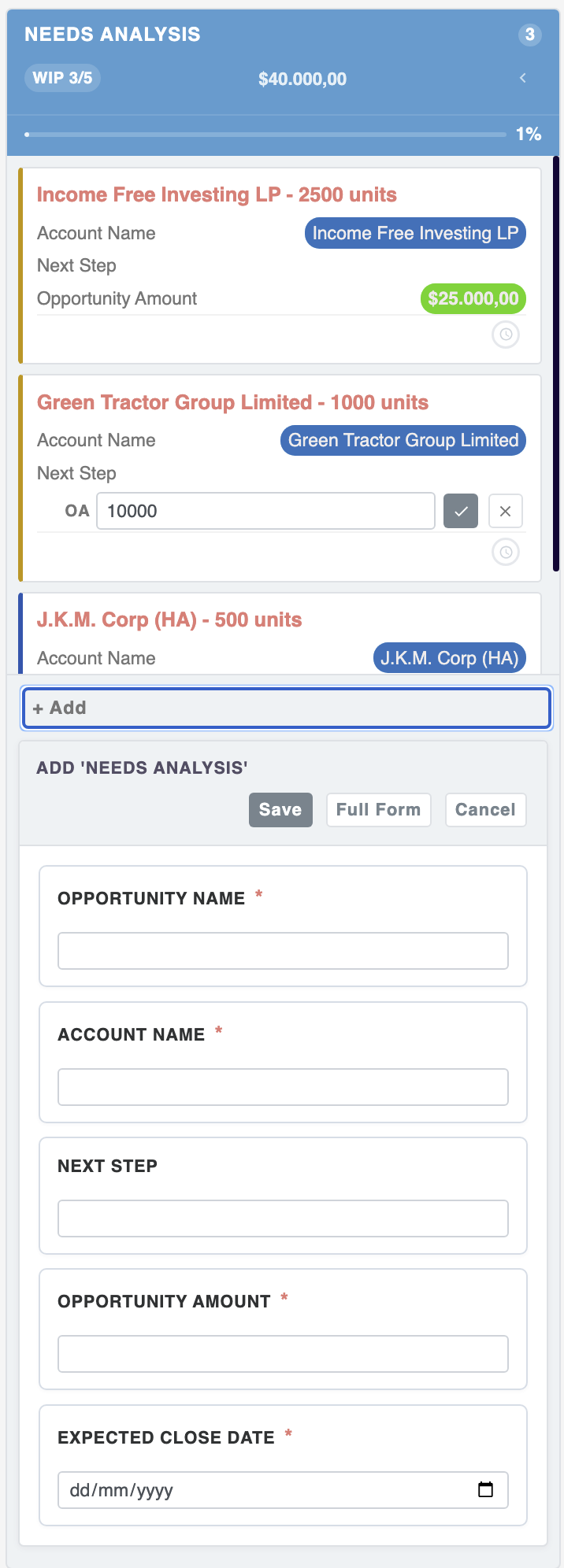
Administrator configuring SuiteCRM Kanban customization settings via the UI
Administrators can quickly deploy and configure the plugin without writing a single line of code. The SuiteCRM Kanban customization process is handled entirely through the intuitive Admin interface. Configuration Workflow: 1. Access the Admin Panel: Log in to your SuiteCRM instance as an administrator and navigate to the Admin section. 2. Locate the Plugin Settings: Find the configuration panel specifically designated for the MTS Kanban module. 3. Select the Target Module: Choose the module you wish to visualize (e.g., Opportunities). 4. Define the Grouping Field: Select the specific dropdown field that will represent the Kanban columns (e.g., ‘Sales Stage’). 5. Customize Card Display: Choose which supplementary data fields should appear on each Kanban card (like Expected Close Date or Opportunity Amount) to provide maximum context at a glance. 6. Save and Deploy: Save your configurations to immediately make the new visual board available to your end-users.

Enterprise Solutions with MTS SuiteCRM Development
MTS SuiteCRM development team providing enterprise custom CRM solutions
While off-the-shelf plugins cover most standard use cases, enterprise environments often require complex, highly tailored workflows. This is where specialized MTS SuiteCRM development services provide a competitive edge. Mien Trung Soft’s dedicated team of CRM architects can extend the core Kanban functionality to accommodate complex business logic. Whether you need custom validation rules triggered upon dragging a card, integration with third-party ERP systems, or specialized permission structures that dictate who can move records between specific columns, our enterprise consulting ensures your CRM adapts perfectly to your operational model. Partnering with experts guarantees a scalable, secure, and highly optimized CRM ecosystem.

Key Takeaways

  • A SuiteCRM Kanban Plugin replaces static list views with dynamic, drag-and-drop boards to accelerate workflow management.
  • The MTS Kanban extension is fully compatible with standard and custom modules across both SuiteCRM 7 and SuiteCRM 8.
  • Administrators can easily configure Kanban boards via the UI without writing code, mapping columns to any dropdown status field.
  • Mien Trung Soft provides expert custom development to tailor Kanban functionalities for complex enterprise requirements.

Conclusion

Implementing a SuiteCRM Kanban Plugin is one of the most effective ways to modernize your CRM interface and drive user adoption. By transforming static lists into an interactive, visual workspace, teams can manage their pipelines with unprecedented speed and clarity. If you are ready to elevate your team’s workflow, explore the [MTS Kanban Plugin](https://store.mientrungsoft.com/mts-kanban/) today. For organizations requiring deep, specialized workflows, Mien Trung Soft offers world-class CRM consulting and custom development to ensure your technology perfectly aligns with your strategic goals.

Transform Your System with Mien Trung Soft

Need custom CRM development, workflow automation, or enterprise integration? Our expert developers deliver high-performance solutions tailored to your unique business logic.

Get a Free Consultation

Frequently Asked Questions (FAQ)

Does the SuiteCRM Kanban Plugin work with custom modules?

Yes, high-quality solutions like the MTS Kanban plugin allow administrators to apply Kanban views to both core modules (like Opportunities and Leads) and any custom modules built within your CRM ecosystem.

Is the Kanban board compatible with SuiteCRM 8?

Absolutely. The MTS Kanban plugin is fully optimized for the modern SuiteCRM 8 architecture, while maintaining full backwards compatibility with SuiteCRM 7 instances.

Can I customize the information displayed on the Kanban cards?

Yes. Administrators can use the intuitive configuration panel to select exactly which data fields appear on the Kanban cards, ensuring users see the most relevant information without needing to open the full record.

👉 Get the plugin: Turn your CRM into a visual, drag-and-drop board with the MTS Kanban for SuiteCRM — a SuiteCRM Kanban plugin for SuiteCRM 7 & 8.

WhatsApp