Implementing SuiteCRM Lead Scoring for Enterprise Sales Teams
⚡ Quick Summary / Key Takeaway
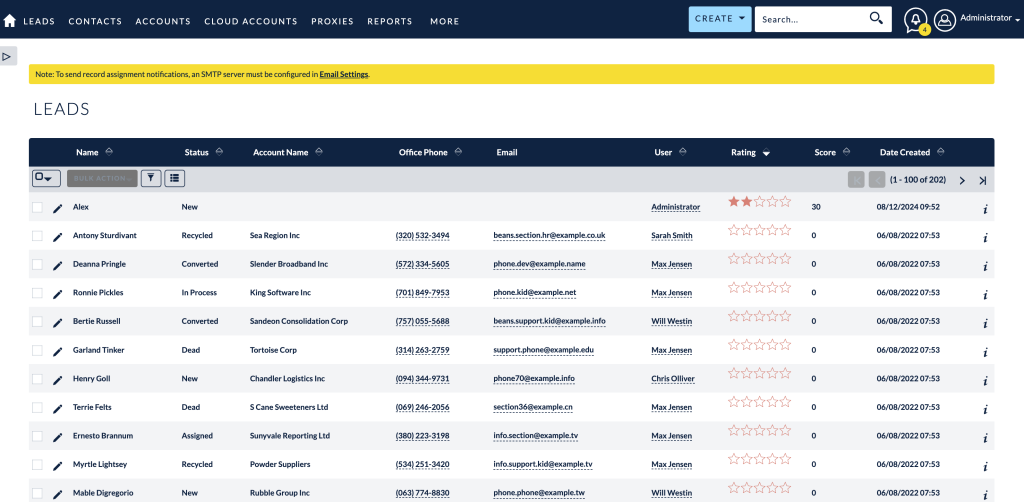
SuiteCRM Lead Scoring: SuiteCRM lead scoring is a systematic CRM configuration that assigns numeric values to prospects based on specific demographic attributes and behavioral engagement. By implementing customized scoring rules, sales teams can instantly prioritize high-intent prospects, automate lead routing, and focus their efforts on opportunities most likely to close.
Table of Contents
As CRM platforms transition from passive data repositories to active decision-making engines, the ability to instantly identify and prioritize high-value prospects is essential for enterprise sales teams. **SuiteCRM lead scoring** provides a structured methodology to rank leads based on their demographic profile, behavioral engagement, and overall readiness to purchase. By implementing a robust lead scoring architecture, organizations can eliminate guesswork, streamline their sales cycles, and ensure that representatives focus their time strictly on qualified opportunities. This guide outlines how to build a scalable lead scoring model within SuiteCRM, utilizing custom plugins and best practices to maximize your conversion rates.
The Strategic Role of Lead Scoring in Modern CRMs
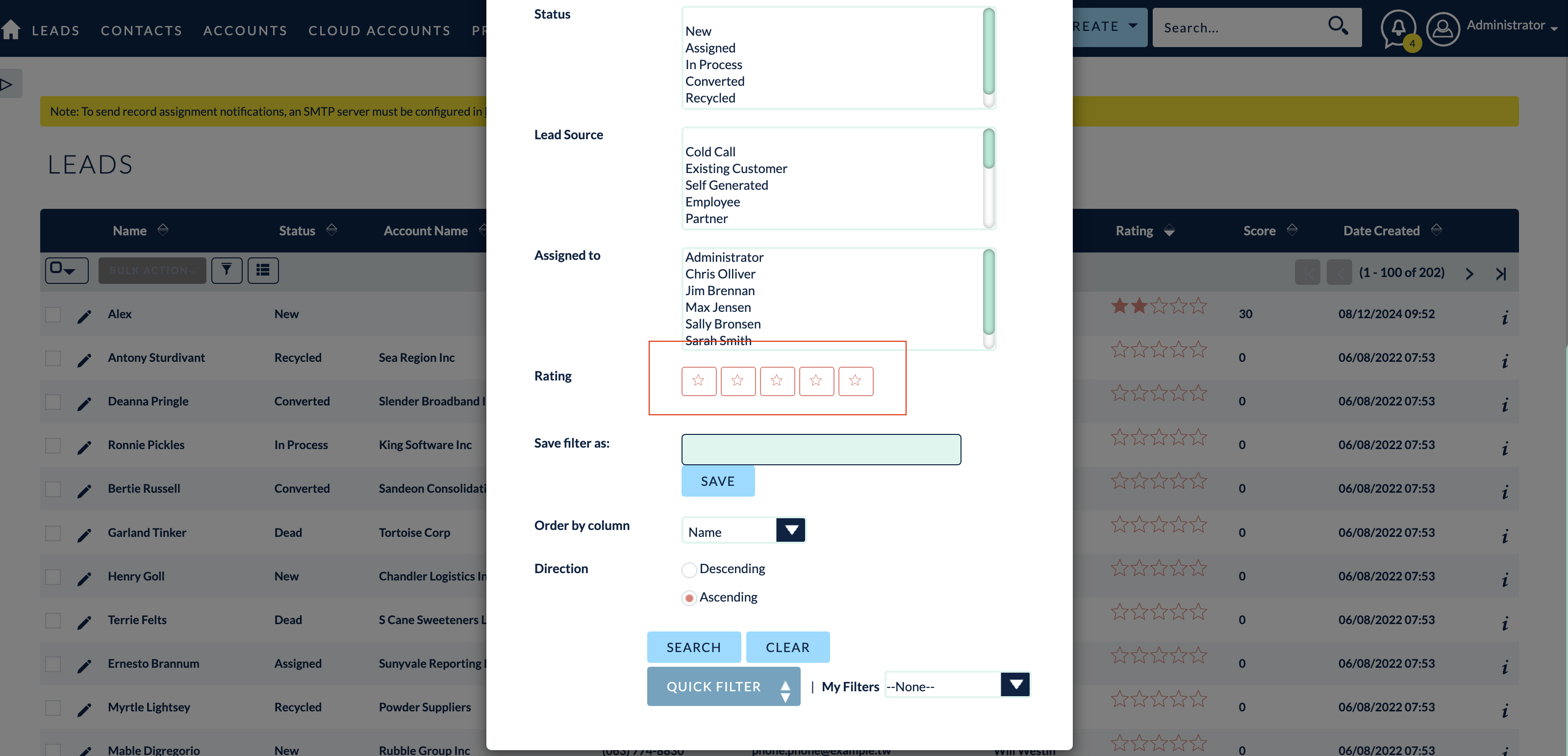
By assigning point values to specific criteria—such as a prospect’s industry, company size, or engagement history—the CRM automatically filters out unqualified leads while surfacing those with the highest probability to convert. This proactive approach reduces the administrative burden on sales staff, shortens the sales cycle, and ensures a seamless transition of prospects from marketing to sales.
Capabilities of the MTS Record Score Plugin
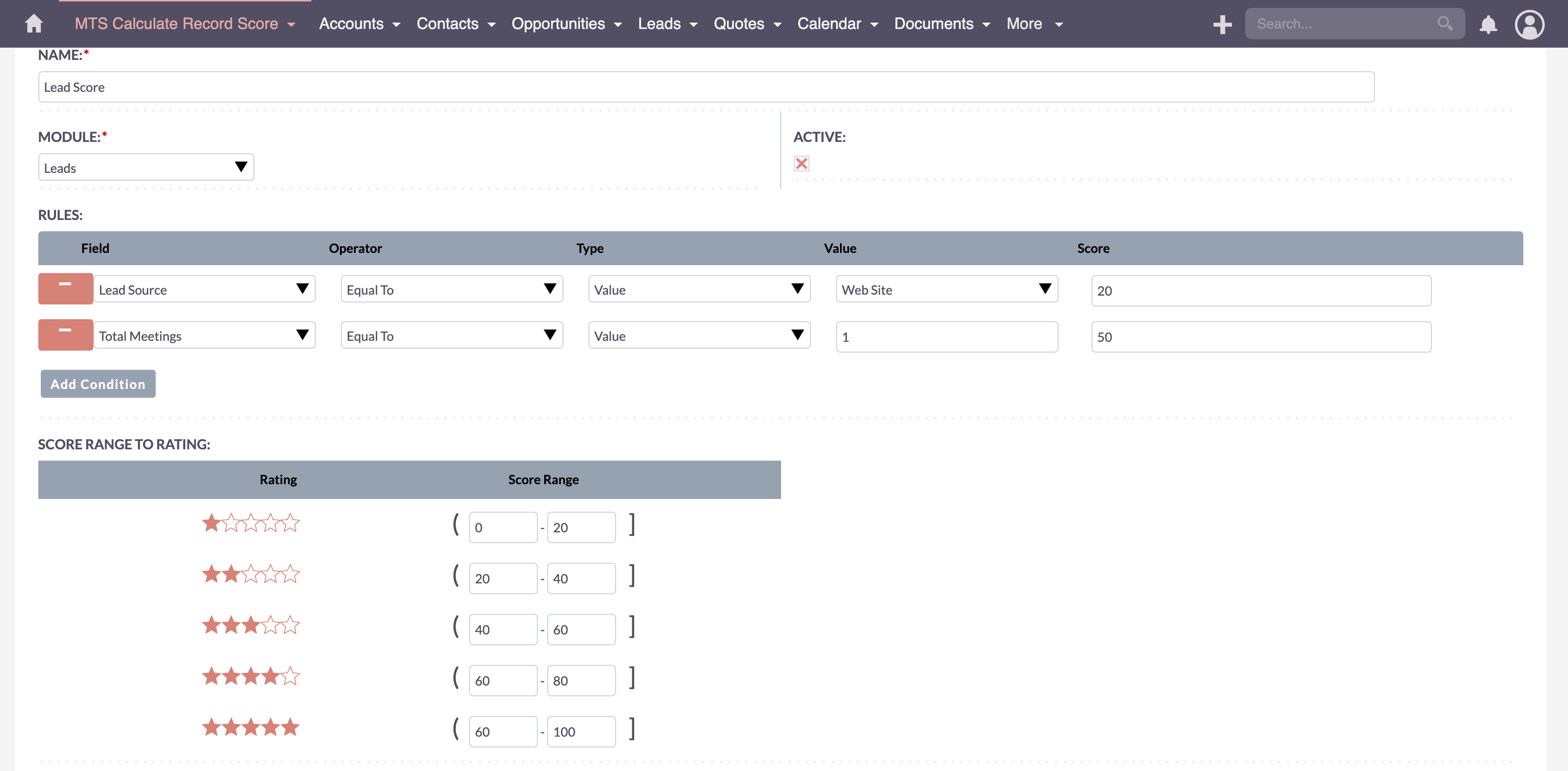
This SuiteCRM lead scoring plugin allows administrators to build sophisticated scoring models directly within the CRM interface. Key features include:
* Dynamic Rule Creation: Establish multiple scoring criteria based on any standard or custom field within the Leads, Contacts, or Accounts modules.
* Weighted Scoring: Assign variable point values (positive or negative) depending on the exact match or range of the data provided.
* Real-Time Calculation: Automatically update the lead score metric whenever a record is modified or updated by marketing automation integrations.
* Visual Indicators: Display visual grading (such as A, B, C, D tiers) on the record detail view for instant rep comprehension.
Configuring SuiteCRM Lead Scoring Rules
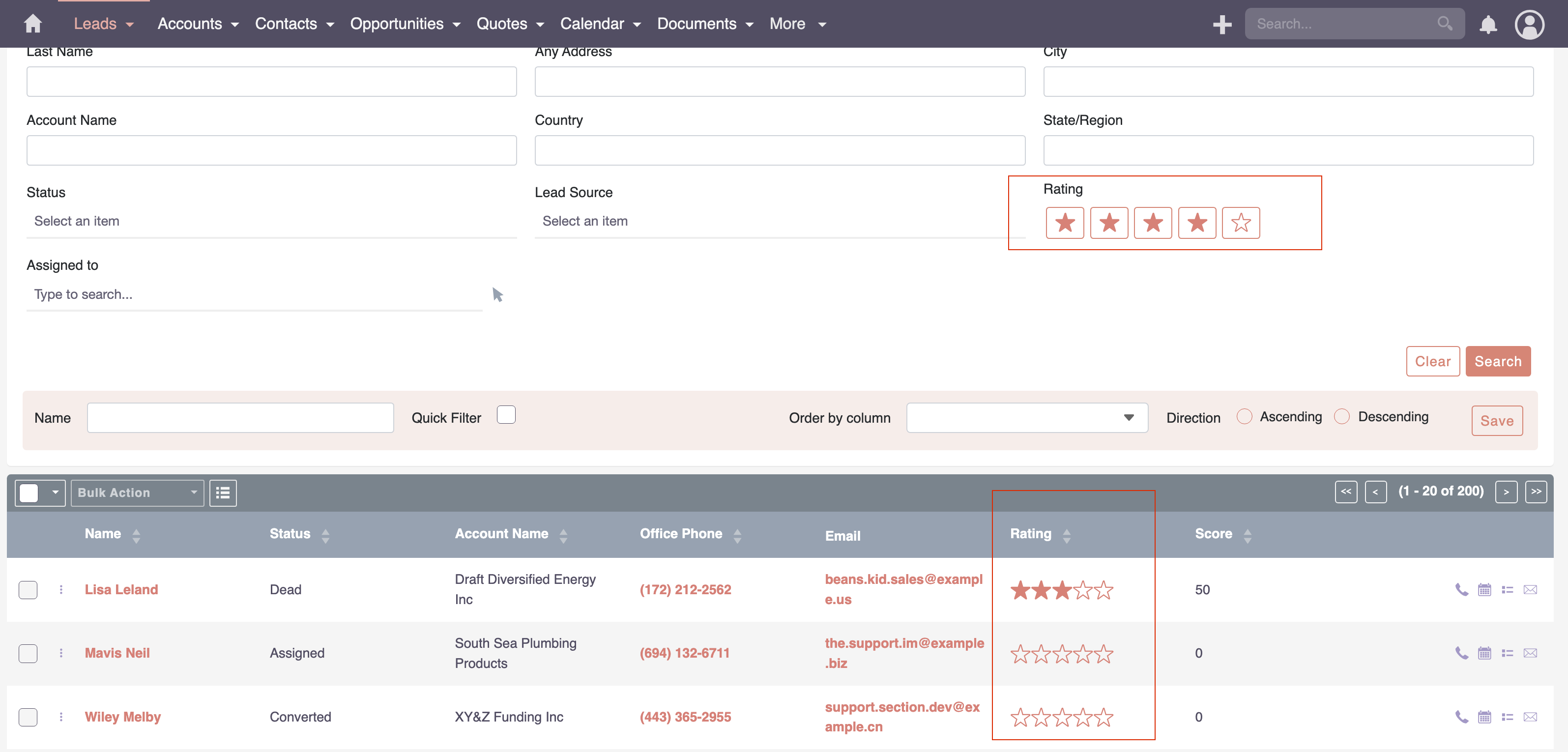
Step-by-Step Configuration Workflow
1. Navigate to the Administration Panel: Log in as an administrator and access the MTS Record Score configuration module.
2. Define the Target Module: Select the ‘Leads’ or ‘Contacts’ module where the scoring rules will apply.
3. Create a New Scoring Rule: Specify the condition. For example, select the ‘Industry’ field and set the condition to equal ‘Technology’.
4. Assign Point Values: Allocate appropriate points (e.g., +20 points) for this specific match.
5. Establish Negative Scoring: Create rules that subtract points for undesirable traits, such as a ‘Job Title’ equal to ‘Student’ (-50 points).
6. Save and Apply: Once all demographic and behavioral rules are mapped, save the configuration. The system will begin processing the existing database to reflect the new scoring metrics.
Advanced Lead Scoring Customization and Automation
Behavioral Scoring Integration
While demographic data establishes the ‘fit’ of a prospect, behavioral data dictates their ‘interest’. By integrating SuiteCRM with marketing automation tools, organizations can adjust scores based on actions such as whitepaper downloads, webinar attendance, or email engagement.
Automated Workflow Routing
Once a lead reaches a predefined threshold (e.g., a score of 100), SuiteCRM Workflows can be triggered automatically. These workflows can:
* Instantly convert the Lead to a Contact and Opportunity.
* Route the high-priority record to the appropriate regional sales manager.
* Trigger immediate push notifications or email alerts to the assigned representative.
Enterprise Implementation Best Practices
* Sales and Marketing Alignment: Both teams must agree on the definition of a Marketing Qualified Lead (MQL) and a Sales Qualified Lead (SQL) before configuring point values in the CRM.
* Maintain Data Hygiene: Scoring models rely heavily on accurate data. Implement mandatory fields and data validation rules during lead capture to prevent incomplete records from skewing scores.
* Test and Refine Continuously: Monitor the close rates of high-scoring leads over the first quarter of deployment. If leads with high scores are not converting, audit the rules and adjust the point weightings accordingly.
* Keep it Simple Initially: Start with 5 to 10 core demographic and firmographic rules. Avoid overcomplicating the model during the initial rollout to ensure smooth user adoption.
✦ Key Takeaways
- ✓ SuiteCRM lead scoring automatically ranks prospects based on demographic and behavioral data to prioritize sales efforts.
- ✓ The MTS Record Score plugin enables administrators to build dynamic, weighted scoring models without complex coding.
- ✓ Aligning marketing and sales definitions of qualified leads is crucial before configuring point values in the CRM.
- ✓ Automated workflows should be utilized to route leads instantly to sales representatives once a specific score threshold is met.
- ✓ Continuous testing and refinement of scoring rules are necessary to maintain accuracy and high conversion rates.
Conclusion
Implementing an effective SuiteCRM lead scoring strategy fundamentally transforms how sales organizations operate, shifting the focus from manual sorting to active engagement with high-probability buyers. By leveraging tools like the [MTS Record Score](https://store.mientrungsoft.com/mts-record-score/) plugin, administrators can build a dynamic, automated framework that aligns perfectly with enterprise objectives. If your organization is ready to upgrade its lead qualification architecture, Mien Trung Soft offers the specialized SuiteCRM development expertise required to design, customize, and deploy a bespoke scoring model that drives measurable revenue growth.
Frequently Asked Questions (FAQ)
What is the primary benefit of SuiteCRM lead scoring?
The primary benefit is operational efficiency. It automatically ranks leads based on their likelihood to convert, allowing sales teams to focus their time and resources entirely on high-value prospects rather than unqualified data.
How difficult is it to configure a SuiteCRM lead scoring plugin?
With professional plugins like MTS Record Score, configuration is highly accessible. It utilizes a user-friendly administrative interface where you can select target fields, define condition operators, and assign numerical point values without any programming knowledge.
Can Mien Trung Soft customize the lead scoring model for complex enterprise needs?
Yes. As a premier open-source CRM development agency, Mien Trung Soft specializes in deep SuiteCRM lead scoring customization, integrating third-party data sources, setting up advanced decay models, and tailoring workflows for enterprise-scale deployments.

Nhat Thieu
CRM · HRM · Custom SoftwareCRM Solution Architect & Developer specializing in open-source CRM/HRM customization, system integration, custom software and AI.