SuiteCRM Duplicate Plugin Configuration Guide
⚡ Quick Summary / Key Takeaway
SuiteCRM Duplicate Plugin: A SuiteCRM Duplicate Plugin is an essential extension that automatically identifies, prevents, and merges duplicate CRM records. By implementing a premium deduplication tool like MTS Duplicate Check, administrators can maintain high data integrity, streamline reporting, and enforce strict data cleansing rules across their entire SuiteCRM instance without writing custom code.
Table of Contents
Maintaining accurate, reliable data is the backbone of any successful enterprise CRM strategy. However, as organizations scale, the continuous influx of redundant accounts, contacts, and leads can severely degrade system performance and erode user trust. Implementing a robust **SuiteCRM Duplicate Plugin** is the most effective way to eliminate these data silos and ensure single-source-of-truth reporting. Specifically designed for administrators and data managers, the [MTS Duplicate Check](https://store.mientrungsoft.com/mts-duplicate-check/) extension automatically identifies and resolves duplicate entries before they disrupt your business workflows. In this comprehensive guide, we will explore how leveraging a dedicated SuiteCRM deduplication plugin transforms your data cleansing operations, ensuring a streamlined, highly optimized CRM environment.
The True Cost of Duplicate CRM Data
When a sales representative updates a duplicate contact record instead of the primary one, crucial communication history is fragmented. This leads to embarrassing situations where multiple agents reach out to the same prospect, damaging brand reputation. Furthermore, marketing automation campaigns trigger duplicate emails, skewing your analytics and violating compliance standards. Implementing a robust SuiteCRM data cleansing strategy is not just about keeping a tidy database; it is a critical business requirement to ensure accurate forecasting, maximize sales efficiency, and deliver a unified customer experience.
Core Capabilities of a SuiteCRM Duplicate Plugin
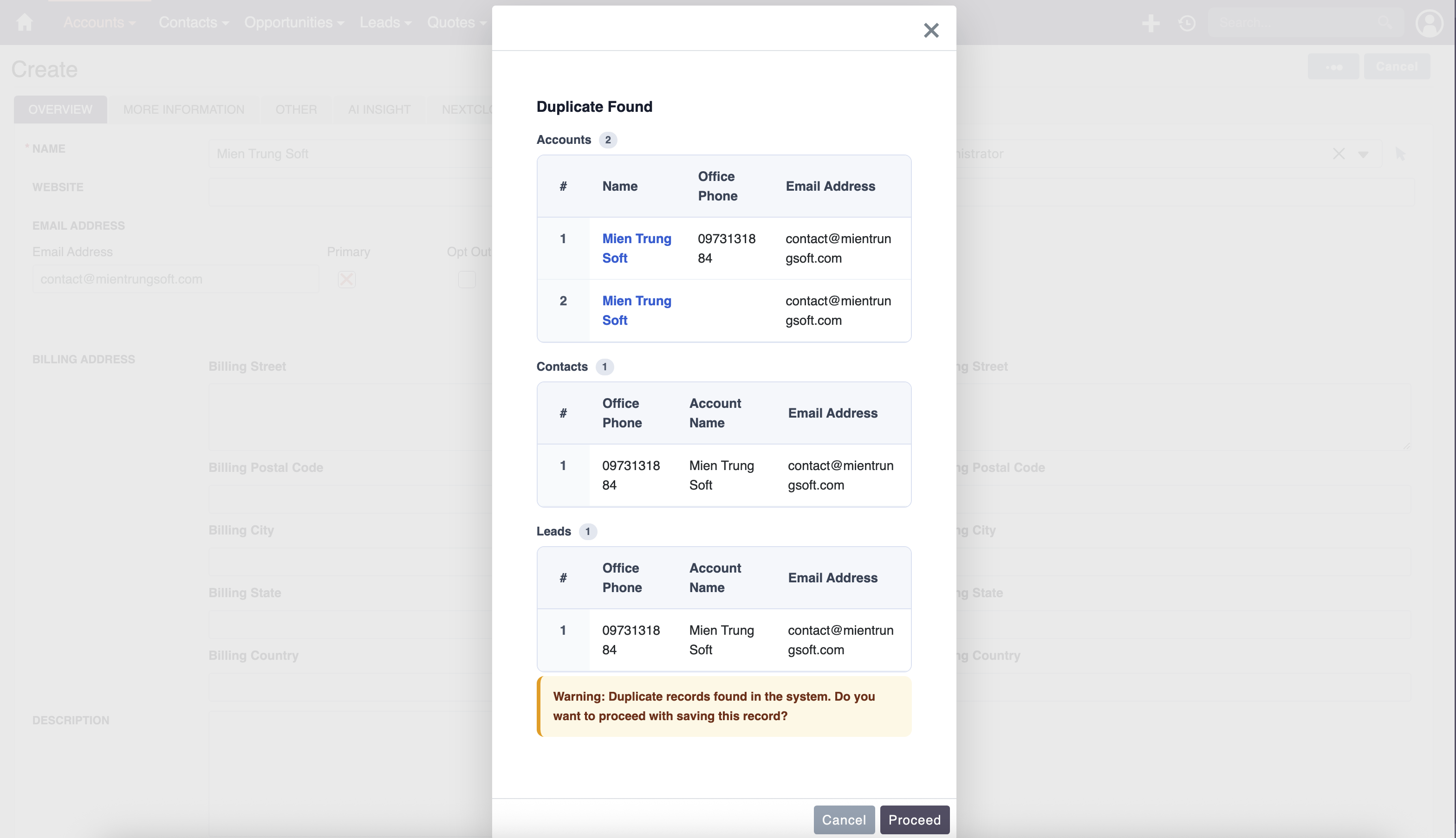
Real-Time Duplicate Prevention
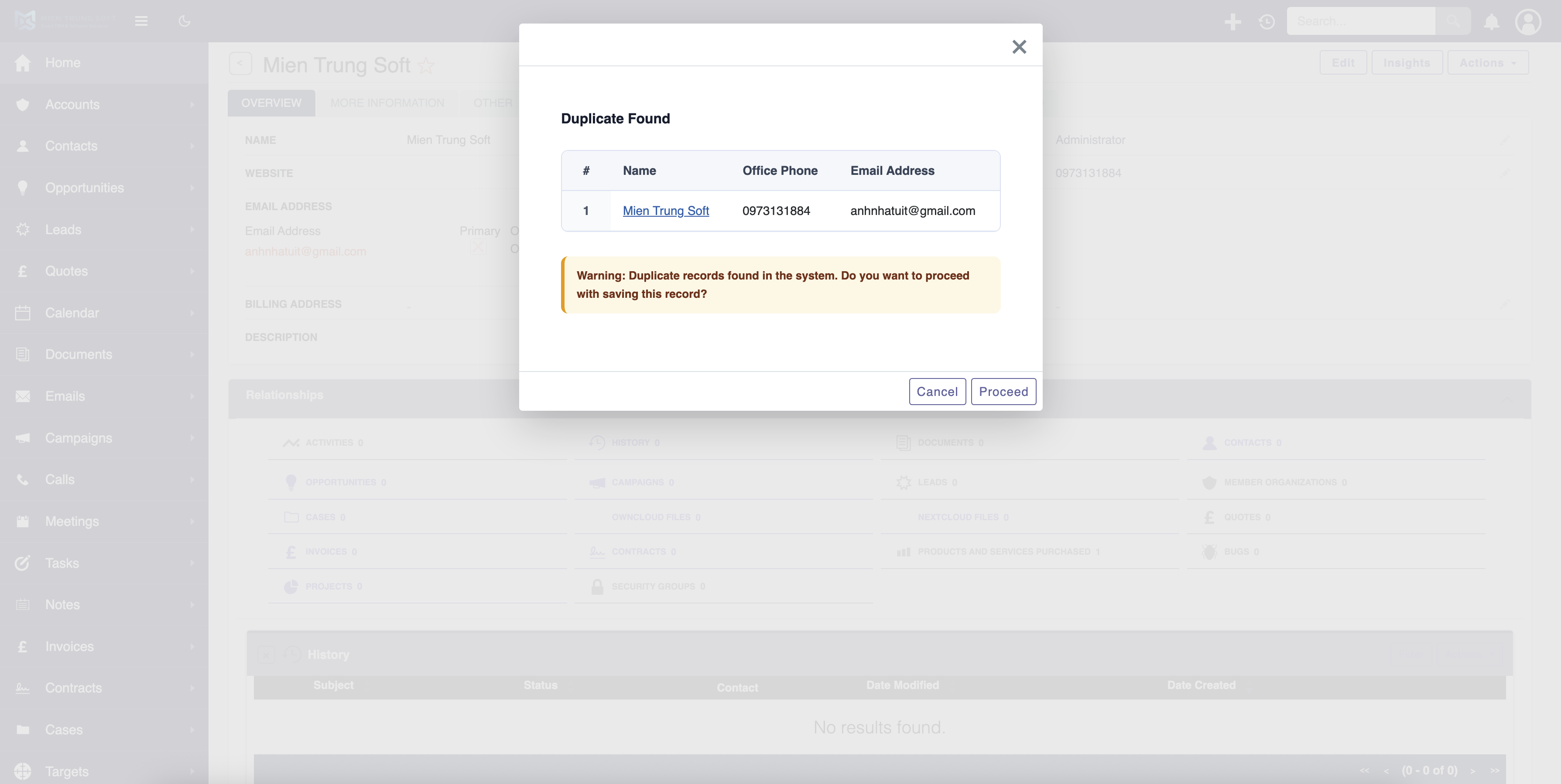
The most effective way to manage duplicates is to prevent them from being saved in the first place. When a user attempts to create a new record, the plugin instantly cross-references the database against your defined matching criteria. If a match is found, the system alerts the user and provides an immediate link to the existing record.
Cross-Module Checking
Often, a Lead might already exist as a Contact. Advanced plugins offer cross-module verification, ensuring that data redundancy is monitored across the entire CRM architecture, seamlessly linking entities rather than creating isolated duplicates.
Batch Scanning and Merging
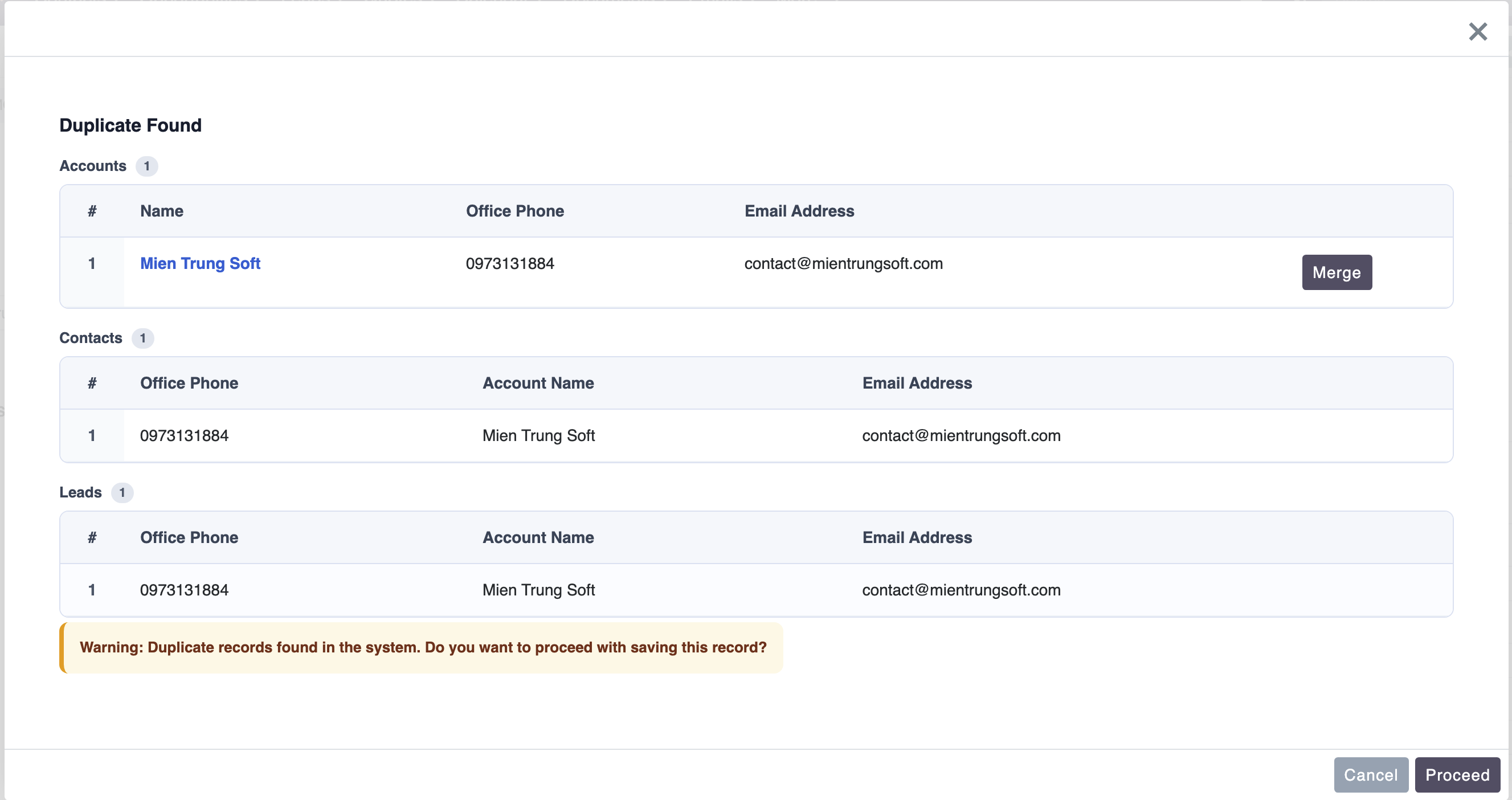
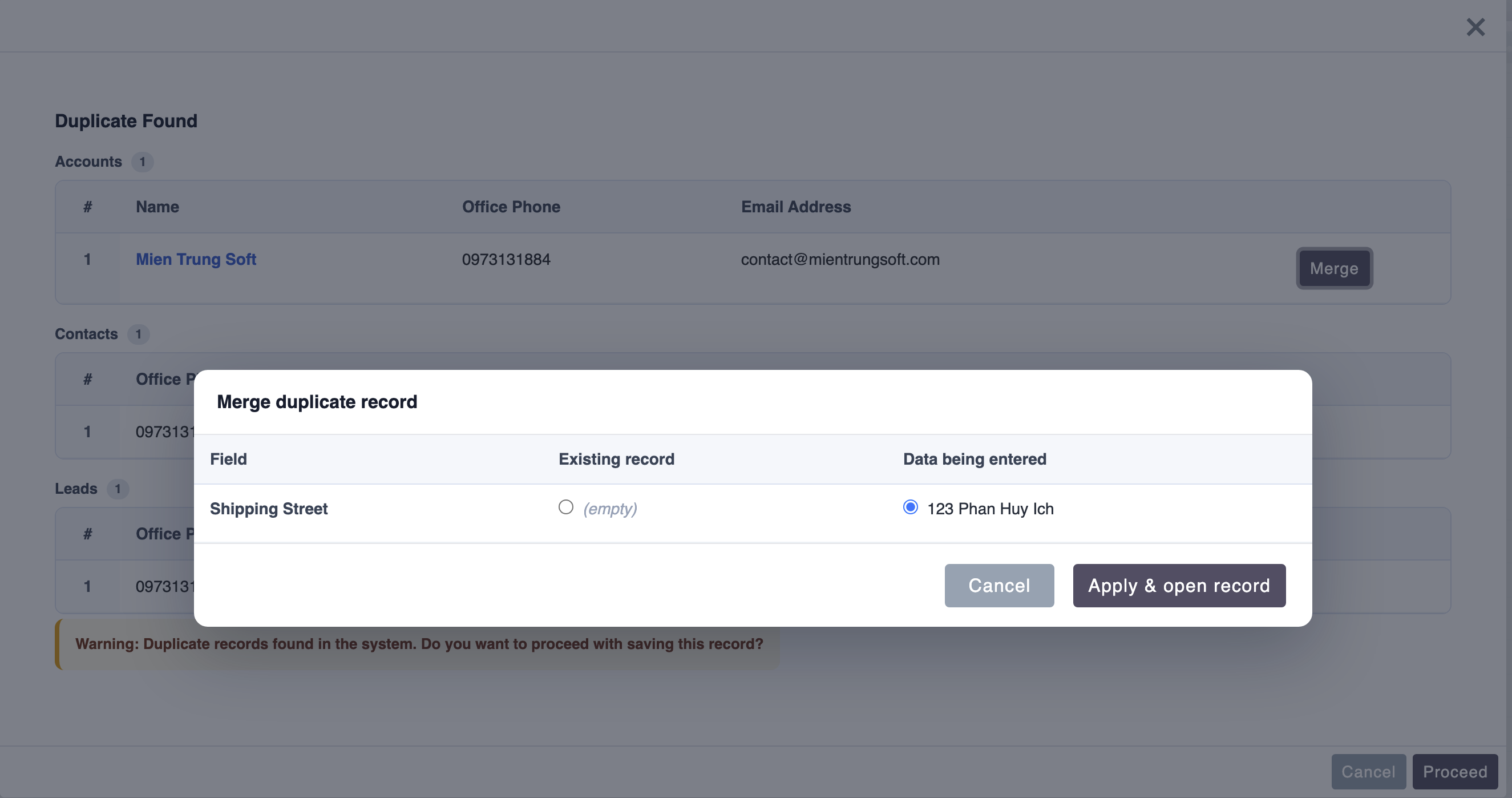
For systems already suffering from data bloat, a powerful SuiteCRM 8 duplicate checker includes batch processing. Administrators can run scheduled tasks to scan thousands of historical records, generate deduplication reports, and perform bulk merges with a single click, preserving all vital relationship links and activity history.
Setting Up the MTS Duplicate Checker
Step-by-Step Configuration:
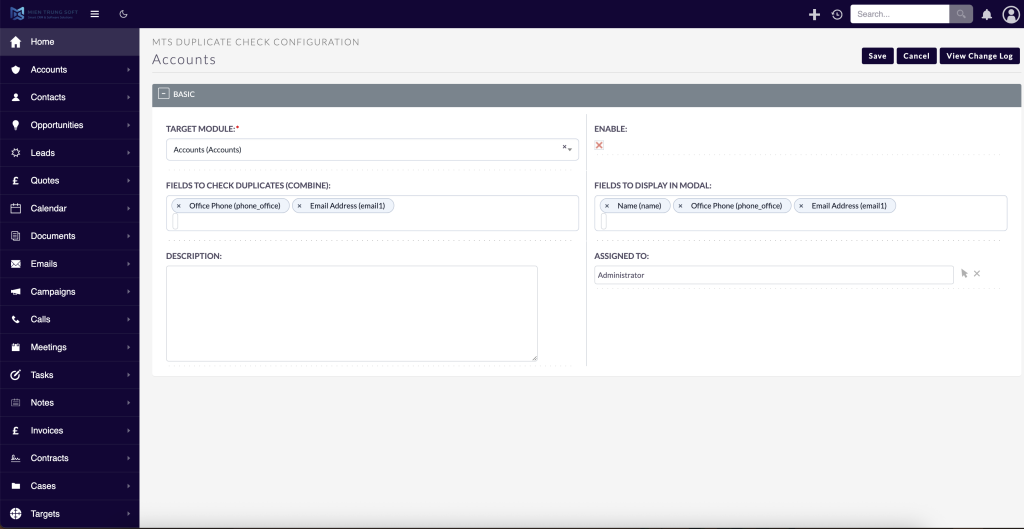
1. Access the Admin Panel: Log into your SuiteCRM instance as an administrator and navigate to the centralized Admin dashboard.
2. Locate the MTS Configuration: Scroll down to the MTS SuiteCRM plugins section and select the ‘MTS Duplicate Check’ configuration panel.
3. Define Target Modules: Choose which modules require active monitoring (e.g., Accounts, Contacts, Leads).
4. Establish Matching Rules: Select the exact fields that determine a duplicate. For example, you can require an exact match on ‘Email Address’ OR a fuzzy match on ‘Company Name’ and ‘Phone Number’.
5. Set the Action Threshold: Decide the plugin’s behavior when a duplicate is detected. You can choose to ‘Warn’ the user (allowing them to proceed if it is a false positive) or ‘Block’ the creation entirely to enforce strict data compliance.
6. Save and Deploy: Once the rules are saved, the plugin immediately enforces these guidelines across all user interfaces and API endpoints.
Enterprise Data Cleansing Best Practices
Standardize Data Entry
Ensure that all users understand the standard format for entering phone numbers, state abbreviations, and company names. While the plugin catches duplicates, uniform data entry significantly reduces the processing load and false positives.
Routine Data Audits
Schedule monthly or quarterly data audits using the plugin’s batch scanning capabilities. Treating data cleansing as a continuous operational process ensures your CRM remains agile and your reporting remains highly accurate.
Leverage Expert Consulting
For highly customized CRM architectures with complex third-party integrations, standard deduplication rules might need fine-tuning. Mien Trung Soft provides enterprise open-source CRM consulting to assist organizations in mapping out complex data migration and duplicate prevention strategies, ensuring your SuiteCRM environment scales flawlessly.
✦ Key Takeaways
- ✓ Duplicate data drains business resources, negatively impacts customer experience, and skews CRM analytics.
- ✓ A dedicated SuiteCRM Duplicate Plugin automates both the prevention of new duplicates and the resolution of historical redundant records.
- ✓ The MTS Duplicate Check extension provides critical features like real-time blocking, cross-module checking, and batch deduplication.
- ✓ Implementing data entry standards alongside automated plugins ensures long-term enterprise CRM health.
Conclusion
Unchecked duplicate records can rapidly undermine the value of your enterprise CRM, leading to wasted sales efforts and inaccurate reporting. By deploying a premium SuiteCRM Duplicate Plugin, organizations can immediately halt the influx of redundant data and effortlessly merge existing duplicates. The MTS Duplicate Check extension provides a comprehensive, admin-friendly solution to enforce data integrity across all modules. If your organization requires assistance implementing automated deduplication or executing complex data cleansing strategies, Mien Trung Soft’s expert CRM architects are ready to help you optimize your SuiteCRM environment.
Frequently Asked Questions (FAQ)
Is the MTS SuiteCRM Duplicate Plugin compatible with SuiteCRM 8?
Yes, the MTS Duplicate Check extension is fully compatible with SuiteCRM 8, providing seamless integration with its modern user interface and underlying architecture.
How does the SuiteCRM deduplication plugin handle my existing duplicate records?
The plugin features a robust batch processing tool that scans your existing database against your predefined matching rules, allowing administrators to review and merge historical duplicates effortlessly without losing relationship data.
Can I configure custom fields for duplicate checking?
Absolutely. Enterprise administrators can easily configure the plugin to check for duplicates across any standard or custom CRM field, such as tax ID numbers, custom account identifiers, or specialized email formats.

Nhat Thieu
CRM · HRM · Custom SoftwareCRM Solution Architect & Developer specializing in open-source CRM/HRM customization, system integration, custom software and AI.