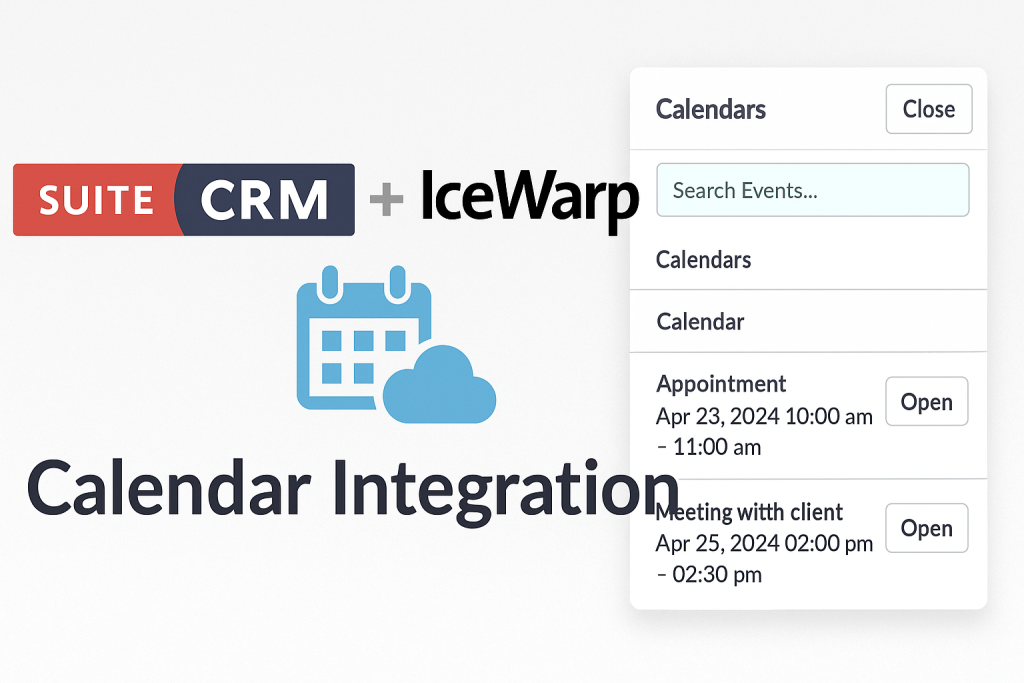
If your team uses SuiteCRM for customer management and IceWarp for email and calendars, you probably know this situation:
- Sales reps book meetings in IceWarp Calendar
- CRM users schedule Meetings and Calls inside SuiteCRM
- People forget to update one side → you get double bookings, missed calls, and scattered information
What you really want is one consistent schedule – where customer-related meetings and calls are visible inside SuiteCRM, but still managed in users’ familiar IceWarp calendar.
That’s exactly what our SuiteCRM × IceWarp Calendar Integration delivers.
It automatically pulls events from IceWarp into SuiteCRM, turning them into Meetings and Calls according to rules you define, so your CRM and calendars stay aligned with minimal manual work.
Why integrate SuiteCRM with IceWarp Calendar?
1. One place to see all customer appointments
With the integration active, SuiteCRM can show:
- Upcoming customer meetings from IceWarp
- Planned phone calls that were scheduled in users’ calendars
- Historical events for each Account, Contact or Lead
Your team gets the full timeline of interactions with a customer in one place – CRM – instead of clicking between email, calendar and notes.
2. Less manual copying, fewer mistakes
Without integration, users have to:
- Create the event in IceWarp (so they see it on their phone/laptop)
- Then repeat the same information as a Meeting or Call in SuiteCRM
That’s boring and error-prone. With an automated sync, SuiteCRM simply reads events from IceWarp and creates the corresponding CRM records for you.
3. Better collaboration around customer meetings
Once events are visible as Meetings and Calls in SuiteCRM:
- Managers can see who is meeting which customers this week
- Support and finance can check “what happened before” when a client calls in
- You can build reports and dashboards that combine pipeline + activities
The calendar is no longer a private silo – it becomes part of your customer history.
Key features of the SuiteCRM × IceWarp Calendar Integration
Flexible connection & authentication modes
At the core of the integration is a configurable connection layer:
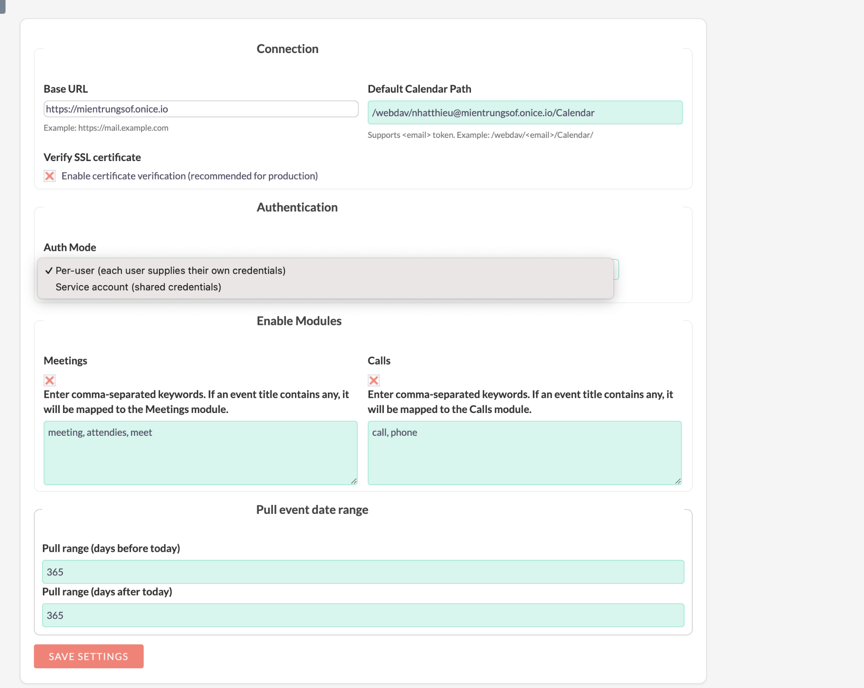
- Base URL for the IceWarp WebDAV endpoint
- Default calendar path using an email token (for example
/webdav/<email>/Calendar/) - Optional SSL certificate verification for secure production deployments
For authentication, administrators can choose between two models:
- Per-user authentication – each SuiteCRM user stores their own IceWarp email and app password
- Service account authentication – SuiteCRM connects to IceWarp using a shared account on behalf
This lets you adapt the integration to your security policy and infrastructure.
Smart mapping of events to Meetings and Calls
Not every event in a calendar should become a CRM activity.
The integration allows you to control which events turn into CRM Meetings vs Calls by looking for keywords in the event title, for example:
- Titles containing “meeting”, “attendees”, “meet” → create Meeting records
- Titles containing “call”, “phone” → create Call records
This simple rule-based mapping keeps the sync focused on customer-facing events and avoids cluttering SuiteCRM with private reminders.
Configurable date range for sync
Administrators can define a time window for synchronization, such as:
- X days before today (past events)
- Y days after today (upcoming events)
For example, a typical configuration might pull 365 days back and 365 days forward. This prevents SuiteCRM from being flooded with very old or very distant events while still providing enough context for daily work.
Per-user configuration (when using per-user mode)
If you choose per-user authentication, each SuiteCRM user gets a small configuration panel in their profile:
- User calendar path (e.g.
/webdav/<email>/Calendar/) - IceWarp email address
- IceWarp app password
- Option to copy their primary CRM email into the IceWarp email field
- Enable/disable sync for that user
Users can click “Test Connection” to confirm that SuiteCRM can access their IceWarp calendar before sync is enabled. This reduces configuration issues and support tickets.
Background scheduler for automatic synchronization
Once configuration is done, a SuiteCRM Scheduler job handles all synchronization in the background:
- Job name like “Sync IceWarp Calendars”
- Job type: IceWarp Calendar Pull Sync
- Status: Active
- Interval: e.g. every 2 minutes, every day
On the server side, you just need to ensure the standard SuiteCRM cron.php is running via cron.
After that, events are pulled from IceWarp into SuiteCRM at regular intervals – no manual action required from users.
How the integration works (high-level flow)
- Admin configures the global connection
- Set IceWarp base URL and default calendar path
- Choose authentication mode (per-user or service account)
- Define mapping rules and date range
- Users connect their calendars (if per-user)
- Enter IceWarp email and app password
- Specify calendar path and test the connection
- Enable sync
- Scheduler runs regularly
- SuiteCRM connects to IceWarp WebDAV
- Reads events inside the defined date range
- Creates or updates Meeting and Call records according to the mapping rules
- CRM users work with synced activities
- See upcoming and past meetings/calls under Accounts, Contacts and Leads
- Add notes and follow-up tasks directly from SuiteCRM
- Use reports and dashboards to analyze activity levels and customer engagement
Example use cases
Sales teams
- Reps continue using IceWarp Calendar on desktop and mobile
- SuiteCRM keeps a log of all customer meetings and calls
- Sales managers can view activity vs pipeline without asking reps to update anything twice
Customer success / account management
- Account managers see every meeting scheduled with key customers in SuiteCRM
- When preparing for a call, they can quickly review recent events + open tickets + invoices in one place
Management & operations
- Build reports showing number of meetings and calls per user, per account, or per time period
- Combine calendar activity with revenue data to identify which clients are getting enough attention
Getting started with SuiteCRM × IceWarp Calendar Integration
If your organization already relies on SuiteCRM and IceWarp, integrating the two is a natural next step:
- No more double data entry between calendar and CRM
- A complete, reliable activity history for each customer
- Better visibility for sales, support and management
Our SuiteCRM × IceWarp Calendar Integration is designed to be flexible, secure and easy to maintain. It uses standard SuiteCRM schedulers and configuration screens, so your admin team remains in control.
If you’d like help deploying or customizing this integration for your own SuiteCRM instance, feel free to contact us – we can assist from initial design and configuration all the way to user training and ongoing support.