SuiteCRM Record Scoring Implementation and Configuration
⚡ Quick Summary / Key Takeaway
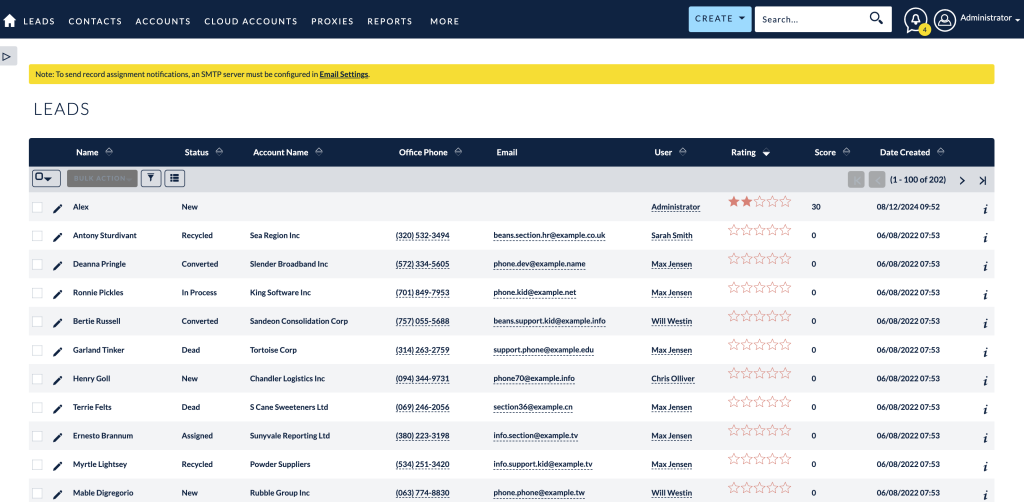
SuiteCRM Record Scoring: SuiteCRM Record Scoring is a quantitative methodology used to rank leads, contacts, or accounts based on their profile data and engagement levels. By configuring custom scoring rules, organizations can automatically identify high-value prospects, prioritize sales outreach, and significantly improve conversion rates within the CRM ecosystem.
Table of Contents
As CRM databases grow, treating every lead or contact with equal priority becomes highly inefficient. Sales and marketing teams require automated systems to identify which prospects are most likely to convert. Implementing a robust SuiteCRM Record Scoring system transforms your CRM from a passive data repository into an active prioritization engine. By assigning numerical values to specific criteria and behaviors, organizations can align their teams focus on high-value opportunities. This comprehensive overview details the architectural concepts, business benefits, and practical configuration steps necessary to successfully deploy record scoring within your SuiteCRM environment, leveraging specialized tools to accelerate the process.
The Strategic Value of SuiteCRM Record Scoring
Key Business Benefits
* Prioritized Outreach: Sales teams instantly recognize which records require immediate attention based on their accumulated score, ensuring effort is spent on the warmest leads.
* Marketing and Sales Alignment: A shared scoring model forces both departments to agree on the definition of a ‘qualified’ lead, reducing friction and improving lead handoff processes.
* Increased Conversion Rates: By focusing resources on prospects whose demographics and behaviors indicate high intent, organizations naturally see a higher percentage of closed-won deals.
* Automated Qualification: Scoring rules operate continuously in the background, automatically upgrading or downgrading records as data changes, reducing manual administrative overhead.
Core Components of a Scoring Architecture
Explicit Data (Demographic and Firmographic)
This involves scoring based on who the prospect is. Points are awarded based on static data points collected in the CRM.
* Job Title: Higher points for decision-makers (e.g., C-Level, Directors) compared to individual contributors.
* Company Size/Revenue: Increased scores for organizations that fit your Ideal Customer Profile (ICP).
* Industry: Prioritizing records belonging to target market sectors.
Implicit Data (Behavioral)
This evaluates how the prospect interacts with your organization, tracking engagement and intent.
* Email Engagement: Points awarded for opening marketing emails or clicking links.
* Website Activity: Tracking page views, particularly on high-value pages like pricing or product features.
* Event Attendance: High scores for registering or attending webinars and offline events.
By combining these two dimensions, the CRM generates a comprehensive score that accurately reflects both fit and interest.
Configuring the MTS Record Score Plugin
Step-by-Step Configuration Workflow
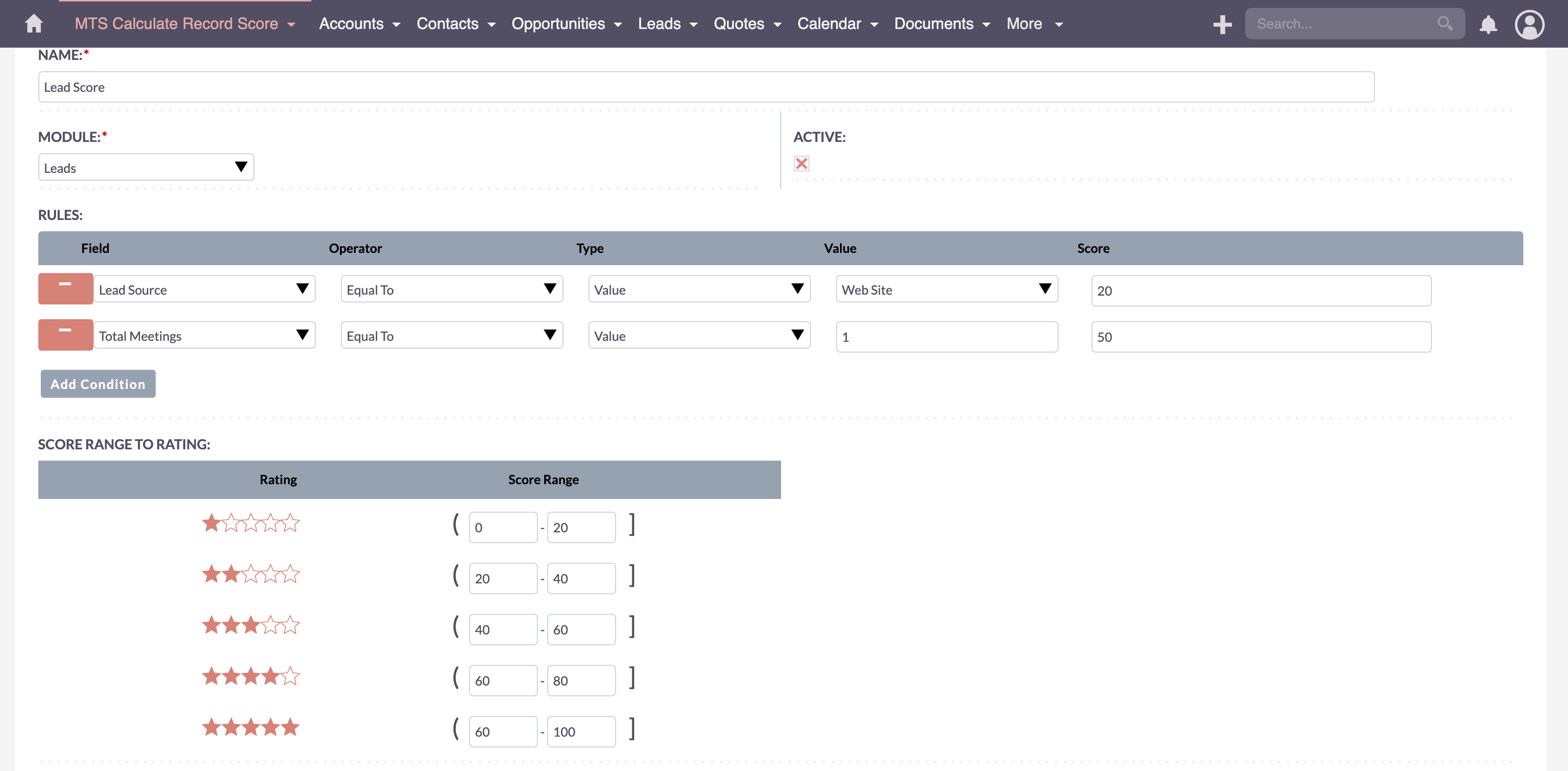
1. Define the Target Module: Navigate to the plugin configuration panel and select the module you wish to score (typically Leads, Contacts, or Accounts).
2. Create Scoring Rules: Establish individual rules based on specific fields. For example, create a rule targeting the ‘Title’ field.
3. Assign Point Values: Define the numerical weight for each condition. For instance, if ‘Title’ equals ‘CEO’, add 50 points; if ‘Industry’ equals ‘Technology’, add 20 points.
4. Establish Negative Scoring: Configure rules that deduct points for undesirable traits (e.g., if ‘Email’ contains a free provider like ‘@gmail.com’, subtract 10 points) or for inactivity over a specific period.
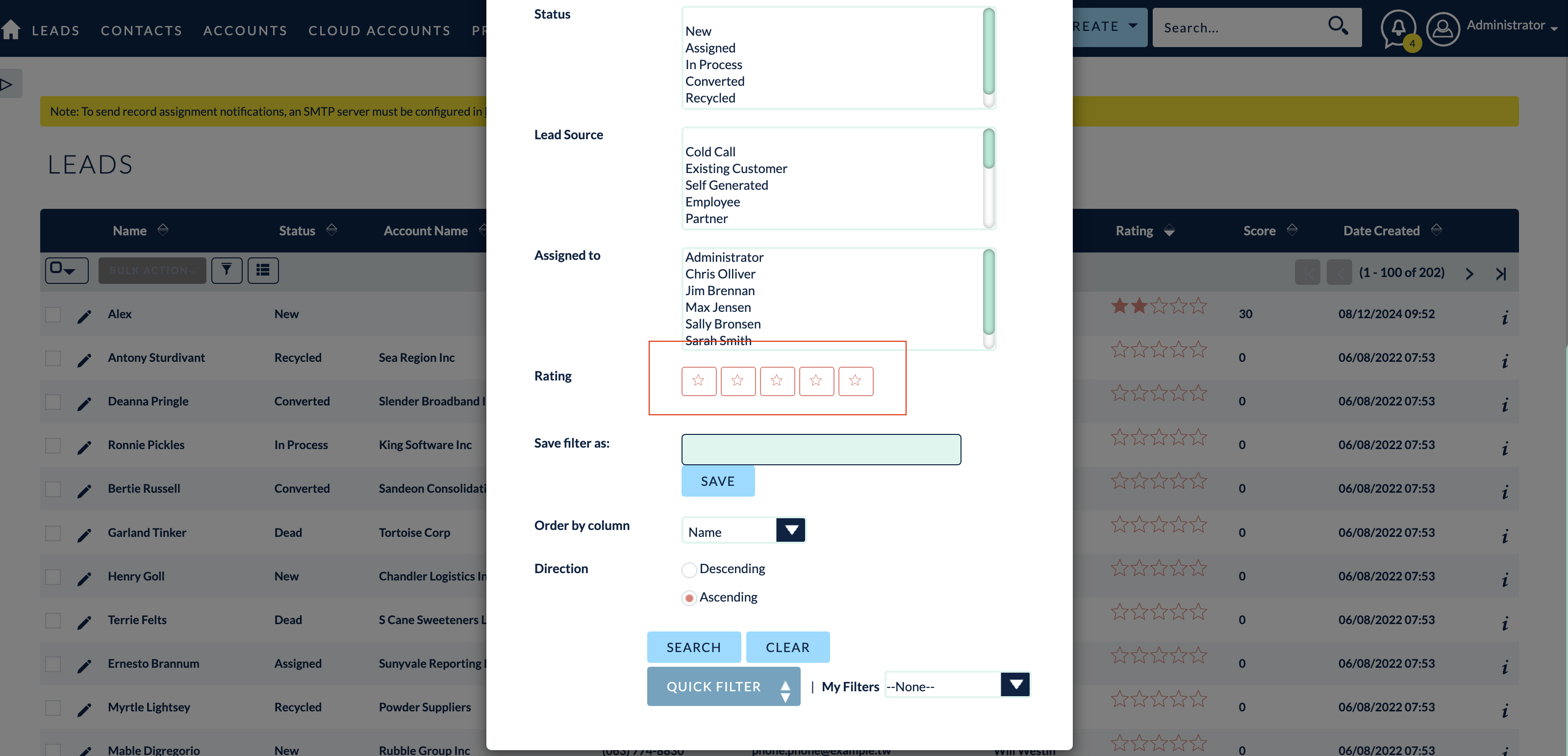
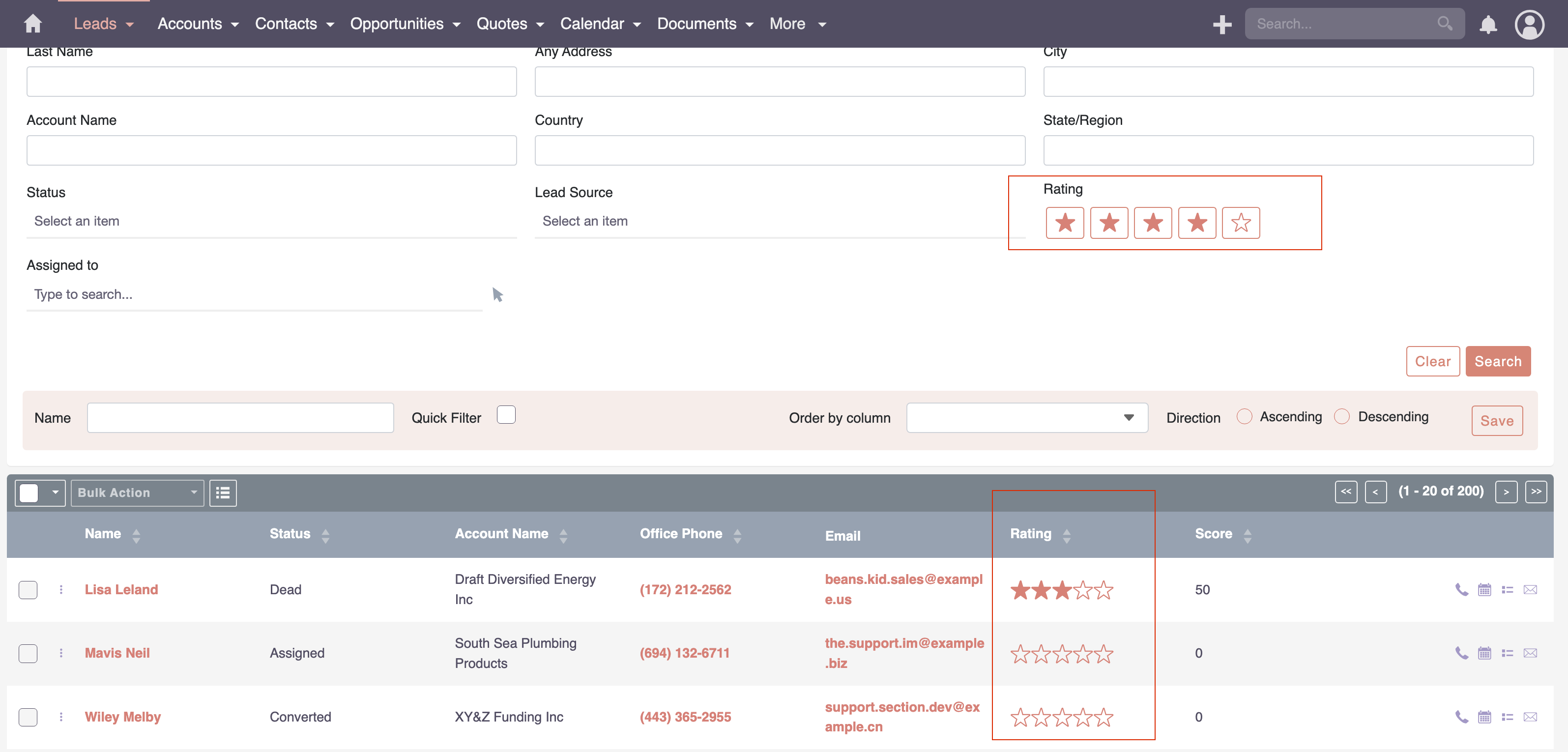
5. Set Score Thresholds: Define the numerical ranges that categorize a record (e.g., 0-30 = Cold, 31-70 = Warm, 71+ = Hot).
This robust SuiteCRM lead scoring plugin ensures that calculations occur seamlessly upon record creation or modification, instantly updating the score field visible to the sales team.
Enterprise Rollout Best Practices
Start Simple and Iterate
Avoid launching with dozens of complex rules. Begin with a minimal set of highly reliable criteria (e.g., 3-5 demographic rules and 2-3 behavioral rules). Monitor the results for a month, gather feedback from the sales team on lead quality, and refine the point values accordingly.
Implement Degradation Rules
A common pitfall in SuiteCRM scoring customization is allowing scores to inflate indefinitely. Implement time-based degradation rules where points expire if a prospect has not engaged within a certain timeframe (e.g., deduct 5 points for every 30 days of inactivity). This ensures the score reflects current intent.
Continuous Alignment
The definition of a qualified lead evolves. Schedule quarterly reviews involving both marketing and sales stakeholders to audit the scoring model. Ensure the criteria still align with current business objectives and market conditions. As a trusted partner in MTS SuiteCRM development, we consistently advise clients to treat their scoring model as a living framework rather than a ‘set and forget’ configuration.
✦ Key Takeaways
- ✓ SuiteCRM Record Scoring automatically prioritizes leads based on predefined demographic and behavioral criteria.
- ✓ Effective scoring models combine explicit data (fit) with implicit data (intent) for a holistic view of the prospect.
- ✓ Specialized plugins, like the MTS Record Score, streamline the creation and management of complex scoring rules without coding.
- ✓ Enterprise rollouts should start simple, incorporate score degradation over time, and require regular alignment between sales and marketing.
Conclusion
SuiteCRM Record Scoring is a critical architectural component for organizations looking to scale their sales operations efficiently. By shifting from subjective lead evaluation to a systematic, data-driven model, businesses can ensure their sales representatives focus their energy where it matters most. Leveraging specialized tools like the MTS Record Score plugin empowers administrators to deploy complex scoring rules quickly and maintain them effectively. For enterprises requiring advanced SuiteCRM scoring customization or assistance with complex CRM integrations, Mien Trung Soft provides the architectural expertise to design and deploy solutions tailored to your specific sales processes.
Frequently Asked Questions (FAQ)
What is the difference between lead routing and SuiteCRM Record Scoring?
Lead routing determines which sales representative receives a specific record based on territory or round-robin rules. SuiteCRM Record Scoring determines how valuable that record is, allowing the assigned representative to prioritize their queue.
Can I use SuiteCRM Record Scoring on modules other than Leads?
Yes, a flexible scoring architecture allows you to apply scoring rules to Contacts, Accounts, and even custom modules, depending on how your organization tracks engagement and customer health.
How do we handle score inflation over time?
Score inflation is managed by implementing negative scoring or degradation rules. This involves automatically deducting points for inactivity or negative behaviors (like unsubscribing from emails) to ensure the score accurately reflects current engagement.

Nhat Thieu
CRM · HRM · Custom SoftwareCRM Solution Architect & Developer specializing in open-source CRM/HRM customization, system integration, custom software and AI.