SuiteCRM Kanban Plugin for Visual Pipeline Management
⚡ Quick Summary / Key Takeaway
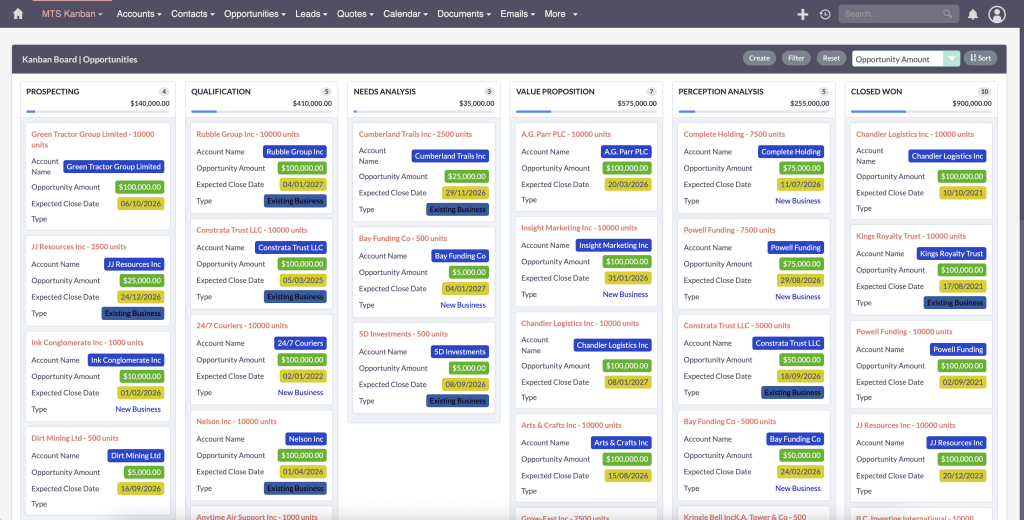
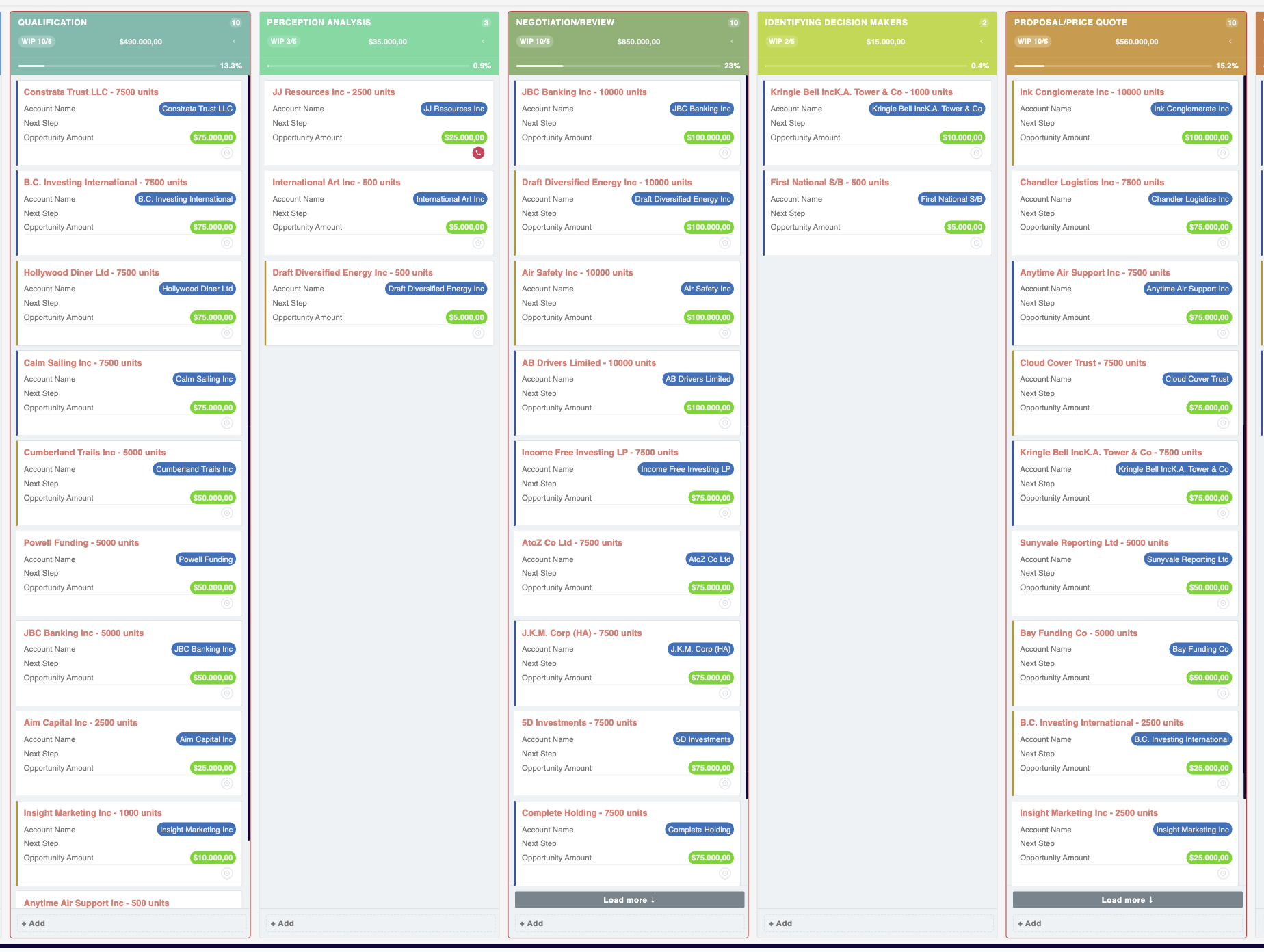
SuiteCRM Kanban Plugin: A SuiteCRM Kanban plugin is an essential extension that transforms standard list views into interactive, drag-and-drop visual boards. It enables teams to manage sales pipelines, support cases, and custom workflows efficiently, providing real-time visibility into work-in-progress and simplifying stage transitions without manual data entry.
Table of Contents
Managing complex sales pipelines and support queues using static list views can slow down your team and obscure critical bottlenecks. By implementing a dedicated SuiteCRM Kanban Plugin, organizations can transform their raw CRM data into dynamic, visual boards. This approach allows users to manage work-in-progress intuitively through drag-and-drop interfaces. Whether you are tracking leads or managing project tasks, a robust solution like the [MTS Kanban](https://store.mientrungsoft.com/mts-kanban/) extension empowers your team with real-time clarity, streamlined workflow management, and significantly higher CRM adoption rates.
The Business Value of Visual Workflows
Key Capabilities of an Enterprise Kanban Solution
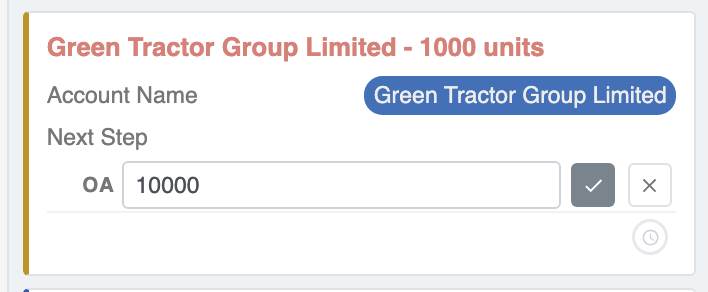
Configuring Your Kanban Board UI
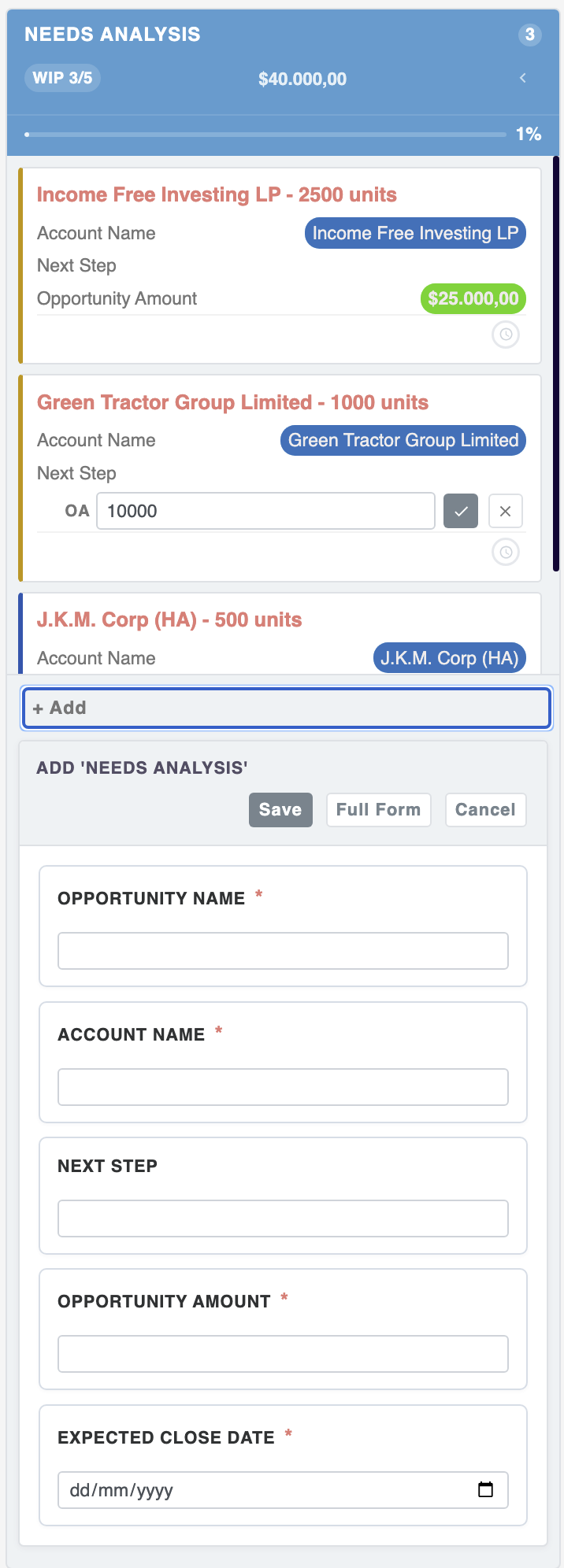
Step-by-Step Setup Process
1. Navigate to the main Admin panel and open the designated Kanban configuration module.
2. Select the target module you wish to visualize (e.g., Opportunities, Leads, or Cases).
3. Choose the specific dropdown field that will serve as the columns (such as Sales Stage or Ticket Status).
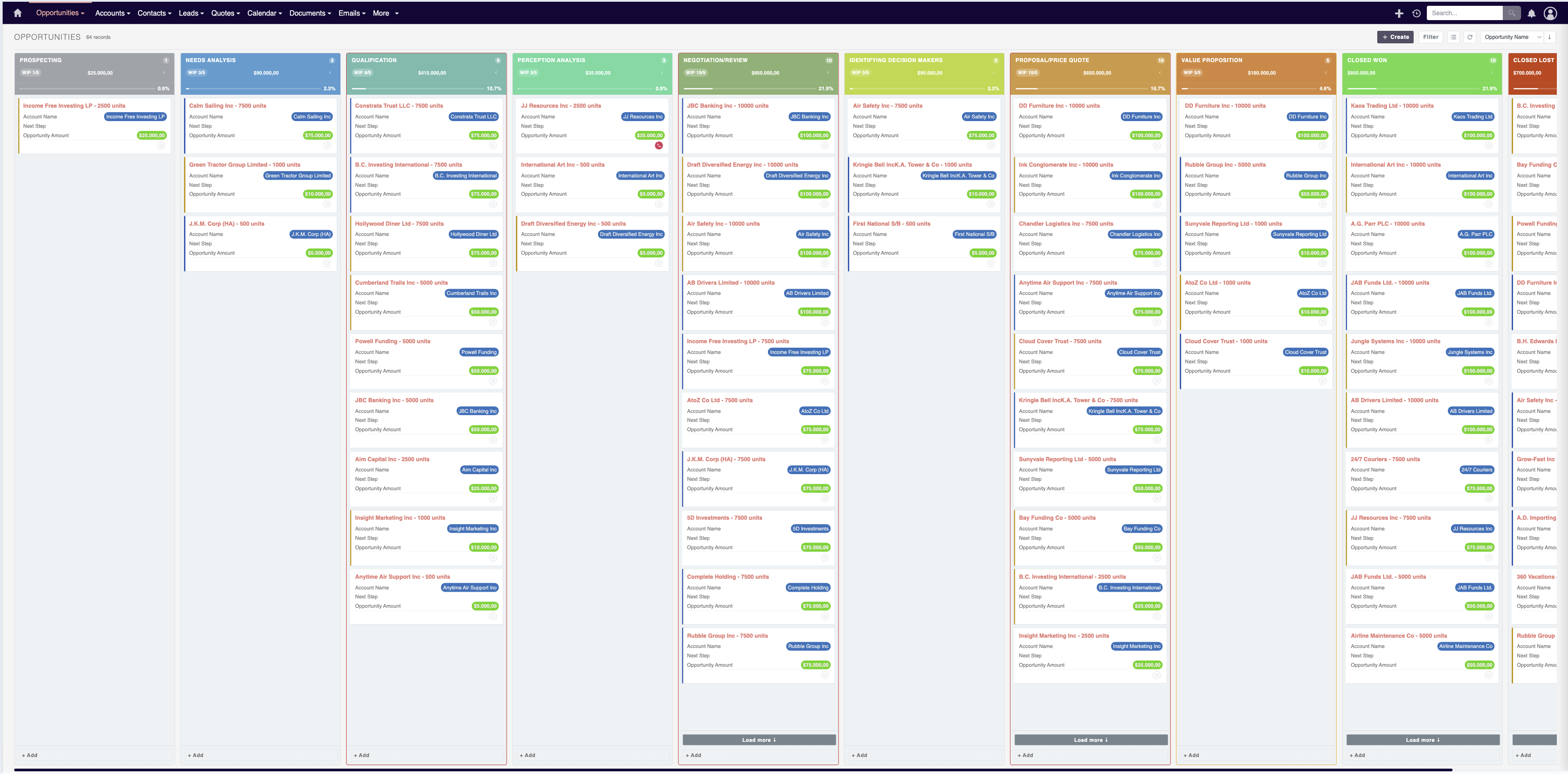
4. Define the summary fields to display on each card to give users immediate context without opening the record.
5. Save your settings and deploy the layout to the end-user interface for immediate use.
Advanced Customization Strategies
✦ Key Takeaways
- ✓ A SuiteCRM Kanban Plugin replaces static lists with dynamic, drag-and-drop visual boards.
- ✓ Visual workflows instantly highlight pipeline bottlenecks and improve daily CRM adoption.
- ✓ Enterprise extensions support both standard and custom modules across various departments.
- ✓ Administrators can easily configure columns, fields, and custom filters without writing code.
Conclusion
Integrating visual pipeline management into your CRM strategy fundamentally shifts how teams interact with their daily data. By leveraging a robust SuiteCRM Kanban Plugin, businesses can accelerate cycle times, improve data accuracy, and provide users with a highly engaging interface. For organizations looking to implement a proven, enterprise-grade solution, deploying a dedicated tool like the [MTS Kanban](https://store.mientrungsoft.com/mts-kanban/) extension is the ideal next step. Empower your team with the visual clarity they need to drive consistent business growth.
Frequently Asked Questions (FAQ)
What is the primary benefit of a SuiteCRM Kanban plugin?
The primary benefit is visual workflow management. It allows users to see their entire pipeline at a glance, drag and drop records to update their status automatically, and identify bottlenecks instantly without opening individual records.
Does the Kanban board work with custom modules?
Yes, a high-quality enterprise Kanban plugin will support any module within SuiteCRM that utilizes a dropdown field for status or stage tracking, including entirely custom modules created via Module Builder.
How difficult is it to perform SuiteCRM Kanban customization?
Customization is typically handled through the CRM administrator panel. Authorized users can easily select which fields appear on the Kanban cards, define the column headers, and set default filters without needing to write custom PHP code.

Nhat Thieu
CRM · HRM · Custom SoftwareCRM Solution Architect & Developer specializing in open-source CRM/HRM customization, system integration, custom software and AI.