Most teams still use email, chat apps, and spreadsheets to discuss what is actually happening… inside SuiteCRM.
Typical problems:
- Conversations about a deal or ticket are lost in email threads
- Nobody remembers why a field was changed or when a decision was made
- Important files are attached to emails but not to the CRM record
- New team members have no clear history of the discussion
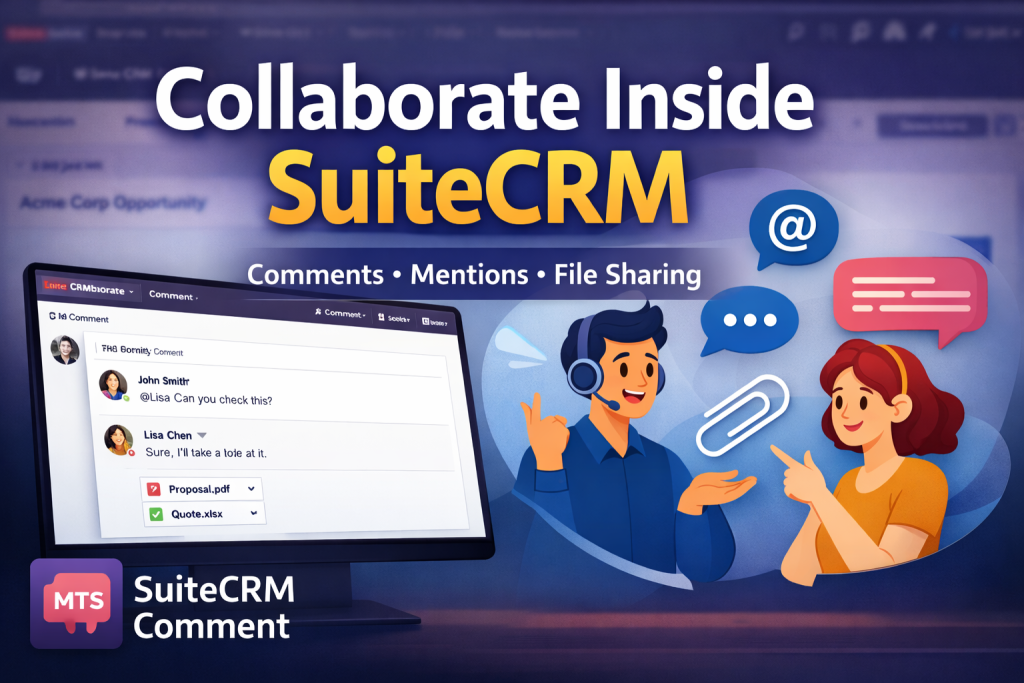
MTS SuiteCRM Comment solves this by adding a comment stream and attachments panel directly to any record in SuiteCRM. Your team – and even your customers – can collaborate where the data lives, instead of jumping between tools.
What is MTS SuiteCRM Comment?
MTS SuiteCRM Comment is a lightweight collaboration add-on that lets you:
- Add comments to any record in SuiteCRM (including custom modules)
- Attach one or many documents to each comment
- Use @mentions to notify specific users
- Push comments to the notification center, send email notifications and add them to the Activity Stream dashlet
It works on SuiteCRM versions 7.0.0 to 8.8.1 and is licensed per instance with unlimited users on a yearly plan backed by a 30-day money-back guarantee.
In short: it turns every record into a small “chat room” linked to your CRM data.
Key collaboration features of the SuiteCRM Comment plugin
1. Comment on any record – including custom modules
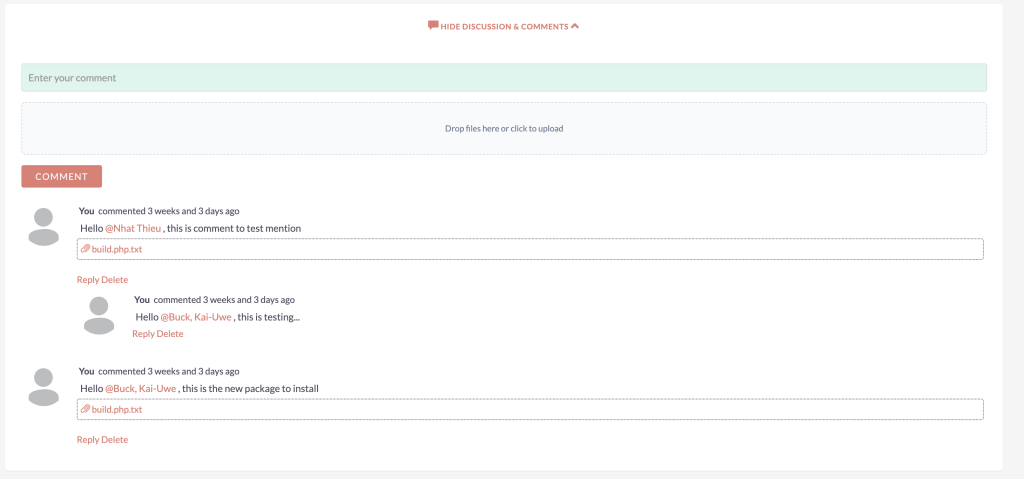
Once enabled for a module, each record gains a View Comments button:
- Open the comment panel from the Detail View
- Write a new comment for that specific record
- Optionally attach one or more documents (screenshots, PDFs, specs…)
Because MTS Comment works with all modules, including custom ones, you can use it on:
- Leads, Accounts, Contacts, Opportunities
- Cases / Tickets, Projects, Tasks
- Custom modules like Services, Subscriptions, Orders, etc.
Wherever there is a record, there can be a conversation.
2. Attach multiple files with drag & drop
Comments are much more useful when you can share context.
The plugin lets you:
- Attach multiple documents per comment
- Upload files via simple drag & drop
No more hunting through email for “that one PDF” – everything is stored directly under the CRM record.
3. @Mention users to pull them into the discussion
From version 1.1.2, MTS SuiteCRM Comment supports mentioning users:
- Type
@usernamein your comment - The mentioned user receives a notification that they were tagged
This is perfect for:
- Asking a colleague to review a quote
- Escalating a customer issue to a manager
- Looping finance into a billing question
Team members see exactly which record needs their attention.
4. Notifications, email alerts and activity streams
Good collaboration needs good visibility. MTS Comment integrates with SuiteCRM’s notification features:
- Every comment can be pushed to the notification center
- Email notifications can be sent to relevant users
- Comments appear in My Activity Stream so users see discussions on their home page
This reduces the need for ad-hoc emails and keeps everyone aligned on what changed and why.
5. Simple user experience
For end users, the workflow is intentionally minimal:
- Open a record that has comments enabled
- Click View comments
- Type your message, add attachments if needed
- Hit Comment – or reply/delete where appropriate
There is nothing new to learn beyond the standard SuiteCRM interface. That’s why adoption is usually very quick.
Collaboration scenarios MTS SuiteCRM Comment makes easier
Internal team collaboration on deals and projects
Sales and project teams can:
- Discuss strategy directly on an Opportunity or Project
- Share internal notes, links and files
- Keep a full decision history visible to everyone involved
When someone new joins the account, they just open the record and read the comments to understand what happened so far.
Support & case management
For support teams, MTS Comment helps:
- Keep all discussion about a Case or Ticket next to the case itself
- Attach logs, screenshots and temporary workarounds
- Coordinate between first-line support, technical experts and account managers
If you allow customers to access the portal, they can even leave comments on their own cases, improving transparency and speeding up resolution.
Cross-functional collaboration (sales, support, finance)
Many issues involve multiple departments:
- A customer under renewal with unpaid invoices
- A change request that affects project scope and pricing
- A high-value deal that requires management approval
Instead of separate email threads, you can keep a single conversation on the relevant Account, Opportunity or Case. Everyone sees the same information and files.
How admins configure MTS SuiteCRM Comment
Configuration is straightforward:
- Go to MTS Comment license settings and validate your license.
- Open the MTS Comment config page.
- Move the modules you want to enable from “Disabled” to Enable Modules.
- For each enabled module, choose whether to:
- Push comments to notifications
- Send email notifications
- Add comments to Sugar Feeds / Activity Stream
- Save your changes.
From that moment, users will see the View comments button on enabled modules.
You can start small (e.g. only Cases and Opportunities) and extend to more modules as your team gets used to the new workflow.
Why use a comment plugin instead of just email or chat?
Context
With MTS SuiteCRM Comment, every message is tied to a specific record. You never have to guess “Which opportunity were they talking about in this email?”
Searchability and history
Because comments live in SuiteCRM:
- They are searchable along with your CRM data
- They stay attached to the customer history even if staff changes
- You can review the full conversation when auditing or troubleshooting
Less fragmentation
Email, chat, and internal wikis all have their place, but they’re often disconnected from CRM. A comment plugin brings collaboration closer to the data.
Turn SuiteCRM into a true collaboration hub
If your team is constantly asking questions like:
- “Where did we discuss this change?”
- “Do you remember why we updated this field?”
- “Can you forward me the email with the file?”
…then adding a SuiteCRM comment plugin is a simple, high-impact improvement.
MTS SuiteCRM Comment gives you:
- Comments and attachments on any record
- @mentions and notifications to keep people in the loop
- A cleaner, more transparent history of decisions and discussions
- Support for both SuiteCRM 7 and SuiteCRM 8 in one add-on
If you’d like help setting up MTS SuiteCRM Comment or designing a broader collaboration strategy inside SuiteCRM, we can assist with installation, configuration and best-practice training for your team.