SuiteCRM Nextcloud Integration: Connect Your CRM and Cloud Storage
⚡ Quick Summary / Key Takeaway
SuiteCRM Nextcloud Integration: A SuiteCRM Nextcloud integration connects your CRM data with enterprise file sync capabilities. By utilizing OAuth2 authentication, administrators can unify dashboards, global search, and document management across both platforms, ensuring teams have centralized access to customer records and secure cloud storage without switching applications.
Table of Contents
In today’s fast-paced enterprise environment, toggling between your Customer Relationship Management (CRM) system and your file storage platform creates friction and slows down productivity. Implementing a seamless SuiteCRM Nextcloud integration eliminates these silos, bringing your customer data and document management into a single, unified ecosystem. Whether you are using SuiteCRM 8.x or an older architecture, connecting these two powerful open-source platforms empowers your team with integrated dashboards, centralized search, and real-time notifications. In this comprehensive guide, we explore the strategic advantages of syncing SuiteCRM with Nextcloud, outline key configuration steps, and demonstrate how Mien Trung Soft’s specialized plugins can elevate your enterprise software architecture.
Why Enterprises Need SuiteCRM Nextcloud Integration
Instead of manually downloading and re-uploading contracts, proposals, or case files across platforms, teams can access critical customer files directly, or view CRM notifications right within the Nextcloud dashboard. This unified approach reduces context switching, ensures that all team members are viewing the most up-to-date document versions, and leverages the superior security and data sovereignty inherent to open-source ecosystems.
Key Features of the MTS Nextcloud Integration Plugin
Core Capabilities
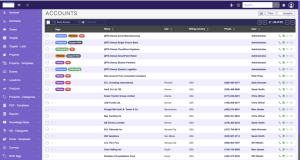
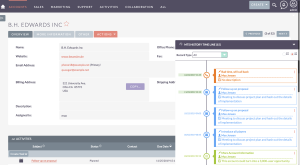
* Unified Dashboards: Monitor key CRM metrics by viewing SuiteCRM modules such as cases, leads, tasks, and pipelines directly through customized Nextcloud dashboard widgets.
* Global Federated Search: Find specific SuiteCRM records directly from the Nextcloud search bar, drastically accelerating data retrieval and eliminating the need to log into the CRM for quick lookups.
* Integrated Notifications: Receive real-time alerts and activity updates from your CRM directly in your Nextcloud notification center.
* OAuth2 Authentication: Ensure secure, single-sign-on (SSO) capabilities so the two systems can communicate seamlessly in the background without exposing or compromising user credentials.
By leveraging this plugin, organizations can bypass complex custom architectural builds and immediately deploy a highly functional, secure integration.
Step-by-Step Configuration Guide for Administrators
1. Create an OAuth2 Client in SuiteCRM
Navigate to the SuiteCRM administration panel and access the OAuth2 Clients configuration section. Create a new ‘Password Client’. It is critical that you manually define and securely store the client secret and note down the generated client ID, as these will be required for the Nextcloud side.
2. Configure Nextcloud Connected Accounts
Log into your Nextcloud administrator interface. Navigate to the user settings or admin settings section and locate the ‘Connected accounts’ module.
3. Input System Credentials
In the Connected accounts interface, enter your SuiteCRM instance URL along with the newly generated OAuth2 client ID and client secret.
4. Authorize the Connection
Complete the prompt to sign in and authorize the connection. Once successfully authenticated via OAuth2, background synchronization will commence automatically, populating your Nextcloud widgets with real-time CRM data.
Security and Data Governance Best Practices
* Enforce HTTPS Protocol: Always ensure that all API communication between your SuiteCRM instance and the Nextcloud server is strictly encrypted using up-to-date SSL/TLS certificates.
* Strict Role-Based Access Control (RBAC): Map your SuiteCRM user roles and security groups accurately to Nextcloud access control lists to prevent unauthorized users from viewing sensitive customer documents or financial pipelines.
* Regular Audit Logging: Continuously monitor the API connection logs and security panels in both systems to rapidly identify any anomalous synchronization attempts, token expirations, or authentication failures.
Custom SuiteCRM Development with Mien Trung Soft
From mapping complex custom modules and orchestrating massive data migrations, to developing proprietary dashboard widgets that reflect your unique KPIs, our senior technical architects ensure your integration is completely upgrade-safe. By partnering with Mien Trung Soft, your organization gains access to elite open-source consulting, ensuring your entire software stack is perfectly aligned with your strategic business objectives.
✦ Key Takeaways
- ✓ Seamlessly bridge customer relationship management with enterprise file storage to eliminate data silos.
- ✓ Utilize modern OAuth2 authentication for secure, reliable background synchronization.
- ✓ Access CRM data, global search, and real-time notifications directly within the Nextcloud interface.
- ✓ Partner with Mien Trung Soft for enterprise-grade customization, plugin development, and architectural consulting.
Conclusion
A well-executed SuiteCRM Nextcloud integration profoundly transforms how your teams manage customer relationships and digital assets. By unifying data silos, streamlining daily workflows, and maintaining rigorous security standards, businesses can achieve unparalleled operational efficiency and user adoption. Whether you are deploying the MTS Nextcloud Integration plugin for immediate synergy or seeking complex custom CRM architecture, Mien Trung Soft stands as your trusted partner for open-source enterprise excellence.
Frequently Asked Questions (FAQ)
What is a SuiteCRM Nextcloud integration?
It is a technical software bridge that connects your SuiteCRM customer data with Nextcloud’s file storage. This integration enables users to access CRM records, receive system notifications, and utilize global search directly from the Nextcloud interface.
Which versions of SuiteCRM support Nextcloud integration?
Modern integrations, such as the MTS Nextcloud Integration plugin, are highly optimized for SuiteCRM 8.x instances, utilizing secure OAuth2 connectivity. However, legacy versions (SuiteCRM 7.x) may also be supported through custom development and API mapping.
Can Mien Trung Soft customize the Nextcloud widgets for our specific CRM modules?
Absolutely. Mien Trung Soft specializes in custom SuiteCRM development and can build tailored Nextcloud dashboard widgets, synchronize custom modules, and modify API endpoints to meet your exact enterprise workflow requirements.

Nhat Thieu
CRM · HRM · Custom SoftwareCRM Solution Architect & Developer specializing in open-source CRM/HRM customization, system integration, custom software and AI.