SuiteCRM Tag Field Configuration and Management
⚡ Quick Summary / Key Takeaway
SuiteCRM Tag Field: A SuiteCRM Tag Field is a specialized data attribute that allows users to assign flexible, color-coded labels to CRM records for enhanced categorization. Implementing robust tagging improves data filtering, segmentation, and cross-module organization without requiring complex relational databases. Mien Trung Soft provides advanced tag field plugins to streamline this workflow.
Table of Contents
Effective data categorization is a fundamental requirement for enterprise CRM systems. As databases grow, standard dropdown menus and rigid custom fields often become insufficient for dynamic data segmentation. Implementing a dedicated SuiteCRM Tag Field introduces a flexible, user-friendly layer of organization across your entire CRM. By allowing sales, marketing, and support teams to assign contextual, color-coded labels to accounts, contacts, and opportunities, organizations can dramatically improve filtering and reporting accuracy. In this comprehensive breakdown, Mien Trung Soft explores the structural advantages of CRM tagging, business workflow improvements, and how to properly configure tag fields for enterprise-scale deployments.
The Role of a SuiteCRM Tag Field in Data Organization
Structural Flexibility
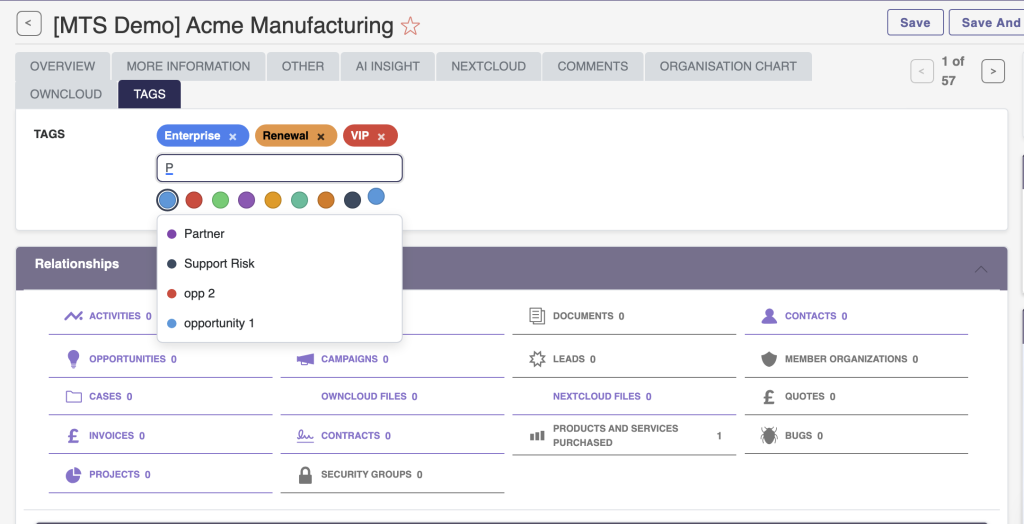
Instead of creating custom checkboxes or continually modifying dropdown lists in Studio, administrators can deploy a tag field that accepts user-generated or pre-approved labels. This multi-select capability ensures that a single Contact record can be simultaneously tagged as ‘VIP’, ‘Event Attendee’, and ‘Q3 Prospect’.
Cross-Module Consistency
One of the primary architectural benefits of implementing a centralized SuiteCRM tag field plugin is the ability to maintain consistent taxonomy across different modules. A tag created in the Leads module can be configured to remain visible and active when that lead is converted into an Account and Contact, ensuring zero loss of contextual data.
Core Business Capabilities of CRM Tagging
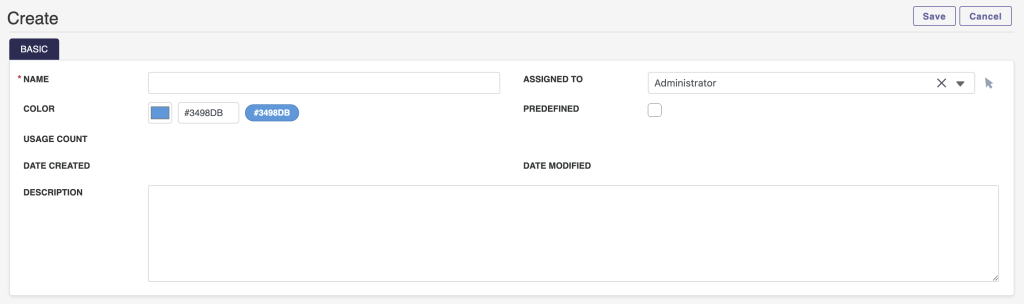
Dropdowns vs. Tag Fields
| Feature Capability | Standard Dropdown | SuiteCRM Tag Field |
| :— | :— | :— |
| Data Assignment | Single option (typically) | Multiple simultaneous tags |
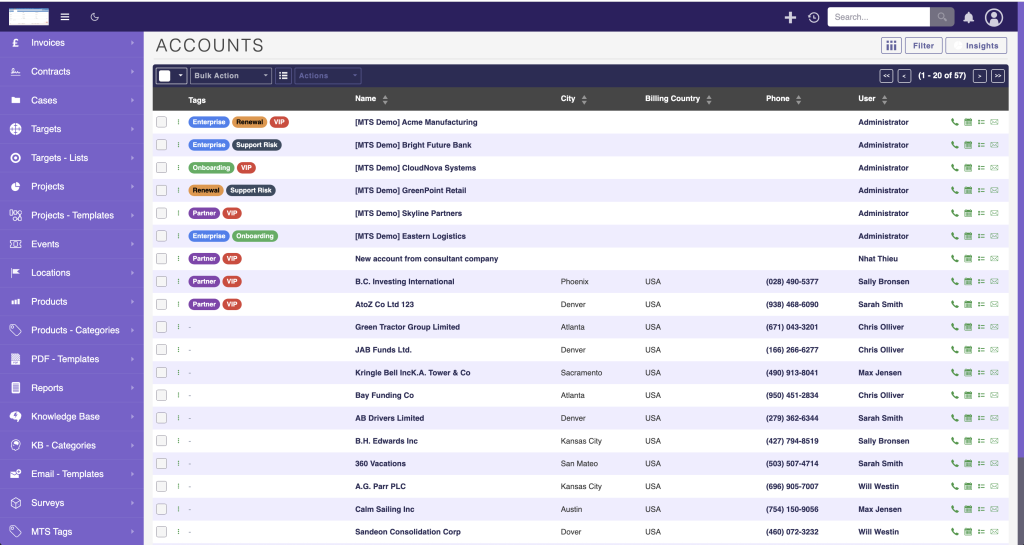
| Visual Identification | Standard text formatting | Color-coded visual badges |
| Flexibility | Requires Admin to update list | Users can create tags on the fly (if permitted) |
| Searchability | Exact match filtering | Intersecting multi-tag filtering |
Enhanced Filtering and Reporting
With a tagging system in place, users can leverage advanced filters in List Views. For example, a marketing manager can instantly filter the Contacts list to show only records tagged with both ‘Newsletter Subscriber’ and ‘Trade Show Lead’. This granular search capability directly translates into highly accurate target lists for email campaigns and call lists for sales representatives.
Implementing the MTS Tag Field Plugin
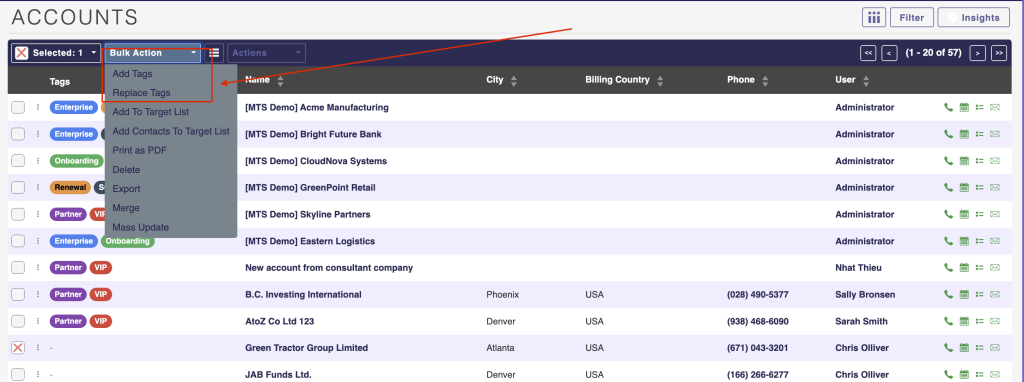
Configuration Steps via Admin Studio
Once the MTS SuiteCRM development package is installed via the Module Loader, administrators can configure tags directly through the standard UI:
1. Navigate to Studio: Access the Admin panel and open Studio.
2. Select Target Module: Choose the module where tags are required (e.g., Accounts, Contacts, Cases).
3. Add the Field: Drag and drop the new Tag field type into the Edit View and Detail View layouts.
4. Define Tag Permissions: Configure whether end-users are allowed to create new tags dynamically or if they must select from a predefined, admin-approved list.
5. Apply Styling: Utilize the plugin’s configuration panel to assign specific colors and icons to critical tags, ensuring high visibility on record dashboards.
Enterprise Tag Management Guidelines
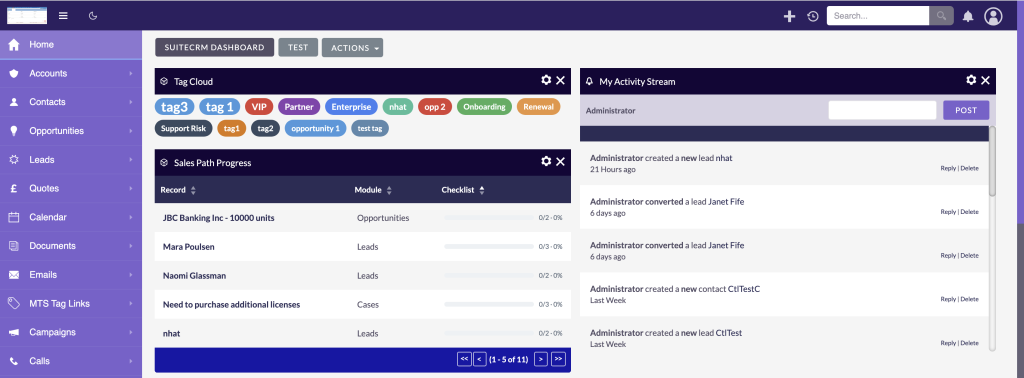
Establishing Tag Governance
* Restrict Creation Rights: In large organizations, restrict tag creation permissions to CRM administrators or department managers. End-users should only be permitted to apply existing tags.
* Standardize Naming Conventions: Implement clear guidelines for tag syntax. Decide whether tags should be lowercase, capitalized, or use specific prefixes for different departments (e.g., ‘MKT-2026-Webinar’).
* Regular Audits: Schedule quarterly reviews of the centralized tag repository. Merge duplicate tags and delete obsolete labels to maintain a clean database.
* Color Coding Strategy: Reserve high-visibility colors (like red or bright orange) for critical tags (e.g., ‘Do Not Contact’, ‘VIP Client’) and use muted colors for standard categorizations.
✦ Key Takeaways
- ✓ A SuiteCRM Tag Field provides multi-dimensional data categorization superior to standard dropdown lists.
- ✓ Tagging drastically improves List View filtering, reporting accuracy, and marketing segmentation.
- ✓ The MTS Tag Field plugin allows quick UI-based configuration without custom coding.
- ✓ Enterprise deployments require strict tag governance to prevent database clutter and redundancy.
Conclusion
Deploying a dedicated SuiteCRM Tag Field fundamentally transforms how organizations manage, filter, and segment their customer data. Moving beyond rigid dropdowns allows for a dynamic, multi-dimensional taxonomy that adapts to real-world business needs. By establishing proper governance and utilizing robust tools like the [MTS Tag Field](https://store.mientrungsoft.com/mts-tag-field/), administrators can ensure high data hygiene and improved user productivity. For complex enterprise deployments, API integrations, and tailored open-source CRM consulting, Mien Trung Soft delivers the technical expertise required to build future-proof SuiteCRM environments.
Frequently Asked Questions (FAQ)
How does a SuiteCRM Tag Field differ from a standard multi-select dropdown?
A standard multi-select dropdown requires an administrator to hard-code options in Studio. A SuiteCRM Tag Field offers a dynamic, user-friendly interface with visual color-coding, cross-module synchronization, and the ability for authorized users to create tags on the fly.
Can I search and filter records using the SuiteCRM tag field plugin?
Yes. Once configured, tag fields are fully integrated into SuiteCRM’s basic and advanced search panels, allowing users to filter list views by single or multiple intersecting tags.
How do I prevent users from creating duplicate or misspelled tags?
To maintain data hygiene, administrators can configure tag field settings to restrict tag creation. By doing this, standard users can only apply predefined tags from an approved list, preventing database clutter and duplication.

Nhat Thieu
CRM · HRM · Custom SoftwareCRM Solution Architect & Developer specializing in open-source CRM/HRM customization, system integration, custom software and AI.