Optimizing SuiteCRM Activity Tracking
⚡ Quick Summary / Key Takeaway
SuiteCRM Activity Tracking: SuiteCRM Activity Tracking is the process of recording and organizing customer interactions—such as emails, calls, tasks, and meetings—directly within the CRM platform. Effective activity tracking provides teams with a unified historical context, enabling better decision-making, personalized customer engagement, and streamlined workflows across sales and support departments.
Table of Contents
Maintaining a clear, chronological record of customer interactions is the backbone of any successful CRM strategy. Without an organized system, sales representatives and support agents often struggle to find historical context, leading to repetitive conversations and missed opportunities. By optimizing **SuiteCRM Activity Tracking**, businesses can transform fragmented data points into a cohesive customer narrative. In this guide, we will explore the native capabilities of SuiteCRM, common challenges faced by growing enterprises, and how specialized plugins can dramatically improve workflow efficiency and data visibility.
The Challenge of Fragmented Customer Interactions
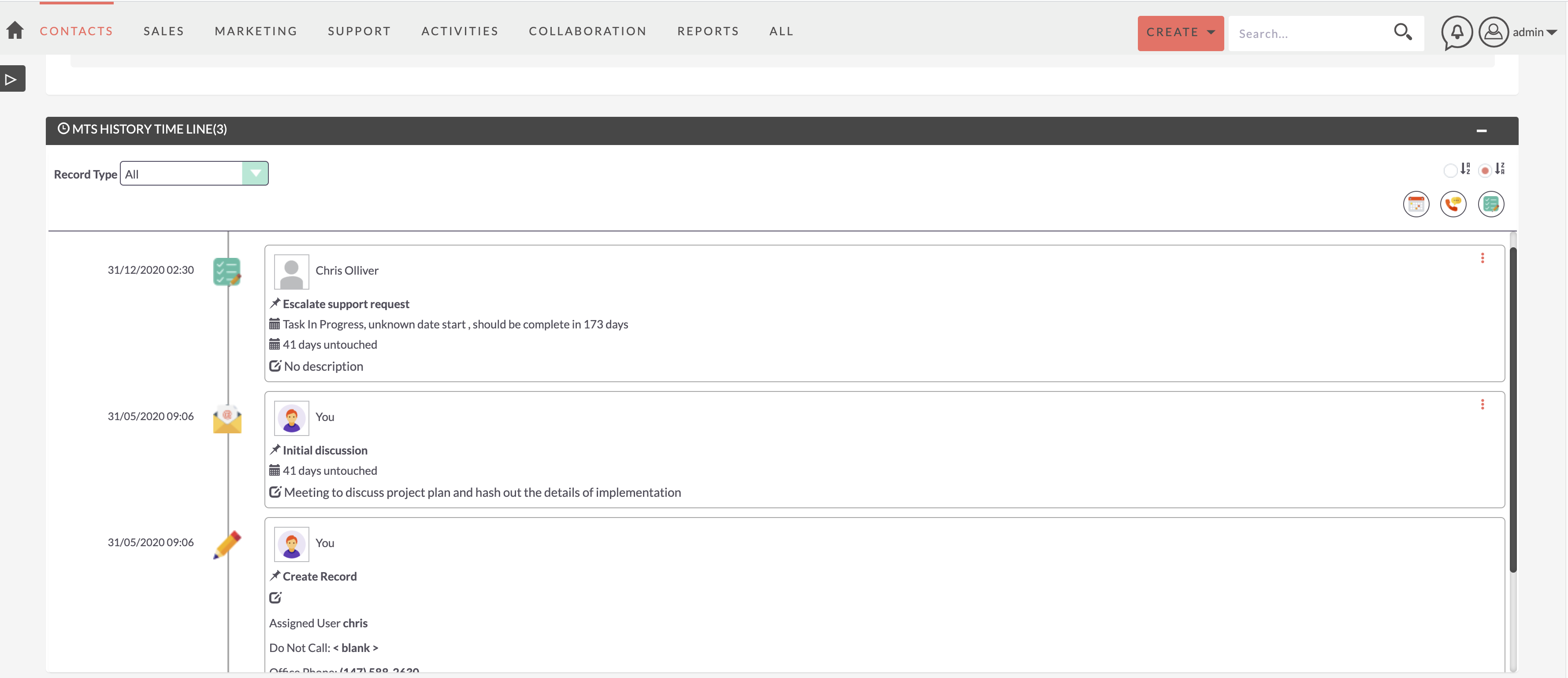
Ineffective tracking leads to a poor customer experience and reduced internal productivity. Users spend too much time navigating through various subpanels just to piece together the timeline of a single account. Solving this problem requires a strategic approach to SuiteCRM Activity Tracking, ensuring that all touchpoints are captured accurately and displayed in a user-friendly format.
Understanding Native SuiteCRM Activity Tracking
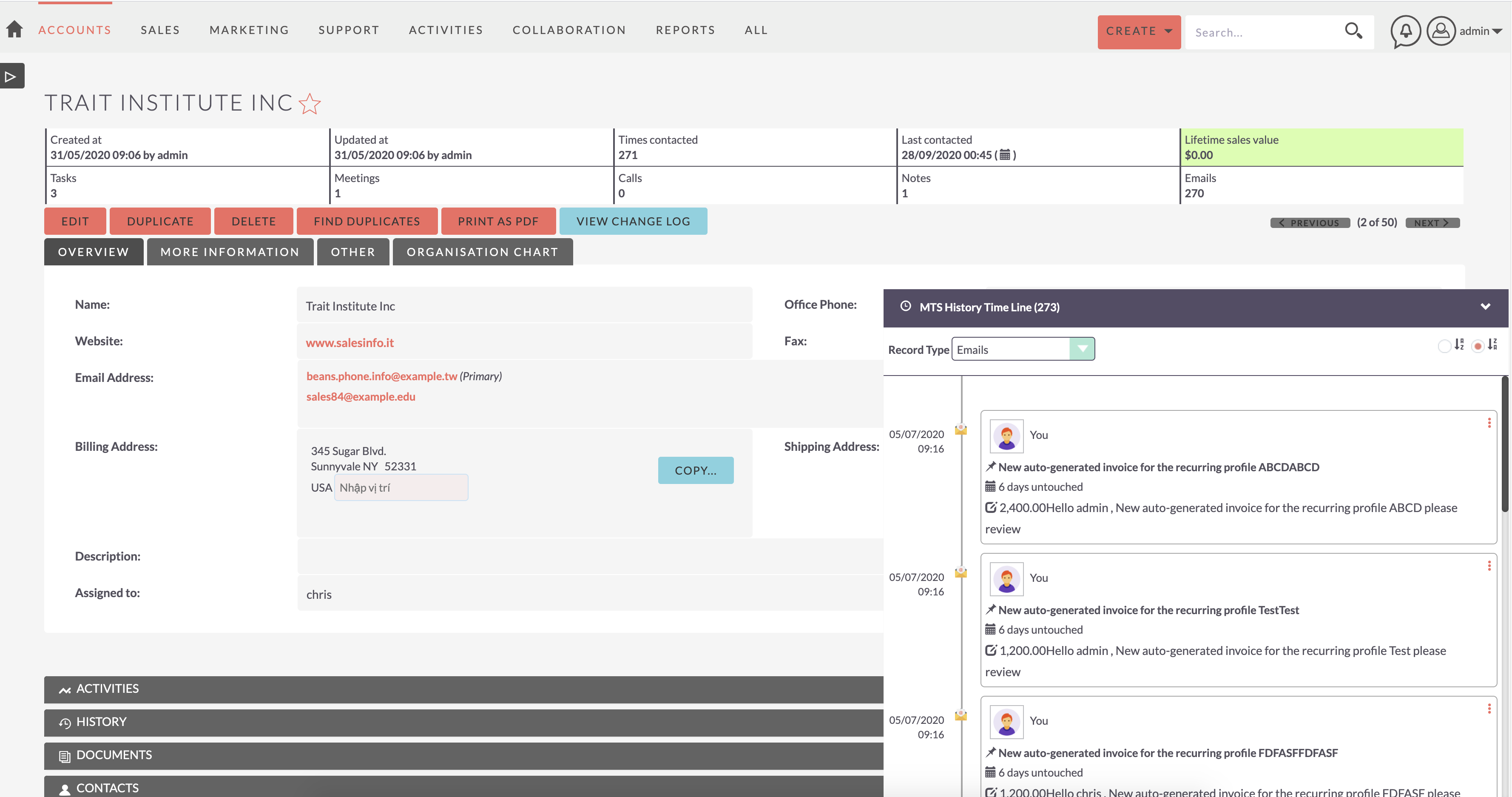
How Data is Stored Native
In standard SuiteCRM deployments, activities are linked to primary records (like Leads, Contacts, or Accounts) and displayed within subpanels at the bottom of the record view. While functional, navigating these subpanels requires users to expand, collapse, and individually click into records to read the details of an email or the notes from a meeting.
Limitations for High-Volume Users
For enterprises with heavy communication workflows, the default subpanel view can become cumbersome. It lacks a continuous, visual flow, making it difficult to quickly digest a customer’s journey over the past week or month. This creates a demand for custom SuiteCRM customer activity customization to present this data more intuitively.
Visualizing Interactions with the MTS History Timeline
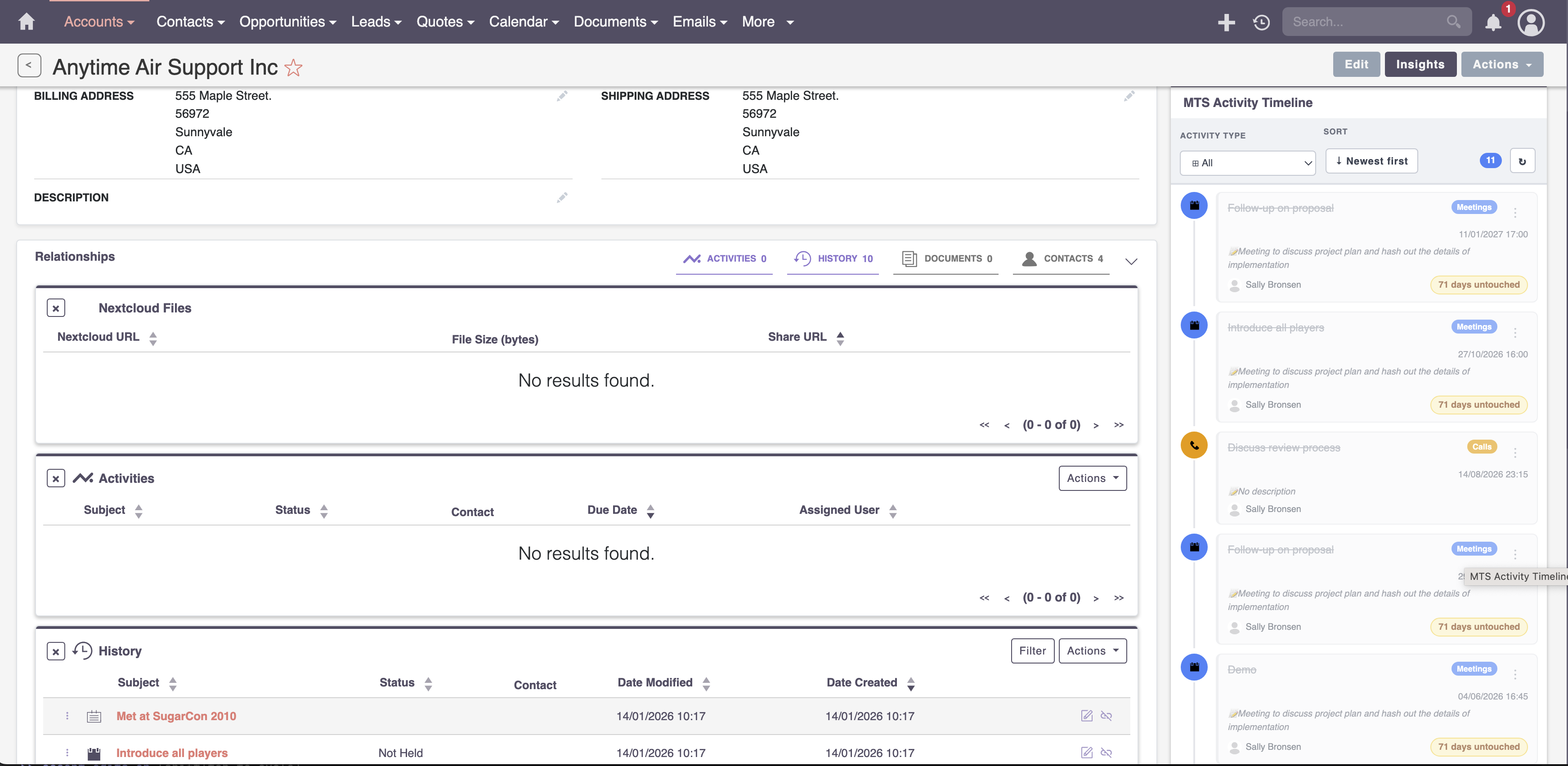
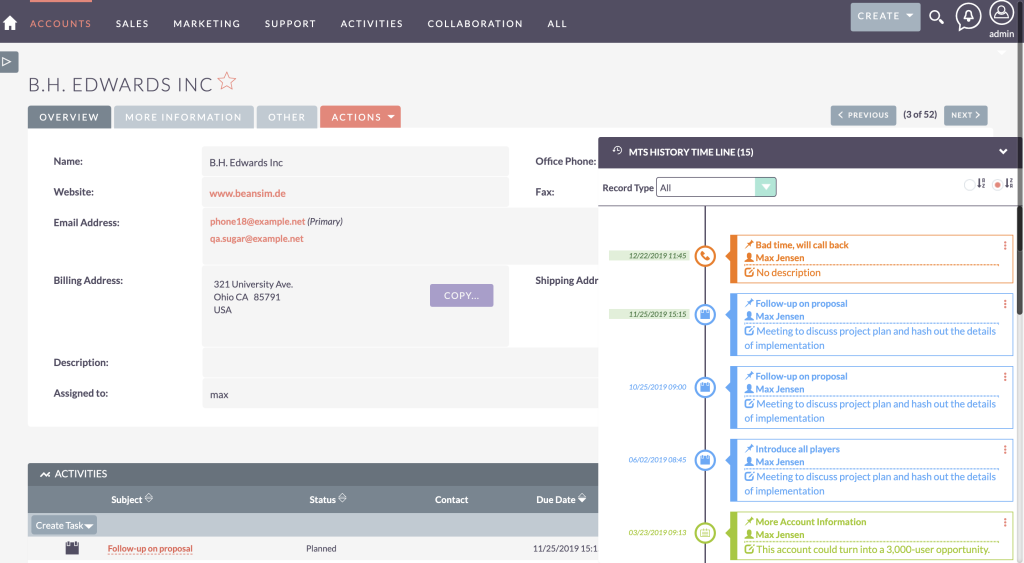
For organizations looking for a top-tier SuiteCRM activity tracking plugin, the MTS History Timeline provides an elegant solution.
Key Benefits of a Timeline View
* Instant Context: Users can see the chronological flow of all interactions without opening multiple tabs.
* Color-Coded Filtering: Quickly distinguish between emails, calls, and system changes using visual cues.
* Direct Interaction: Reply to emails or add notes directly from the timeline interface, drastically reducing click-fatigue.
Integrating a timeline transforms the user interface, driving higher adoption rates and ensuring that your team always has the full story before engaging with a client.
Streamlining Reviews with the MTS History Summary
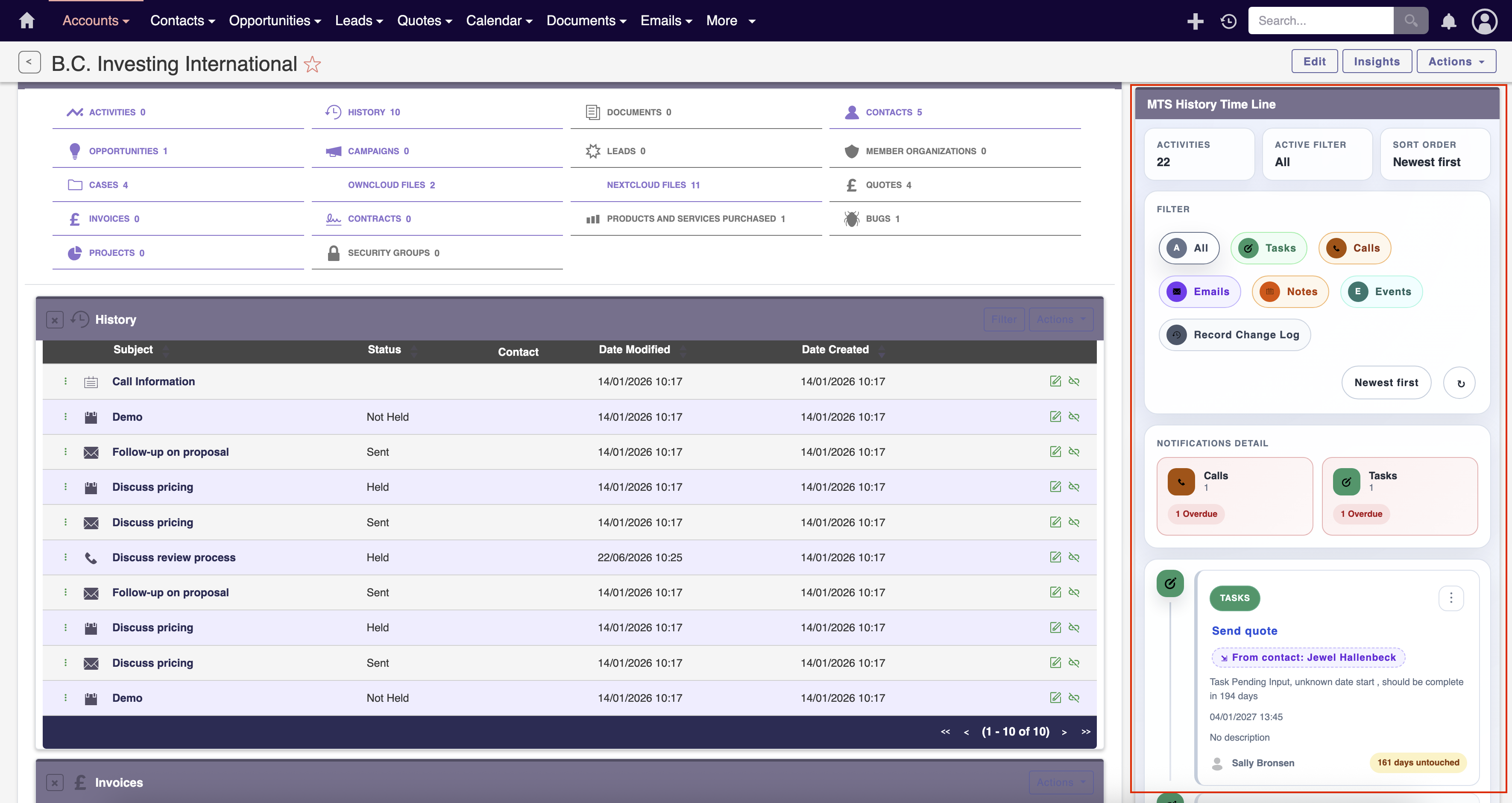
This is where summarization tools become invaluable. The MTS History Summary plugin is designed to consolidate historical data, providing a rapid overview of the most critical touchpoints.
Why Consolidate History?
* Faster Handoffs: When an account is transferred to a new representative, a summary view allows them to get up to speed in minutes rather than hours.
* Management Oversight: Sales managers can quickly review the density and quality of interactions on key accounts.
* Custom Data Points: Configure the summary to highlight specific metrics, such as the total number of meetings held or recent support tickets resolved.
Combining a detailed timeline with a high-level summary represents the pinnacle of MTS SuiteCRM development for productivity enhancements.
Enterprise Best Practices for Activity Management
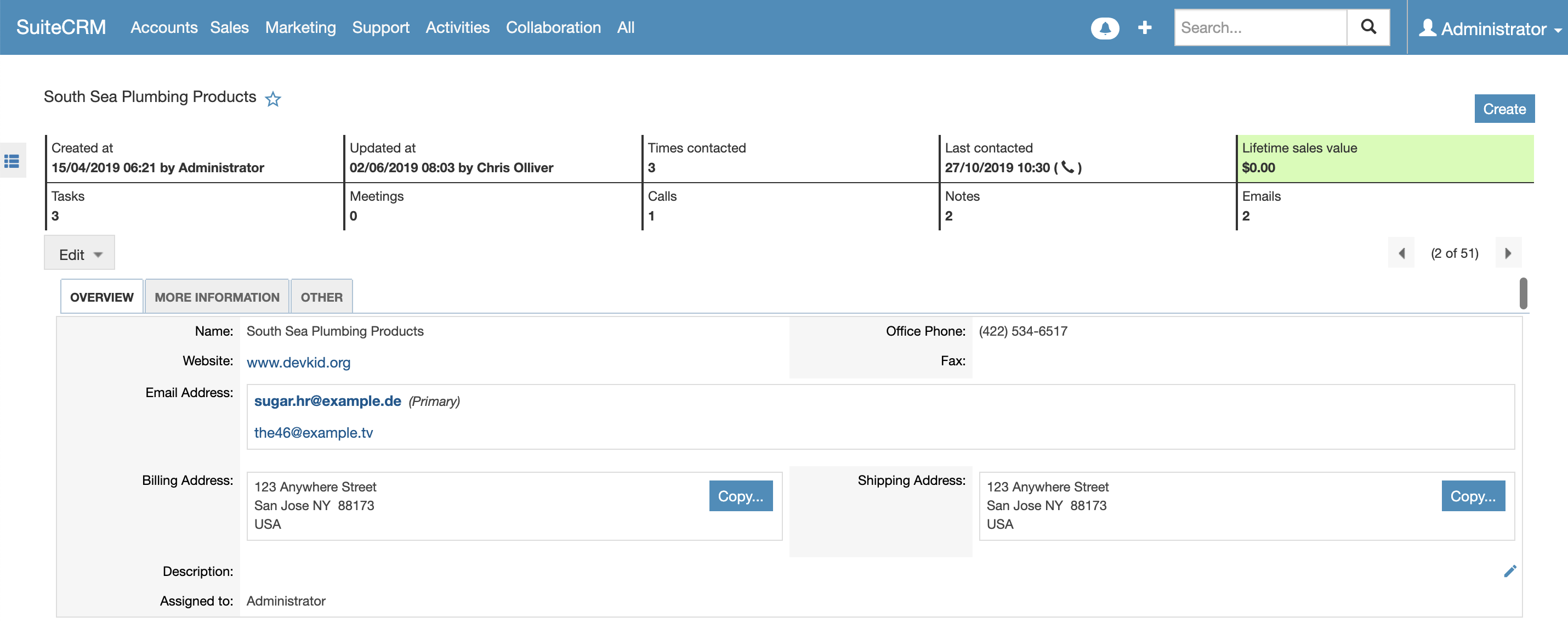
1. Enforce Logging Standards
Establish clear rules regarding what must be logged. For instance, require that all external meetings include actionable notes and next steps before a task can be marked as completed.
2. Automate Where Possible
Utilize SuiteCRM’s Workflow module to automatically log system activities. For example, trigger a historical note when an Opportunity stage is changed, ensuring that the timeline reflects both communications and business process milestones.
3. Regular Data Audits
Periodically review how teams are utilizing the tracking tools. Are emails syncing correctly via IMAP/SMTP integrations? Are users categorizing calls properly? Regular audits prevent the CRM from becoming a data graveyard.
4. Provide Continuous Training
When deploying tools like the MTS History Timeline, provide comprehensive training focused on the business value—showing users how the tool will save them time and help them close deals faster, rather than just how to click the buttons.
✦ Key Takeaways
- ✓ Fragmented customer interaction data severely hinders sales and support productivity.
- ✓ Native SuiteCRM subpanels can become difficult to manage for high-volume accounts.
- ✓ Visual timelines provide instant, chronological context for all customer interactions.
- ✓ Summary tools are vital for quick account reviews and seamless team handoffs.
- ✓ Successful tracking requires strict data logging standards and automated workflows.
Conclusion
Mastering **SuiteCRM Activity Tracking** is essential for maintaining strong customer relationships and operational efficiency. While native tools provide a foundation, the true power of SuiteCRM is unlocked through strategic customizations that fit your business processes. By implementing intuitive interfaces like the MTS History Timeline and MTS History Summary, you empower your team with the context they need to succeed. If you are ready to transform your CRM experience, the experts at Mien Trung Soft are here to guide your custom development and integration needs.
Frequently Asked Questions (FAQ)
Why is SuiteCRM Activity Tracking so important for sales teams?
Activity tracking provides a complete historical context of every interaction with a prospect. This ensures sales representatives can personalize their outreach, avoid repeating questions, and seamlessly pick up where a colleague left off.
Can I view all emails, calls, and meetings in a single view in SuiteCRM?
By default, these are separated into different subpanels. However, by installing a custom plugin like the MTS History Timeline, you can consolidate all these activities into a single, unified feed for easier viewing.
How does Mien Trung Soft help with SuiteCRM customer activity customization?
Mien Trung Soft specializes in developing custom plugins, enhancing UI/UX, and building workflow automations tailored to how your specific business needs to track and interact with customer data.

Nhat Thieu
CRM · HRM · Custom SoftwareCRM Solution Architect & Developer specializing in open-source CRM/HRM customization, system integration, custom software and AI.