Optimizing SuiteCRM Email Generation for Enterprises
⚡ Quick Summary / Key Takeaway
SuiteCRM Email Generation: SuiteCRM email generation refers to the automated creation and dispatch of customized messages directly within the CRM platform. By leveraging built-in workflow modules, personalized email templates, and AI-powered plugins, organizations can streamline communication, ensure brand consistency, and significantly reduce manual data entry for sales and support teams.
Table of Contents
Effective communication is the lifeblood of any enterprise, and CRM systems play a pivotal role in managing customer interactions. However, sales and support teams often spend countless hours drafting repetitive emails. Mastering SuiteCRM email generation transforms this bottleneck into a streamlined, automated process. By configuring robust email architectures, utilizing dynamic templates, and integrating advanced tools like the [MTS AI Email Writer](https://store.mientrungsoft.com/mts-ai-email-writer/), businesses can ensure consistent messaging while recovering valuable selling time. In this guide, we explore how to optimize your email workflows within SuiteCRM to maximize efficiency and engagement.
The Foundations of SuiteCRM Email Generation
The Bottleneck of Manual Email Composition
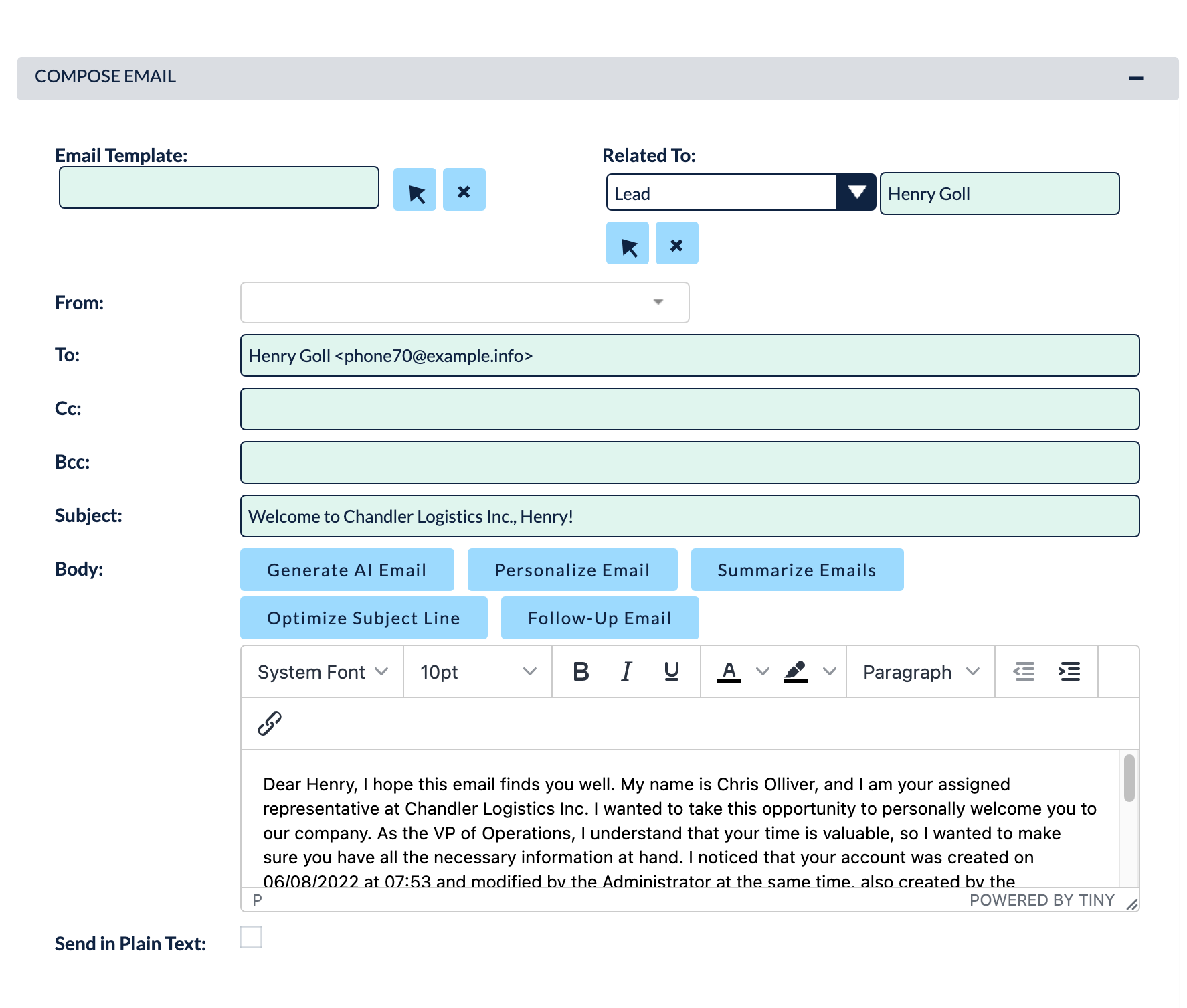
Standardizing Communication with Email Template Customization
How to Access and Create Templates:
1. Navigate to the Emails module from the main navigation bar.
2. Select View Email Templates from the sidebar menu.
3. Click Create Email Template to open the builder.
4. Define the target module to ensure the correct dynamic variables are available.
5. Compose your message, inserting variables to personalize the output automatically.
A well-structured library of templates is a cornerstone of efficient communication, providing a rapid starting point for standard responses.
Next-Level Automation with a SuiteCRM Email Generation Plugin
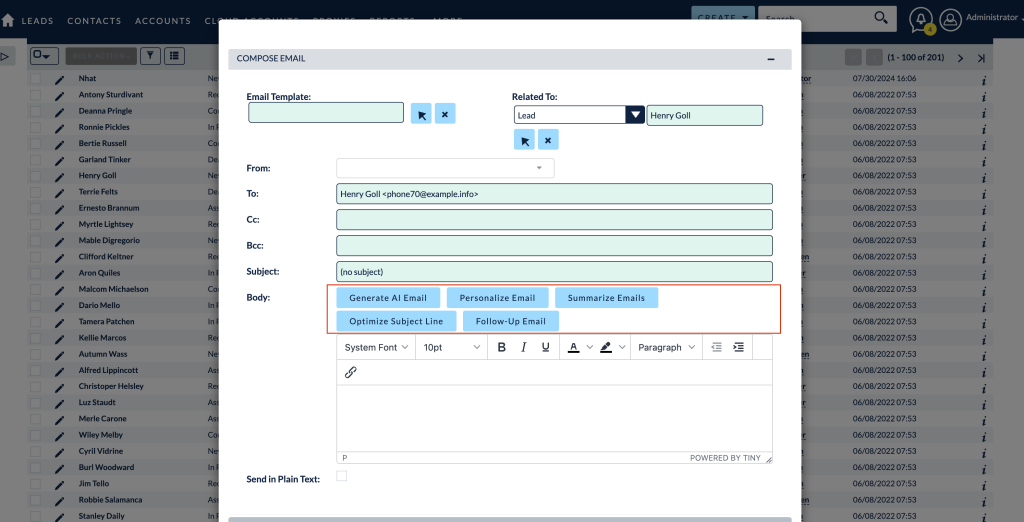
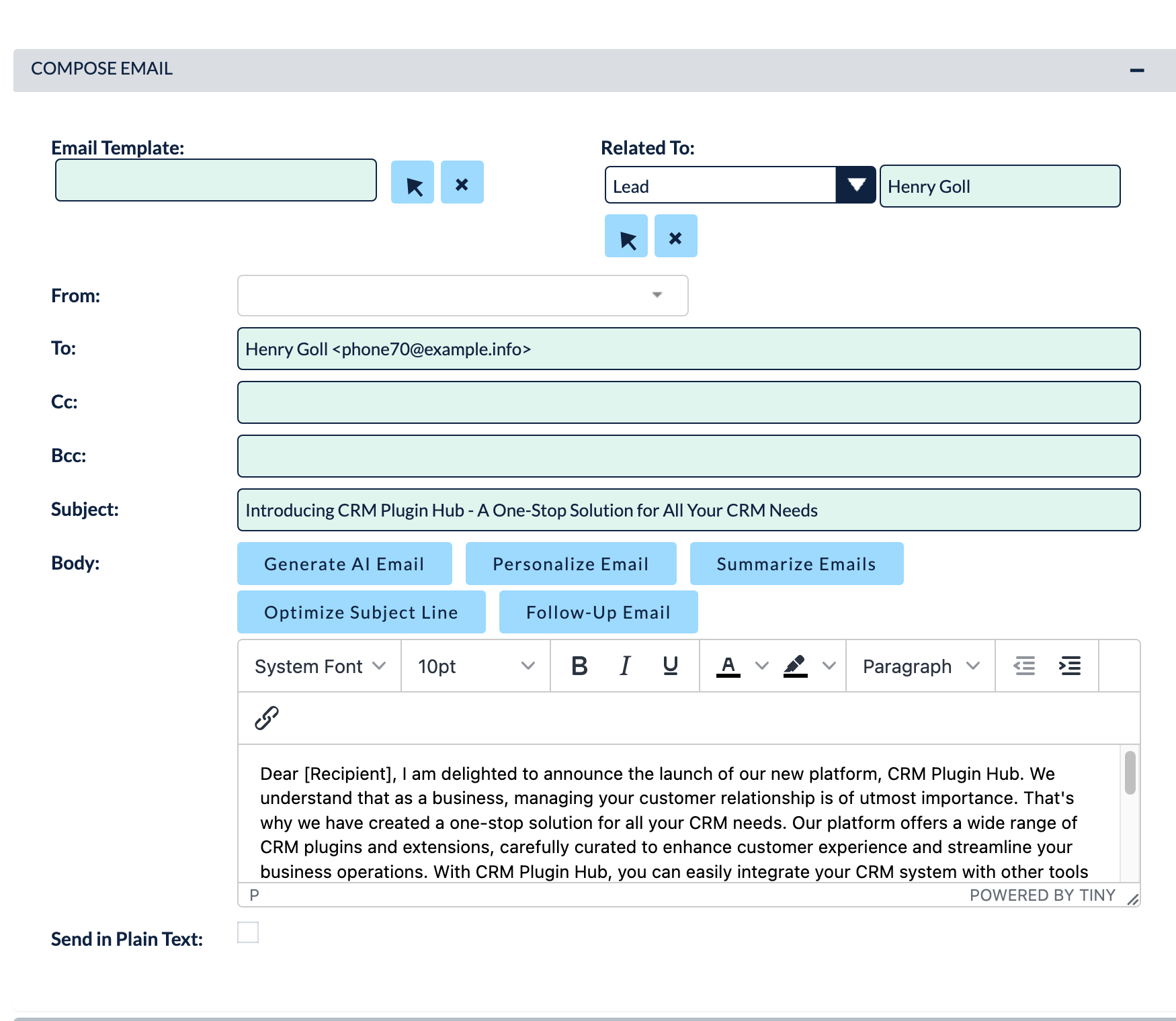
This powerful tool analyzes the context of the CRM record and user prompts to instantly draft professional, highly relevant emails directly within the compose window. Whether a sales representative needs to counter a pricing objection or a support agent is explaining a technical resolution, the AI Email Writer generates tailored content in seconds. This eliminates writer’s block, ensures high-quality communication, and allows your team to focus on building relationships rather than formatting text.
Best Practices for Automated Email Workflows
* Trigger-Based Generation: Configure workflows to automatically generate and send emails when specific conditions are met, such as a Lead status changing to “Qualified” or a Case being marked as “Resolved.”
* A/B Testing Messaging: Regularly review the performance of automated emails. If engagement metrics decline, revise the underlying templates to keep the messaging fresh.
* Compliance and Privacy: Ensure all automated communications respect data privacy regulations by honoring customer opt-out requests.
By adhering to the principles found in a comprehensive SuiteCRM 8 email automation guide, and leveraging professional MTS SuiteCRM development services, businesses can build an automated communication engine that scales perfectly with their growth.
✦ Key Takeaways
- ✓ Properly configuring outbound SMTP and inbound IMAP is essential for reliable email delivery.
- ✓ Manual email drafting creates bottlenecks and reduces overall team productivity.
- ✓ SuiteCRM email template customization ensures brand consistency and speeds up standard communications.
- ✓ Integrating the MTS AI Email Writer plugin leverages AI to generate context-aware, highly personalized emails instantly.
Conclusion
Transitioning from manual drafting to intelligent SuiteCRM email generation is a critical step for modern enterprises seeking to optimize their sales and support operations. By properly configuring your email infrastructure, standardizing outreach with customized templates, and adopting cutting-edge tools like the MTS AI Email Writer, you empower your team to communicate more effectively and efficiently. If you need assistance configuring complex automated workflows or require custom CRM enhancements, Mien Trung Soft offers expert consulting and development services tailored to your unique business requirements.
Frequently Asked Questions (FAQ)
What is the primary benefit of SuiteCRM email generation?
The primary benefit is a massive reduction in manual data entry and drafting time. Automated email generation allows sales and support teams to send consistent, personalized communications rapidly, freeing them up to focus on higher-value customer interactions.
Can I use dynamic data in SuiteCRM emails?
Yes, SuiteCRM allows you to insert dynamic variables into email templates. This pulls specific data, such as a contact’s name, account details, or meeting dates, directly from the CRM record into the generated email body.
How does the MTS AI Email Writer improve email generation?
The MTS AI Email Writer acts as a smart assistant within your CRM. Instead of relying purely on static templates, it uses artificial intelligence to analyze the context of a record and generate highly customized, situation-specific email drafts on demand.

Nhat Thieu
CRM · HRM · Custom SoftwareCRM Solution Architect & Developer specializing in open-source CRM/HRM customization, system integration, custom software and AI.