Strategies for Improving SuiteCRM Data Quality in Enterprises
⚡ Quick Summary / Key Takeaway
SuiteCRM Data Quality: SuiteCRM Data Quality is the measure of accuracy, consistency, and completeness of your CRM information. Achieving high data quality requires establishing strict entry protocols, conducting regular audits, and utilizing dedicated plugins to prevent duplicates. Clean CRM data ensures accurate reporting, higher user adoption, and streamlined business operations.
Table of Contents
A Customer Relationship Management system is only as valuable as the information it holds. When sales teams struggle with redundant leads, missing contact details, or inconsistent categorization, the system rapidly transitions from a strategic asset to a frustrating liability. Maintaining high SuiteCRM Data Quality is essential for accurate forecasting, effective marketing segmentation, and overall user adoption. For enterprise teams managing thousands of records, relying on manual data cleanup is neither scalable nor cost-effective. By implementing strict data governance protocols and leveraging targeted system enhancements, organizations can transform their database into a reliable, single source of truth.
The Business Impact of SuiteCRM Data Quality
Furthermore, automated marketing campaigns rely heavily on precise segmentation. If email addresses are outdated or industry classifications are inconsistent, marketing efforts yield high bounce rates and low engagement. Prioritizing SuiteCRM Data Quality directly correlates with higher conversion rates, shortened sales cycles, and more accurate revenue forecasting by leadership.
Identifying Common Data Integrity Issues
1. Duplication Overload
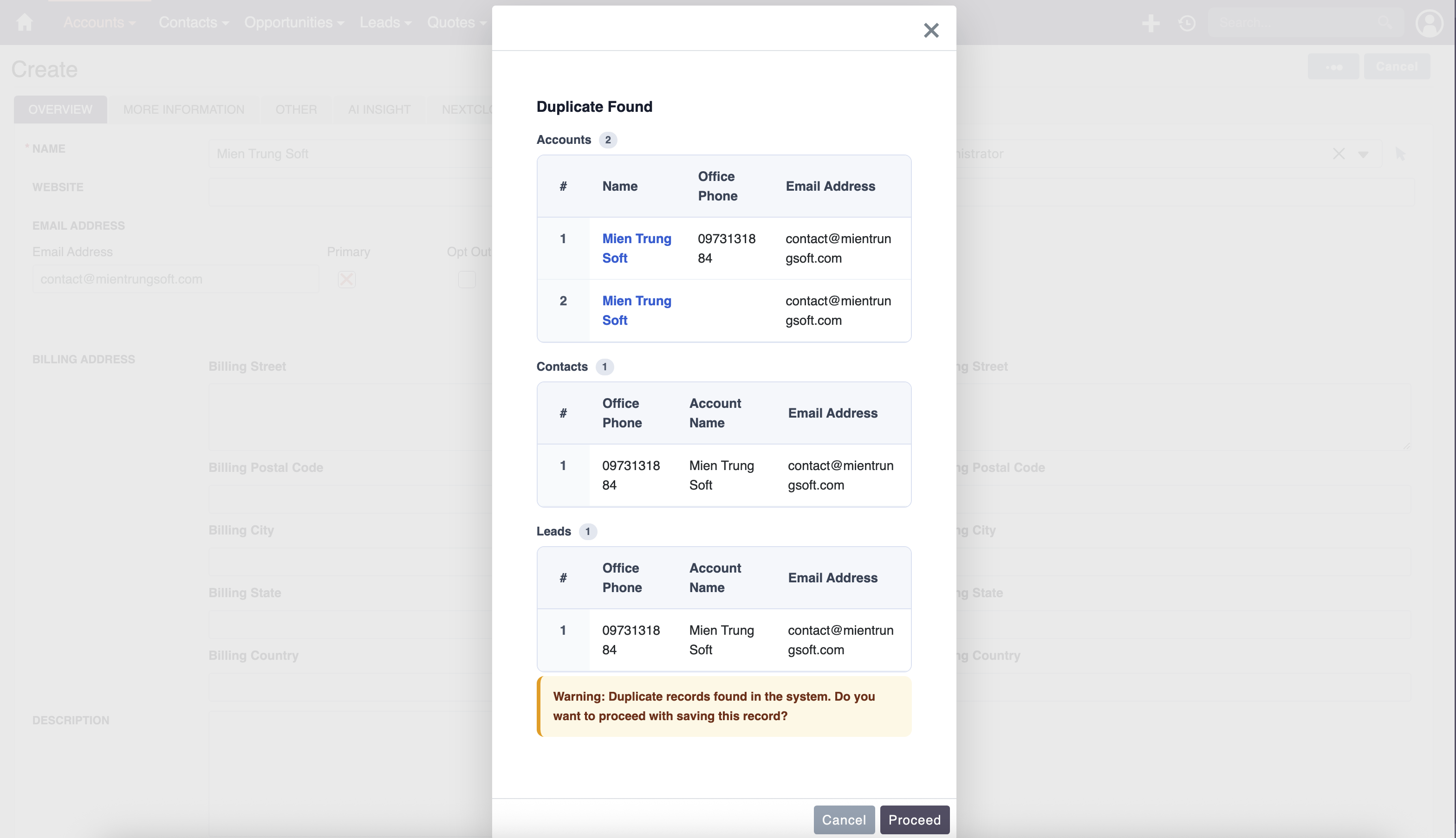
Duplicates often stem from web-to-lead forms, unvalidated manual data entry, or poorly executed CSV imports. Without constraints, the system accepts identical names or email addresses, resulting in split activity histories.
2. Incomplete Profiles
When users are in a rush, they frequently bypass non-mandatory fields. This results in records missing critical qualification criteria, such as phone numbers, job titles, or budget sizes, rendering the lead useless for targeted outreach.
3. Inconsistent Formatting
Free-text fields invite variation. One user might enter ‘United States’, another ‘US’, and a third ‘USA’. This lack of standardization cripples reporting and filtering capabilities within the CRM.
Preventing Record Duplication Automatically
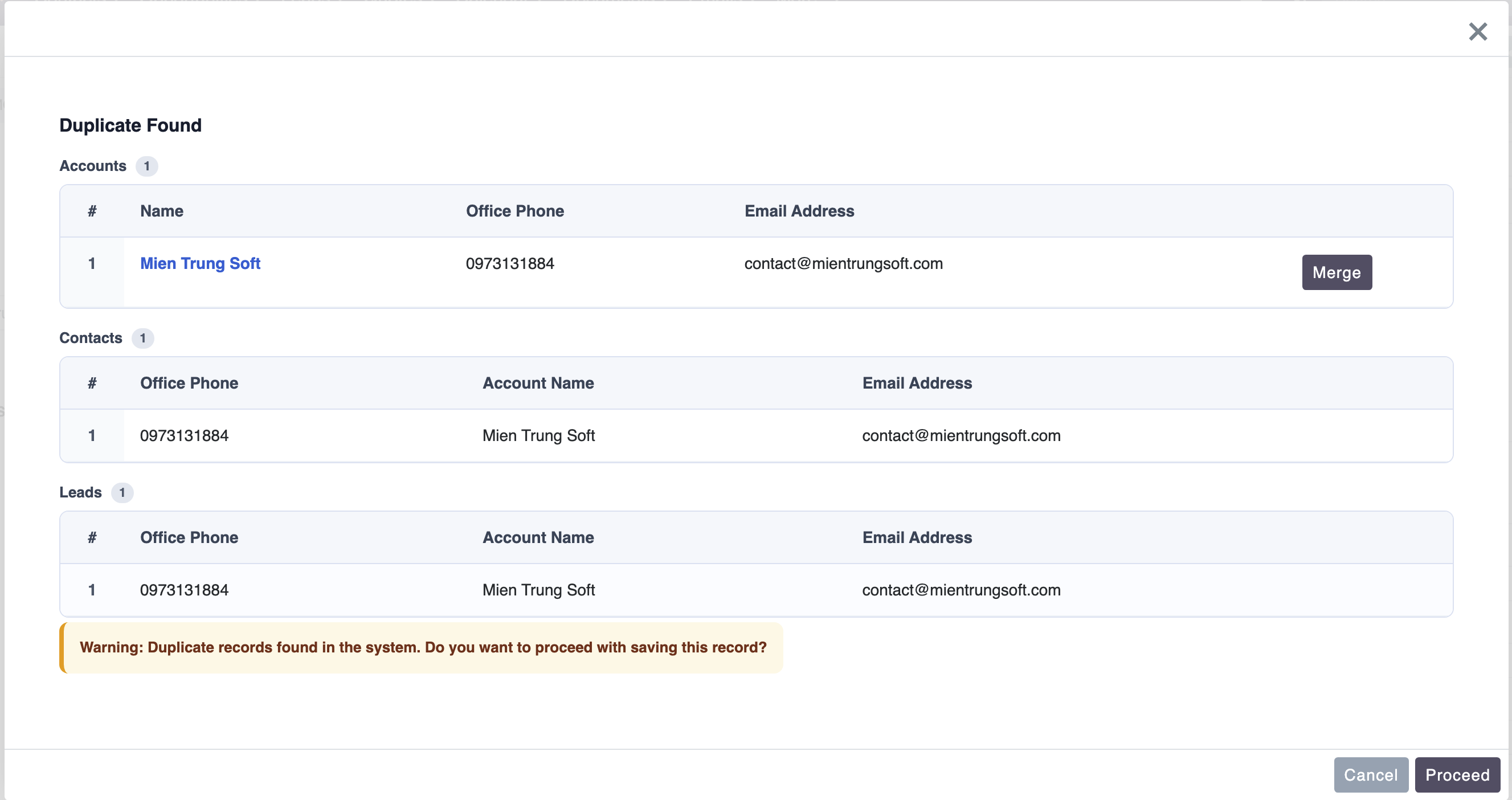
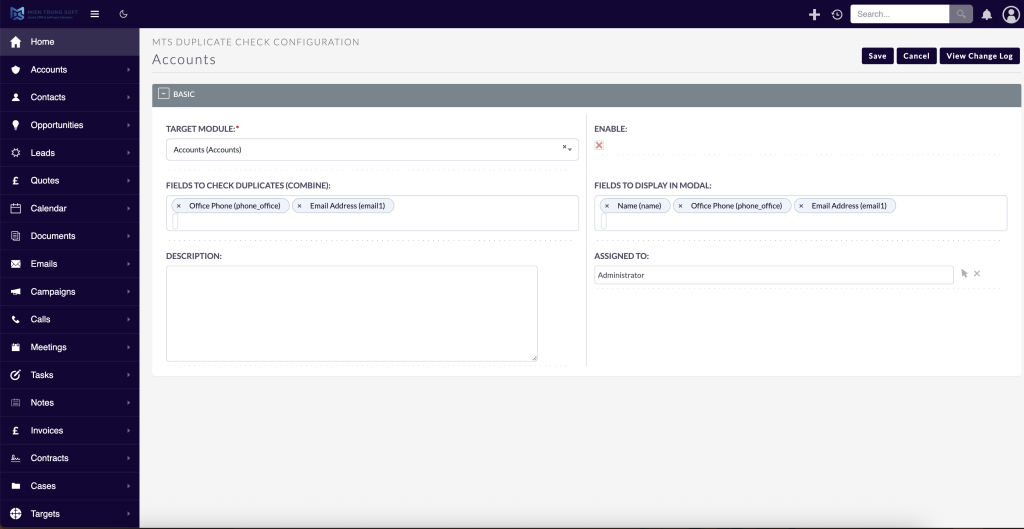
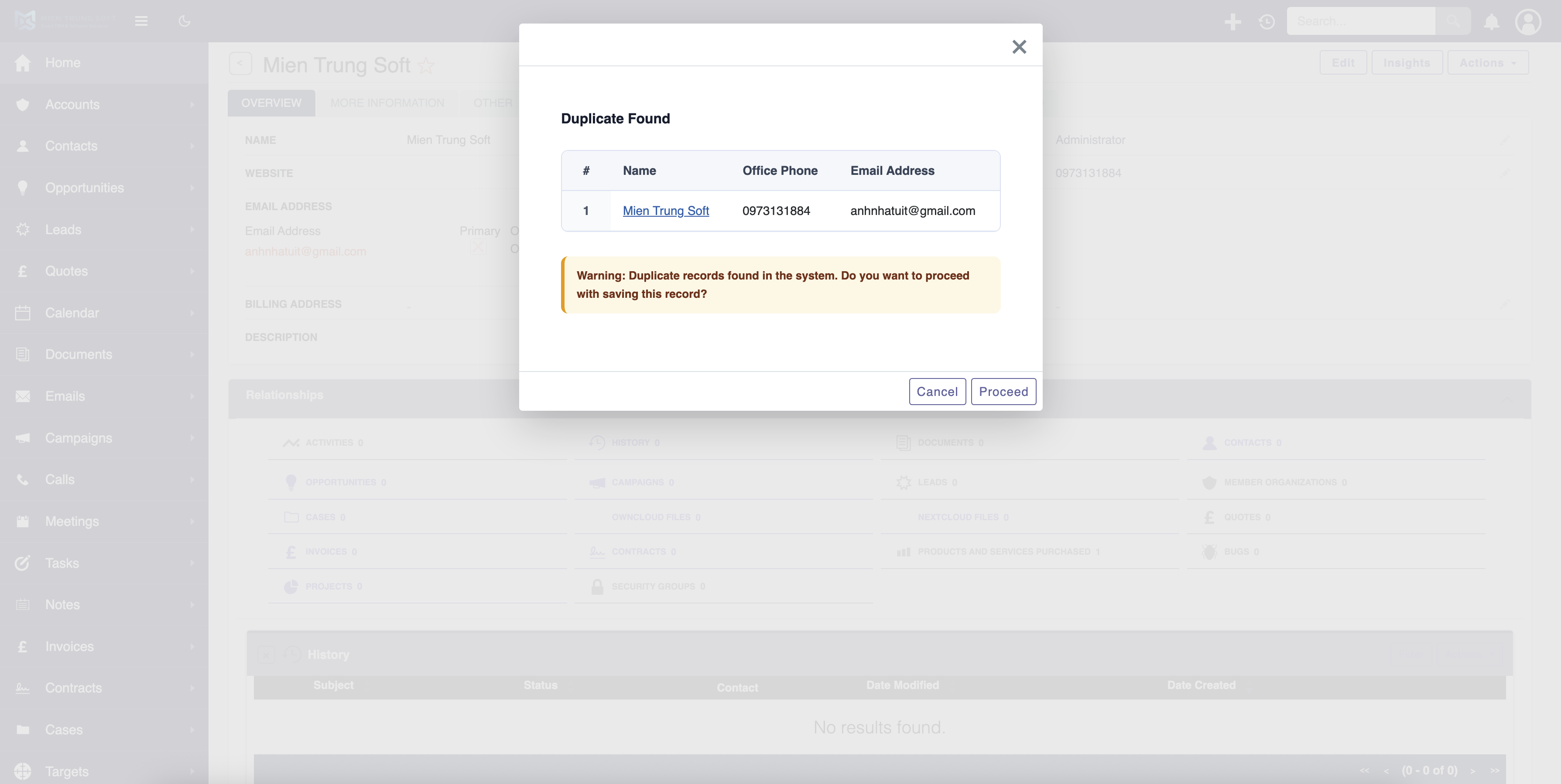
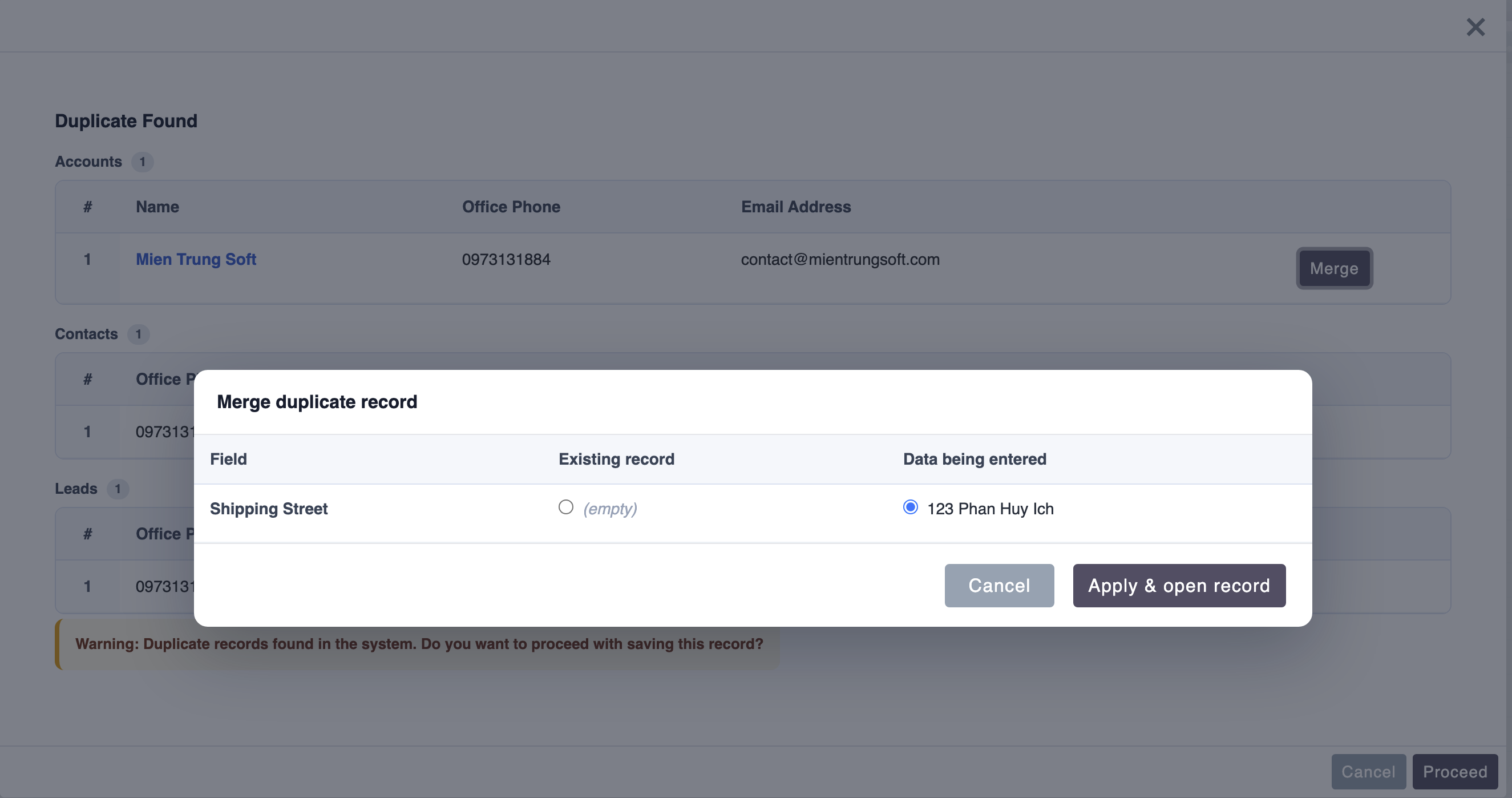
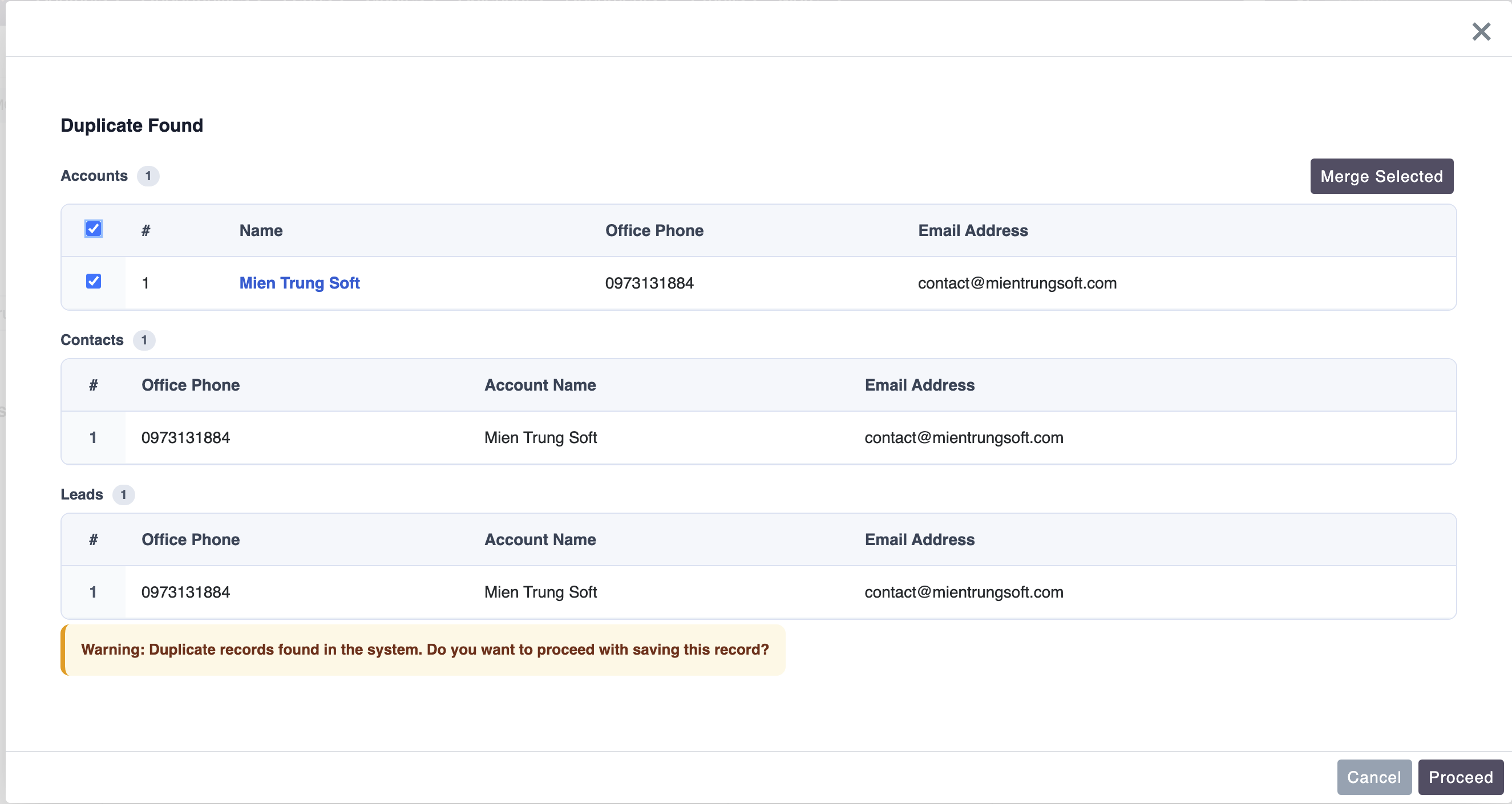
To enforce strict uniqueness rules at the point of entry, administrators can integrate the MTS Duplicate Check plugin. This solution actively monitors data creation and alerts users in real-time if a matching record already exists.
Implementation Workflow:
1. Navigate to the Admin panel and select the MTS Duplicate Check configuration interface.
2. Select the target module (e.g., Leads or Contacts).
3. Define the matching criteria, such as setting ‘Email Address’ as an exact match or ‘Company Name’ as a fuzzy match.
4. Configure the system behavior to either warn the user or completely block the creation of the duplicate record.
By enforcing these rules globally, teams ensure that data imports, API integrations, and manual entries adhere to the same stringent data quality standards.
Structuring Data with Standardized Tags
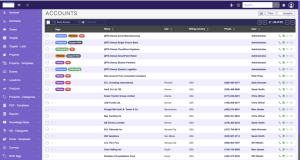
Implementing the MTS Tag Field allows users to apply flexible yet standardized labels to records. This approach bridges the gap between rigid dropdowns and chaotic text inputs.
Benefits of Standardized Tagging:
* Enhanced Segmentation: Marketing teams can instantly filter Accounts based on tags like ‘Enterprise’, ‘Tech Sector’, and ‘High Priority’ simultaneously.
* Visual Clarity: Color-coded tags on the record detail view allow users to instantly grasp the context and status of a relationship without reading through paragraphs of notes.
* Simplified Reporting: Standardized tags create reliable data points for SuiteCRM Reports, ensuring that no records slip through the cracks due to spelling variations.
Establishing a Sustainable Data Governance Framework
Key Governance Practices:
* Role-Based Layouts: Utilize SuiteCRM’s Studio to hide unnecessary fields from specific user roles. Reducing visual clutter encourages users to fill out the fields that actually matter.
* Strategic Field Requirements: Make essential fields mandatory, but avoid making too many fields required, which can lead to users entering ‘dummy’ data just to save the record.
* Routine Audits: Schedule quarterly data reviews. Create specific Saved Searches that highlight records with missing critical information or inactive accounts, and assign teams to update them.
Consistent training and clear documentation regarding data entry standards will empower your team to take ownership of the system’s integrity.
✦ Key Takeaways
- ✓ High data quality is foundational to accurate reporting, effective marketing, and user adoption.
- ✓ Proactive duplicate prevention is significantly more efficient than reactive database cleanup.
- ✓ Utilizing tools like MTS Duplicate Check enforces data integrity across all entry points.
- ✓ Standardized tagging systems replace chaotic text fields, enabling powerful segmentation and reporting.
Conclusion
Maintaining superior SuiteCRM Data Quality is a continuous operational requirement, not a one-time project. By actively preventing duplicates, structuring information logically, and enforcing governance policies, organizations can maximize their CRM investment. Clean data empowers sales teams to act decisively and leadership to forecast accurately. If your organization is struggling with database degradation, Mien Trung Soft provides enterprise-grade consulting and specialized plugins to automate cleanup, secure your data architecture, and restore confidence in your CRM.
Frequently Asked Questions (FAQ)
Why is SuiteCRM Data Quality critical for user adoption?
When a CRM contains duplicate or inaccurate information, users lose trust in the system. They begin keeping personal spreadsheets instead, which destroys collaboration and visibility. High data quality ensures the CRM remains the reliable, single source of truth for the entire company.
How can I prevent duplicate records from being imported into SuiteCRM?
While native SuiteCRM offers basic duplicate checking during import, enterprise environments benefit from advanced plugins. Tools like MTS Duplicate Check provide strict, cross-module validation rules that block duplicates originating from manual entry, API integrations, and bulk imports alike.
What is the best way to clean up existing unstructured data in SuiteCRM?
Begin by running comprehensive reports to identify records with missing or inconsistent critical fields. Transition away from free-text inputs by implementing structured dropdowns or standardized tagging solutions, such as the MTS Tag Field, to enforce uniform categorization moving forward.

Nhat Thieu
CRM · HRM · Custom SoftwareCRM Solution Architect & Developer specializing in open-source CRM/HRM customization, system integration, custom software and AI.