Effective SuiteCRM Sales Automation Strategies
⚡ Quick Summary / Key Takeaway
SuiteCRM Sales Automation: SuiteCRM Sales Automation involves utilizing built-in workflows and specialized plugins to streamline repetitive sales tasks, manage pipelines, and qualify leads automatically. By implementing strategic automation, enterprises can eliminate manual data entry, ensure consistent prospect follow-ups, and significantly accelerate the sales cycle to drive consistent revenue growth.
Table of Contents
In today’s fast-paced business environment, relying on manual data entry and disjointed sales processes can severely hinder organizational growth. Implementing robust **SuiteCRM Sales Automation** is essential for enterprises looking to scale their operations, reduce administrative overhead, and empower their sales teams to focus on relationship-building and closing deals. By leveraging both the native workflow engine of SuiteCRM and powerful third-party extensions, organizations can create a seamless, highly efficient sales pipeline. This guide explores the critical components of sales automation within the SuiteCRM ecosystem and how tailored solutions from Mien Trung Soft can elevate your CRM strategy.
Understanding SuiteCRM Sales Automation
For enterprise administrators, the goal is to map out the entire customer journey and identify bottlenecks where automation can provide the most value. Whether it is automatically routing high-value leads to senior sales personnel or setting up task reminders for inactive accounts, automation transforms SuiteCRM from a static database into a proactive sales engine.
Core Capabilities of SuiteCRM Workflows
Configuring Standard Workflows
To begin automating routine tasks, administrators can utilize the built-in Workflow module:
1. Navigate to the Admin panel and select Workflow Management.
2. Click Create Workflow and define the target module (e.g., Leads, Opportunities).
3. Establish Conditions: Define the exact criteria that must be met for the workflow to trigger (e.g., ‘Lead Status equals New’).
4. Set Actions: Specify the automated response, such as ‘Create Task’, ‘Send Email’, or ‘Modify Record’.
Common Automation Scenarios
* Welcome Emails: Automatically dispatching an introductory email when a new lead is captured via a web form.
* Stale Opportunity Alerts: Notifying sales managers if an opportunity has remained in the same stage for more than thirty days.
* Task Generation: Automatically creating a follow-up call task when a meeting is marked as ‘Held’.
Enhancing Automation with Custom Plugins
Visual Pipeline Management
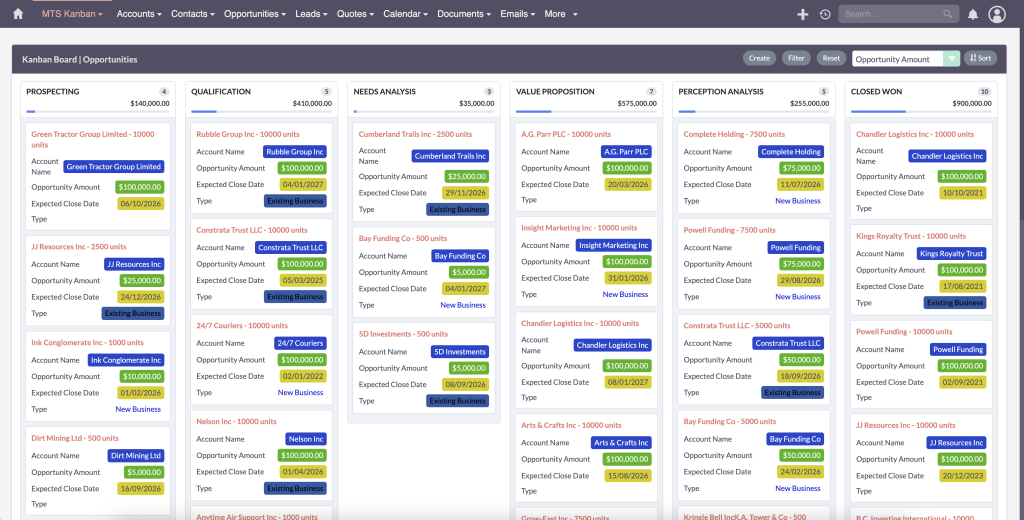
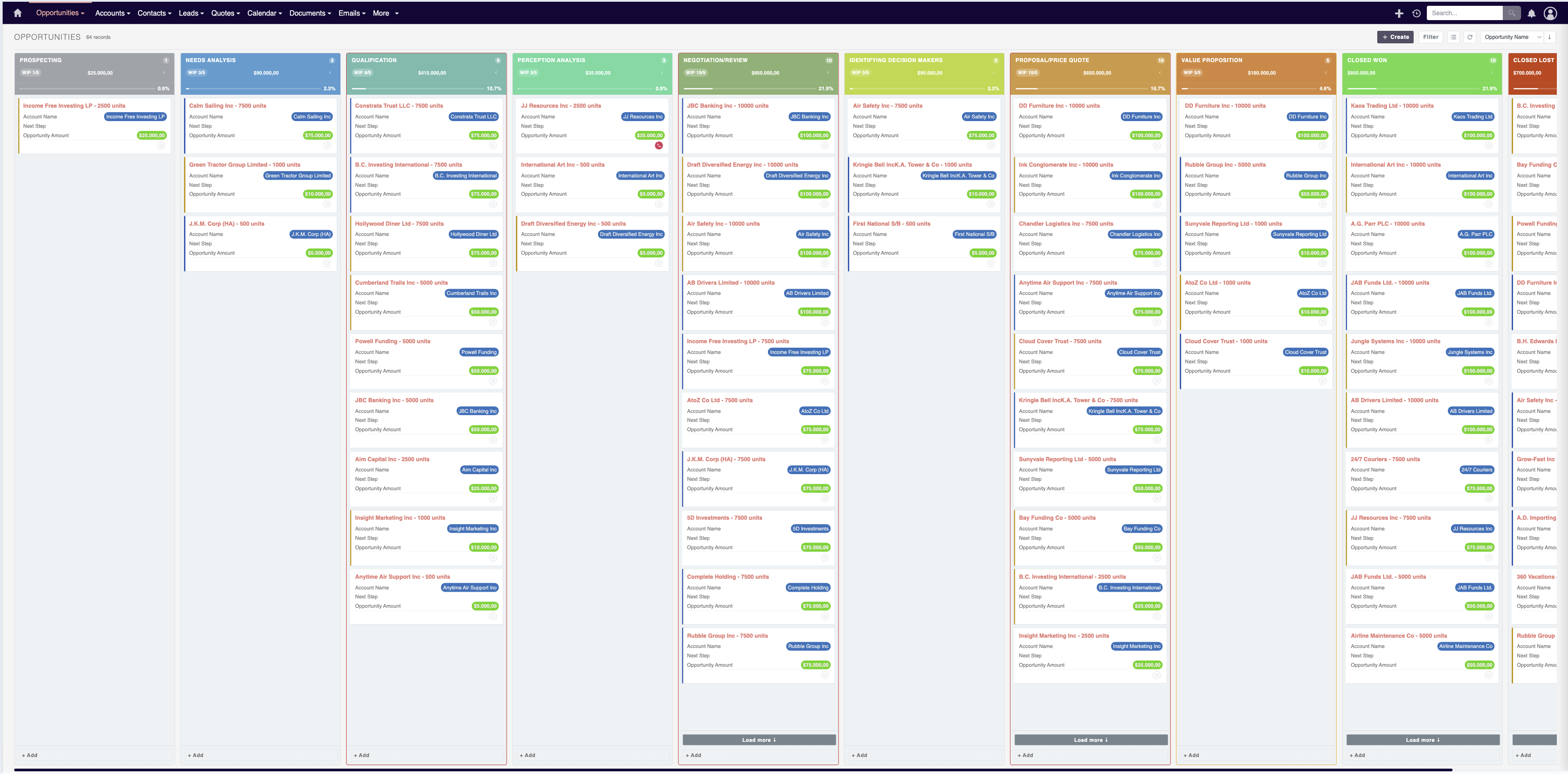
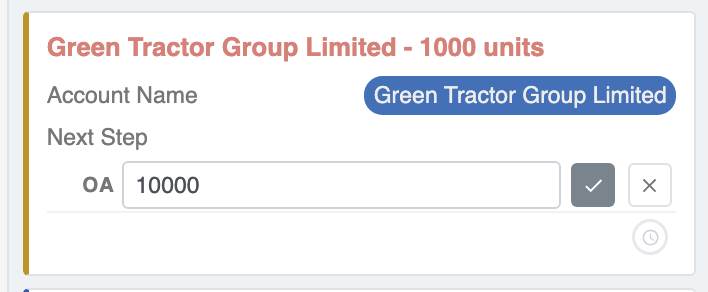
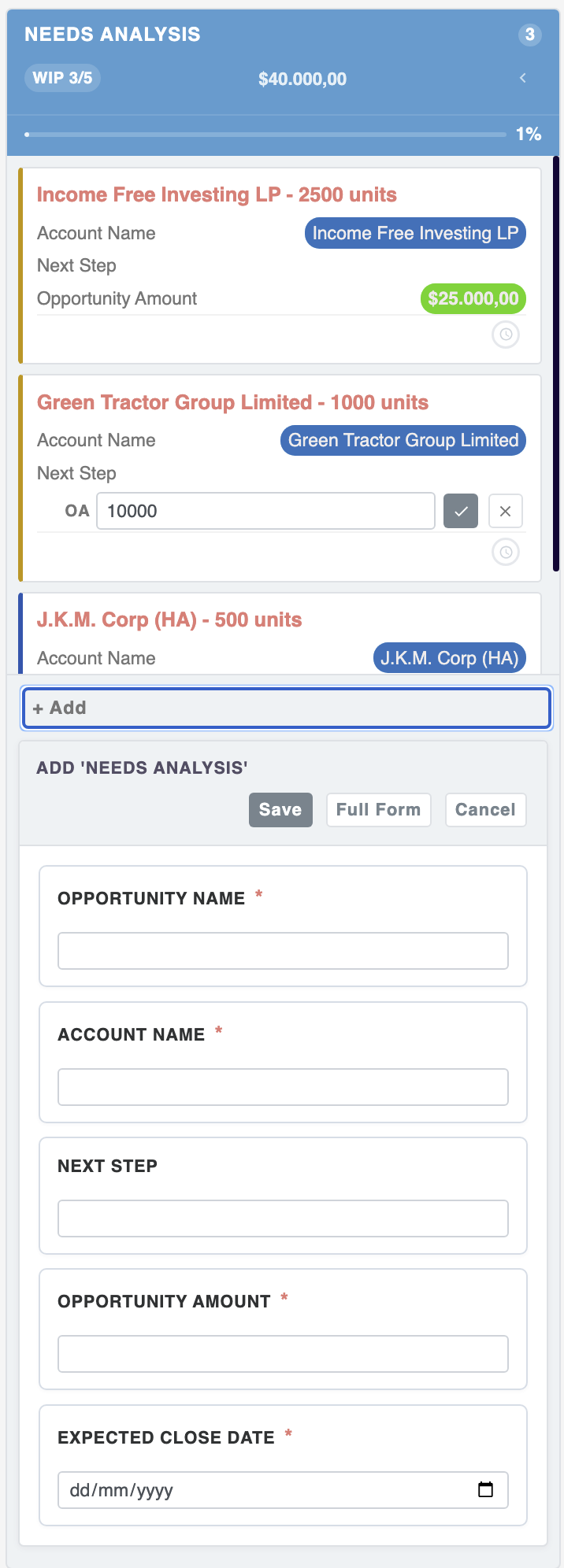
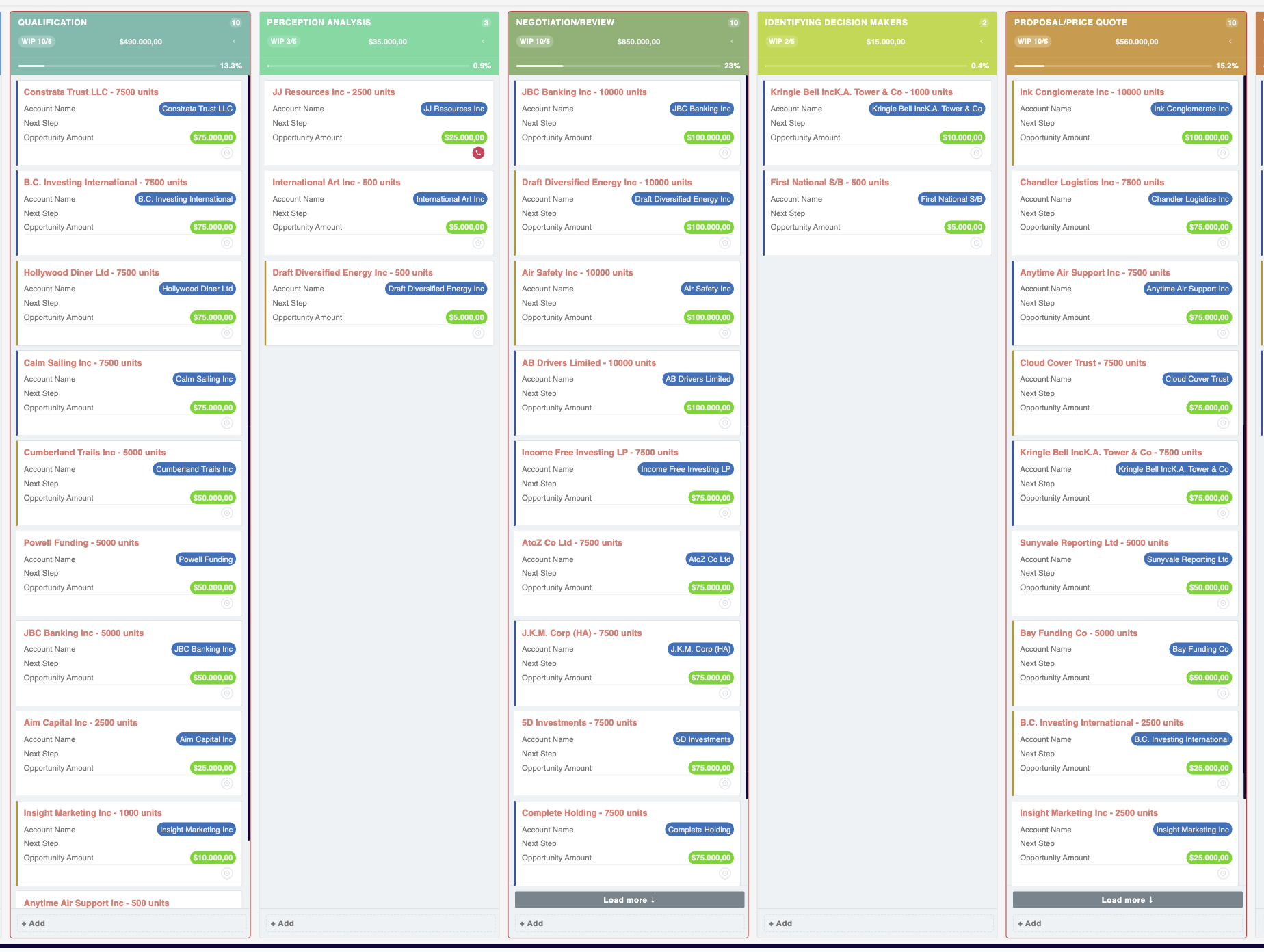
Managing opportunities through a traditional list view can be cumbersome. The MTS Kanban plugin transforms your data into an interactive, visual board. Sales reps can drag and drop records across different stages, which can seamlessly trigger automated backend workflows to update statuses and notify team members.
Guided Sales Processes
Ensuring that all sales representatives follow the company’s approved methodology is crucial for consistent forecasting. Implementing the MTS Sales Path provides a clear, step-by-step visual roadmap at the top of a record. It guides users through necessary actions at each stage of the sales cycle, automating the progression criteria and ensuring compliance with your sales playbook.
Automated Lead Qualification
Not all leads are created equal, and prioritizing them manually is inefficient. By deploying the MTS Record Score plugin, administrators can set up automated scoring rules. The system evaluates demographic data and engagement metrics, dynamically assigning a score to each lead. This automation allows your sales team to instantly identify and focus on the highest-value prospects.
Implementing an Enterprise Automation Strategy
Strategic Alignment and Auditing
Before configuring any workflows, conduct a thorough audit of your existing sales processes. Engage with sales managers and representatives to identify repetitive administrative tasks that consume their time. Document these processes clearly to ensure the automation logic accurately reflects real-world requirements.
Testing and Iteration
Always implement new automation rules in a staging environment before deploying them to your live production system. This allows administrators to test complex condition sets and ensure that automated actions (like mass emails or record updates) trigger correctly without unintended consequences. Once live, continuously monitor the workflows and gather feedback from the sales team to iterate and refine the processes.
✦ Key Takeaways
- ✓ SuiteCRM Sales Automation minimizes manual data entry and accelerates the sales cycle.
- ✓ Native workflows allow administrators to easily configure automated actions based on specific record conditions.
- ✓ Premium plugins like MTS Kanban and MTS Sales Path provide visual, intuitive automation enhancements.
- ✓ Automated lead scoring using MTS Record Score ensures sales teams prioritize high-value prospects efficiently.
Conclusion
Mastering **SuiteCRM Sales Automation** is a critical step for any enterprise looking to maximize efficiency, accelerate revenue generation, and maintain a competitive edge. By combining the native workflow capabilities of the platform with specialized, high-performance extensions, organizations can create a truly intelligent sales environment. If your enterprise is ready to optimize its CRM architecture, Mien Trung Soft offers the expertise and custom plugins necessary to transform your sales operations. Explore our custom development services and premium SuiteCRM extensions to unlock your system’s full potential.
Frequently Asked Questions (FAQ)
What are the primary benefits of SuiteCRM Sales Automation?
The primary benefits include reduced administrative workload, faster response times to leads, consistent application of sales methodologies, and improved data accuracy across the enterprise.
How do custom plugins improve standard SuiteCRM automation?
Custom plugins, such as those developed by Mien Trung Soft, provide advanced visual interfaces, complex logic processing, and industry-specific functionalities that go beyond the capabilities of native SuiteCRM workflows.
Can Mien Trung Soft assist with migrating our existing automation rules to SuiteCRM?
Yes, Mien Trung Soft specializes in enterprise CRM consulting, including the mapping, migration, and optimization of complex automation rules from legacy systems into a modern SuiteCRM architecture.

Nhat Thieu
CRM · HRM · Custom SoftwareCRM Solution Architect & Developer specializing in open-source CRM/HRM customization, system integration, custom software and AI.