SuiteCRM Sales Pipeline Setup and Customization
⚡ Quick Summary / Key Takeaway
SuiteCRM Sales Pipeline: A SuiteCRM sales pipeline is a structured visual representation of your sales process, tracking deals from initial contact to successful closure. By customizing opportunity stages, implementing targeted workflow automations, and utilizing visual management plugins, teams can accurately forecast revenue, identify operational bottlenecks, and close deals significantly faster.
Table of Contents
Implementing a robust SuiteCRM sales pipeline is often the critical difference between a disorganized sales team and a highly predictable revenue engine. Many organizations successfully roll out SuiteCRM, only to struggle with structuring their pipeline effectively—unsure of which stages to define, what fields to track, or how to design dashboards that sales managers will actually utilize. A well-architected pipeline not only tracks the progress of individual deals but also provides leadership with the necessary visibility to forecast revenue and identify process bottlenecks. In this comprehensive guide, we will explore the underlying architecture of the SuiteCRM sales pipeline, demonstrate how to customize it to fit your unique business model, and introduce essential plugins designed to dramatically improve user adoption and operational efficiency.
Understanding the SuiteCRM Sales Pipeline Architecture
Defining Key Stages in a High-Performing Pipeline
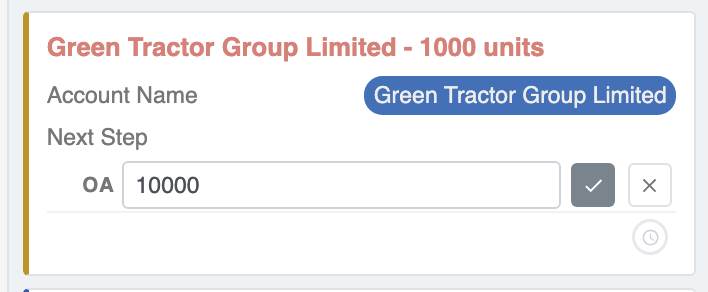
When defining your stages, it is crucial to establish clear entry and exit criteria for each phase. What specific actions must a sales representative complete before moving a deal from ‘Qualification’ to ‘Proposal’? Establishing these rules ensures consistency across your team, resulting in highly accurate forecasting and a cleaner database.
Step-by-Step SuiteCRM Sales Pipeline Customization
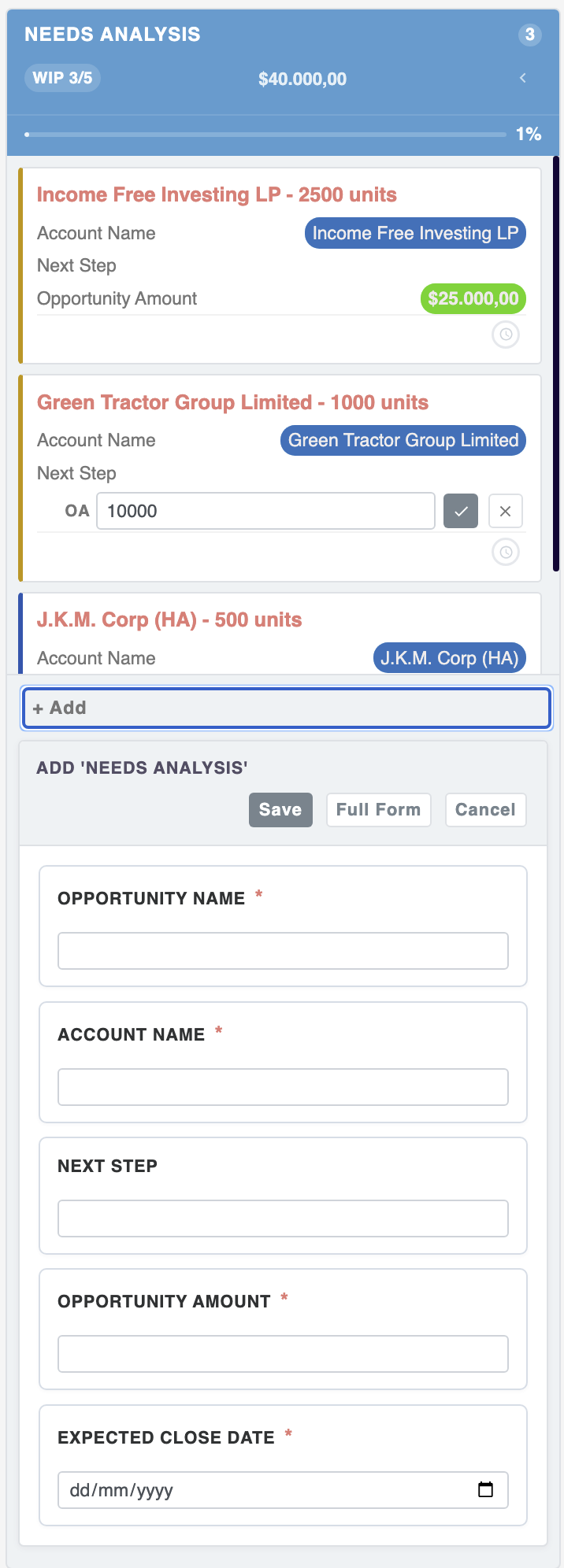
To customize your stages, navigate to the Admin panel and select Dropdown Editor. Locate and select the sales_stage_dom list. From this interface, you can effortlessly add new stages, rename existing ones to match your corporate terminology, or reorder them to reflect your logical sales flow. Once your stages are defined, it is equally important to navigate to the sales_probability_dom list to ensure that each corresponding stage has an accurate percentage attached, which is vital for weighted revenue forecasting.
Elevating Pipeline Visibility with MTS Plugins
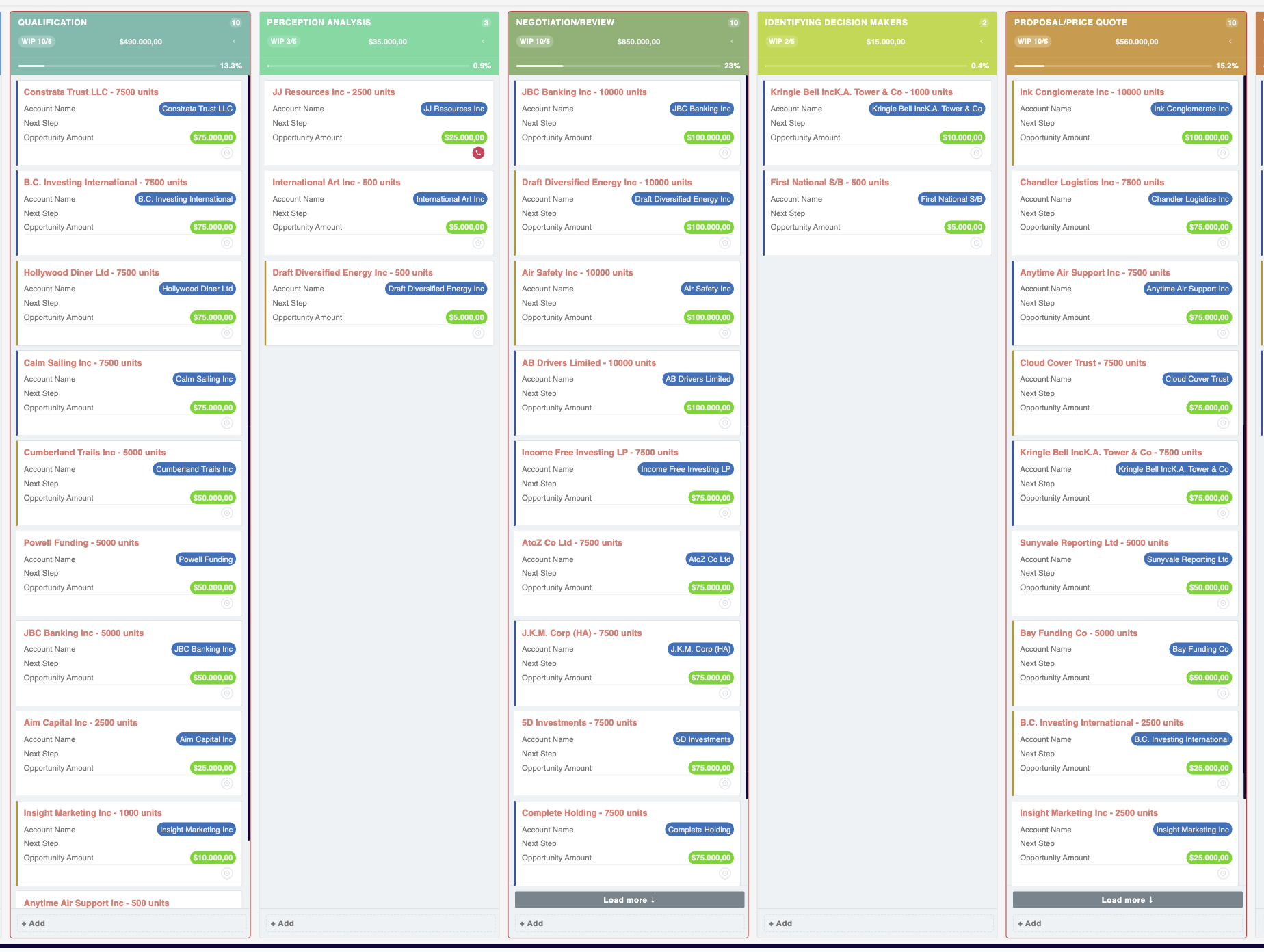
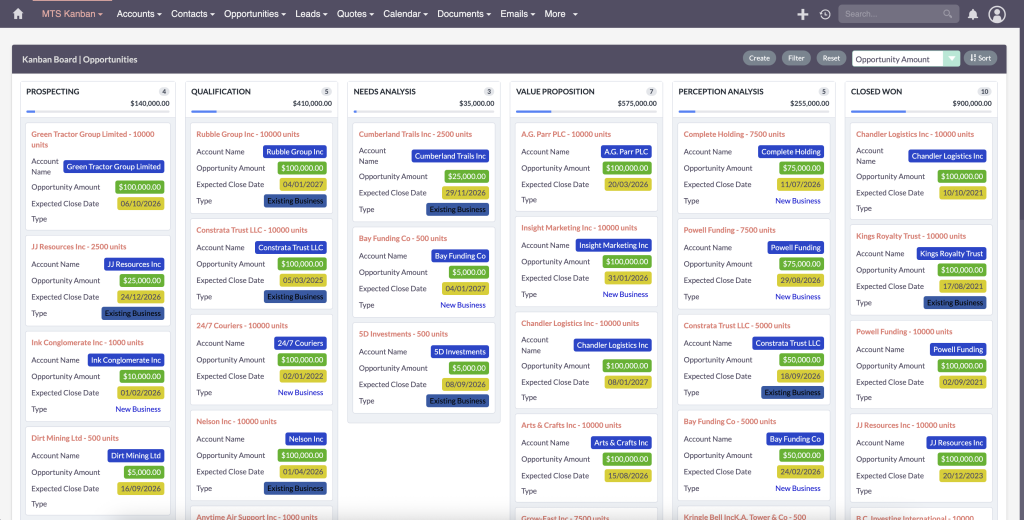
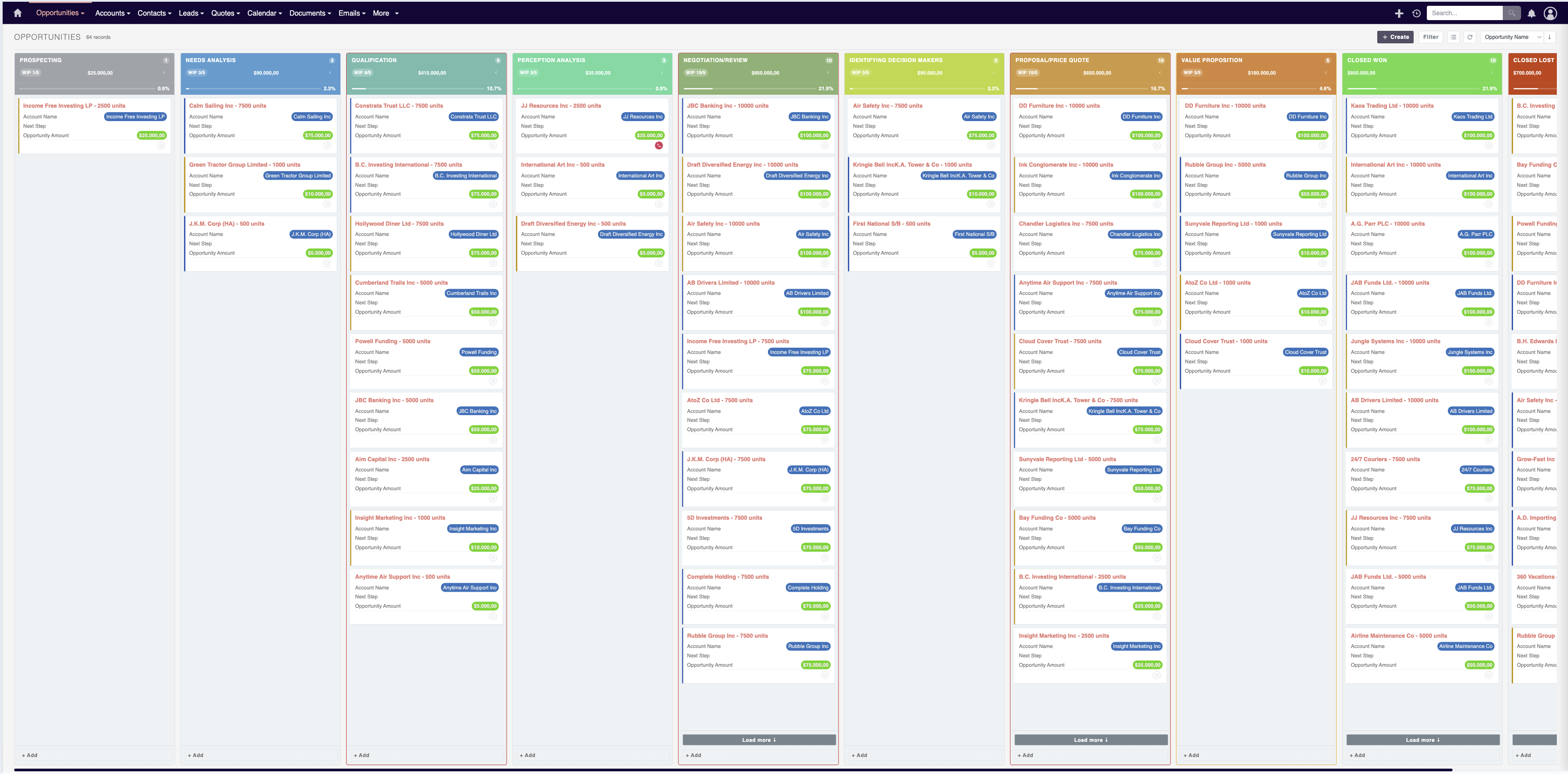
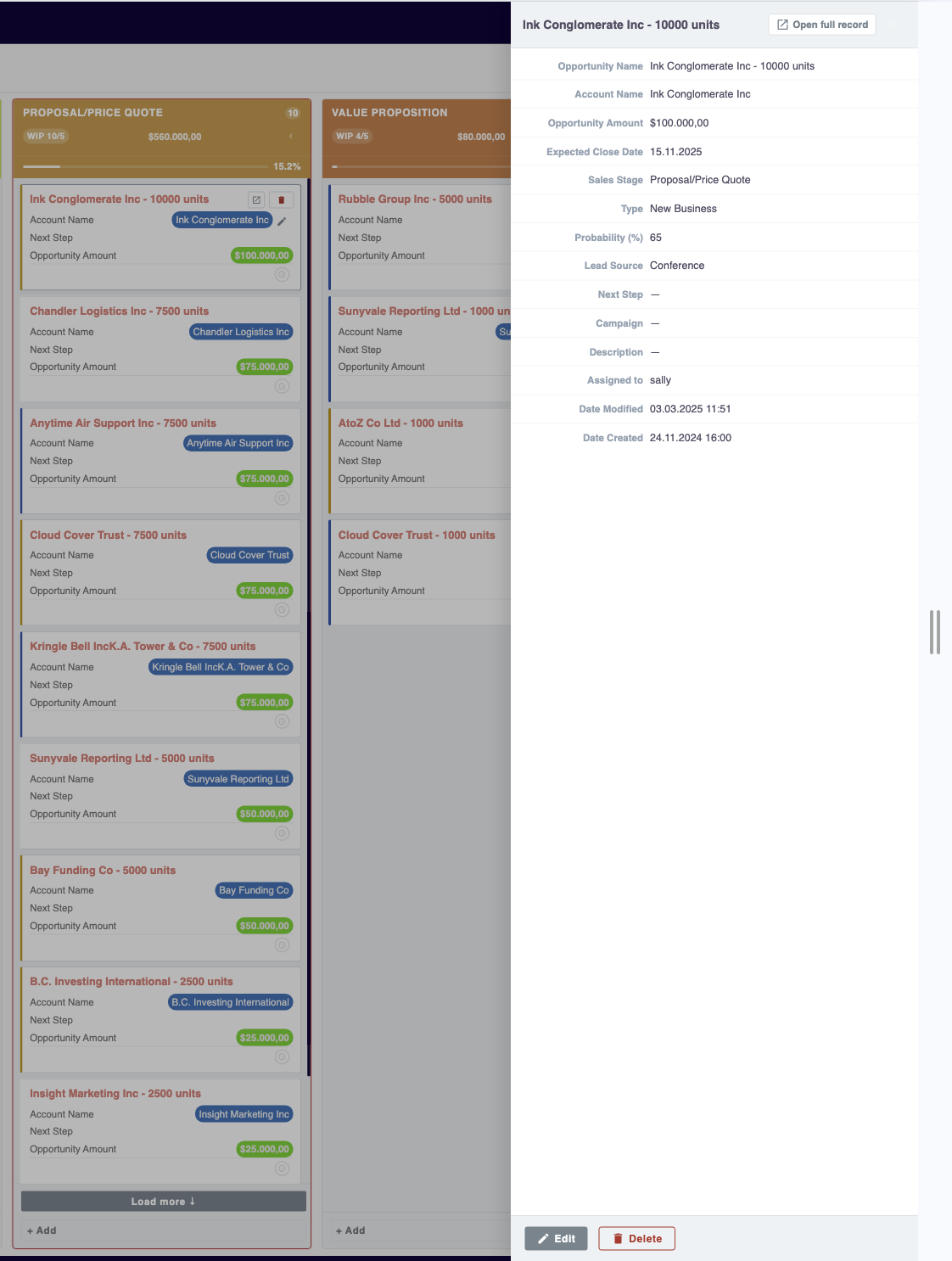
Implementing a SuiteCRM sales pipeline plugin can fundamentally change how your team interacts with their data. The MTS Kanban plugin transforms your standard opportunity lists into an intuitive, interactive drag-and-drop board. This allows sales professionals to fluidly move deals between stages, instantly updating the underlying records without navigating away from the dashboard.
Furthermore, the MTS SuiteCRM Sales Path extension introduces a structured, visual progress bar directly onto the top of the Opportunity record view. This visual aid guides your sales team through the necessary steps, required actions, and mandatory data entry required at each specific stage, rigidly enforcing best practices and ensuring pristine data integrity.
Best Practices for Pipeline Management and Automation
Additionally, leveraging SuiteCRM’s powerful Workflow automation capabilities can significantly reduce administrative overhead. Administrators should configure automated workflows to trigger email notifications when high-value deals enter the ‘Negotiation’ phase, or automatically generate follow-up tasks when an opportunity remains in a single stage for more than fourteen days. These automated safety nets ensure that no critical deals slip through the cracks.
✦ Key Takeaways
- ✓ The Opportunities module is the foundational core of the SuiteCRM sales pipeline.
- ✓ Administrators can easily customize sales stages and probabilities using the built-in Dropdown Editor without any coding.
- ✓ Visualizing the pipeline with tools like MTS Kanban drastically improves sales team adoption and workflow efficiency.
- ✓ Implementing automated workflows is essential for maintaining pipeline hygiene and preventing stagnant deals.
Conclusion
Mastering the SuiteCRM sales pipeline is an ongoing process of refinement, aligning software capabilities with evolving business processes. By carefully defining your stages, utilizing the native dropdown configuration tools, and establishing strict data hygiene practices, you lay the groundwork for predictable revenue generation. To truly maximize user adoption and efficiency, incorporating visual management tools like the MTS Kanban and Sales Path plugins is highly recommended. For enterprise organizations requiring complex, tailored CRM architectures or seeking expert guidance on SuiteCRM 8 sales pipeline guide implementations, Mien Trung Soft provides industry-leading custom CRM development and consulting services to ensure your CRM directly accelerates your business growth.
Frequently Asked Questions (FAQ)
How do I add custom stages to my SuiteCRM Sales Pipeline?
You can add custom stages by navigating to the Admin panel, opening the Dropdown Editor, and modifying the ‘sales_stage_dom’ list. Ensure you also update the ‘sales_probability_dom’ to align correct win probabilities with your new stages.
Why is my revenue forecasting inaccurate in SuiteCRM?
Inaccurate forecasting is typically caused by poor pipeline hygiene, such as outdated ‘Expected Close Dates’ or incorrect probability percentages assigned to specific sales stages. Regular management reviews and automated reminders can resolve this issue.
Can I visualize my pipeline as a drag-and-drop board in SuiteCRM?
Standard SuiteCRM relies on list views; however, you can easily implement this functionality using a dedicated SuiteCRM sales pipeline plugin like MTS Kanban, which provides an interactive, visual board for managing opportunities.

Nhat Thieu
CRM · HRM · Custom SoftwareCRM Solution Architect & Developer specializing in open-source CRM/HRM customization, system integration, custom software and AI.