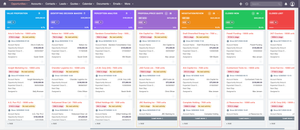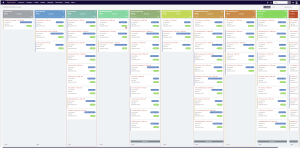
What Is a SuiteCRM Customer Portal?
A SuiteCRM Customer Portal is a web-based platform that allows customers to interact directly with your company through your CRM system.
Instead of relying on endless email conversations or manual support requests, customers can log in to a secure portal connected to SuiteCRM and access important services such as:
- Creating and tracking support tickets
- Viewing invoices and quotes
- Accessing contracts and documents
- Requesting meetings or calls
- Paying invoices online
This creates a centralized communication hub between businesses and their customers.
For companies using SuiteCRM, a customer portal extends the CRM beyond internal teams and allows customers to participate directly in the service process.
Why Businesses Need a Customer Portal
Customer expectations have changed significantly in recent years.
Modern customers expect:
✔ instant support responses
✔ self-service access to information
✔ transparency in communication
✔ fast and secure payment options
However, many businesses still rely on outdated workflows such as:
- email-based support requests
- manually sending invoices
- phone calls to schedule meetings
- manual payment processes
These methods are inefficient and often frustrating for customers.
A SuiteCRM Customer Portal solves these problems by giving customers a self-service environment where they can interact with your business whenever they need.
This improves both customer satisfaction and operational efficiency.
The Key Features of a SuiteCRM Customer Portal
A powerful customer portal should provide much more than basic ticket submission. Below are the most important features that businesses typically implement.
1. Customer Support Ticket System
Customer support is one of the most important aspects of any business.
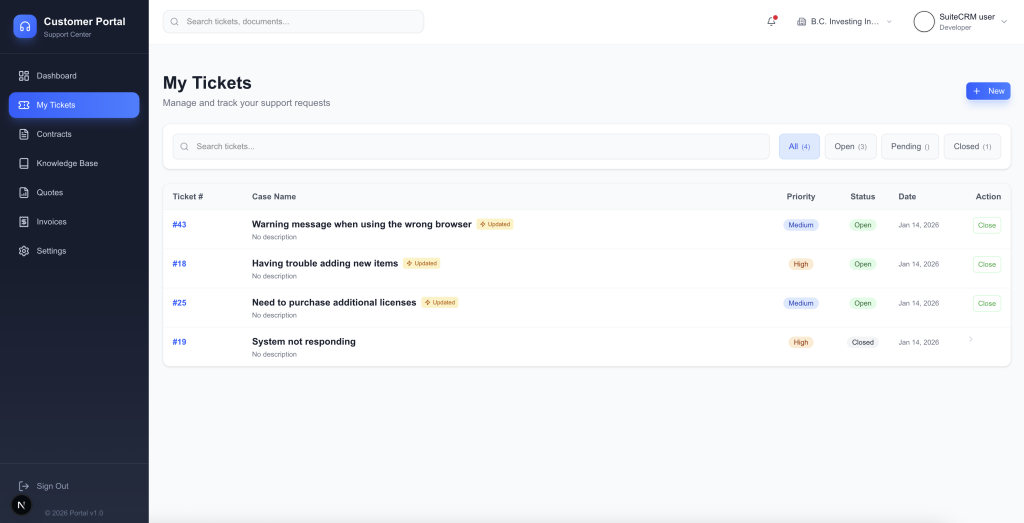
A SuiteCRM customer portal allows clients to:
- Create support tickets
- Track ticket progress
- Reply to support agents
- Upload files and screenshots
- receive notifications when tickets are updated
Instead of scattered emails, all support interactions are stored directly inside SuiteCRM.
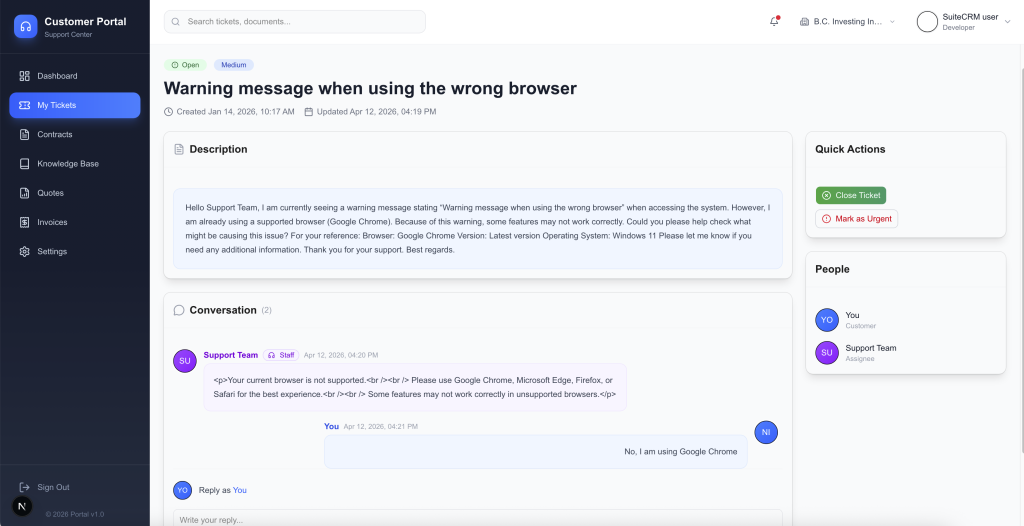
This provides several advantages:
Clear communication history
Support agents can quickly see the entire conversation with the customer.
Better support organization
Tickets can be categorized, prioritized, and assigned to specific team members.
Faster resolution time
With structured tickets, support teams can respond more efficiently.
For businesses providing software, consulting, IT services, or CRM customization, this feature alone can dramatically improve customer support workflows.
2. Meeting and Call Scheduling
Another powerful feature of a SuiteCRM customer portal is the ability for clients to request meetings or calls directly from the portal.
Instead of exchanging multiple emails to find a suitable time, customers can simply:
- request a meeting
- choose a preferred time
- request a support call
- request a sales consultation
The request is automatically recorded in SuiteCRM and assigned to the appropriate staff member.
This helps businesses:
✔ reduce scheduling friction
✔ improve communication speed
✔ organize meetings directly within CRM
For consulting companies or CRM service providers, this can significantly simplify client communication management.
3. Secure Access to Documents and Business Records
One of the most requested features in customer portals is document access.
Customers often need access to documents such as:
- contracts
- quotes
- invoices
- company documents
- reports
- shared files
Without a portal, customers must repeatedly request these documents from support teams.
A SuiteCRM customer portal allows customers to log in and access their documents instantly.
This improves transparency and reduces administrative work.
For example:
A client who needs an invoice for accounting purposes can simply log into the portal and download it within seconds.
This small improvement can save companies hundreds of support emails every month.
4. Online Invoice Payments with Stripe
Another powerful feature is the ability to pay invoices directly from the customer portal.
By integrating with Stripe, businesses can allow customers to:
- view unpaid invoices
- pay invoices online
- receive automatic payment confirmation
- track payment history
Online payments provide several advantages.
Faster payment collection
Customers can pay invoices immediately instead of waiting for bank transfers.
Improved cash flow
Businesses receive payments faster.
Reduced accounting workload
Payments are automatically recorded.
Stripe integration also allows businesses to support multiple payment methods such as:
- credit cards
- debit cards
- digital wallets
This makes the payment process significantly more convenient for customers.
How a Customer Portal Improves Customer Experience
Customer experience is one of the biggest competitive advantages in modern business.
A well-designed SuiteCRM customer portal can dramatically improve the way customers interact with your company.
Self-service access
Customers can access information without waiting for support responses.
Faster support
Support requests are structured and easier to handle.
Transparency
Customers can track ticket progress, invoices, and documents in real time.
Professional communication
A dedicated portal gives customers a more professional experience than email-based support.
These improvements can lead to higher customer satisfaction and stronger long-term relationships.
Industries That Benefit from SuiteCRM Customer Portals
A customer portal can be valuable in many industries.
However, it is especially beneficial for businesses that frequently communicate with clients and share documents.
Examples include:
IT service providers
Manage support tickets and service requests.
CRM consulting companies
Provide support for CRM implementations.
SaaS companies
Allow customers to report issues and access documents.
Accounting firms
Share invoices, tax documents, and financial reports.
Marketing agencies
Share campaign reports and collaborate with clients.
In all of these industries, a customer portal improves client communication and operational efficiency.
Key Benefits of Implementing a SuiteCRM Customer Portal
Below are some of the most important business benefits.
Increased Customer Satisfaction
Customers prefer self-service solutions where they can access information instantly.
A portal allows them to interact with your business on their own schedule.
Reduced Support Workload
Many support requests involve simple tasks such as sending documents or checking invoice status.
A customer portal eliminates many of these repetitive requests.
Faster Payments
Online payments integrated with Stripe allow customers to settle invoices quickly.
This improves cash flow and reduces late payments.
Better Data Organization
All interactions with customers are stored inside SuiteCRM.
This creates a complete history of:
- support tickets
- communications
- payments
- documents
Having this information centralized in CRM improves decision-making and customer management.
How the Portal Integrates with SuiteCRM
A SuiteCRM customer portal works by connecting directly with your CRM database.
This means that when a customer performs an action in the portal, it is immediately reflected inside SuiteCRM.
For example:
| Portal Action | CRM Update |
|---|---|
| Customer creates ticket | Case created in SuiteCRM |
| Customer uploads file | Document attached to CRM record |
| Customer pays invoice | Payment recorded in CRM |
| Customer requests meeting | Meeting activity created |
This integration ensures that your team always has up-to-date information about customer interactions.
Best Practices When Implementing a Customer Portal
If you plan to implement a customer portal for SuiteCRM, there are several best practices to consider.
Keep the interface simple
Customers should be able to find what they need quickly.
Focus on core features
Start with:
- ticket management
- invoices
- documents
- payments
Additional features can be added later.
Ensure strong security
Customer data must be protected with:
- secure authentication
- encrypted connections
- proper access permissions
Optimize for mobile devices
Many customers will access the portal from their phones.
The Future of Customer Portals in CRM
Customer portals are becoming an essential component of modern CRM systems.
As businesses move toward customer self-service models, portals will play an increasingly important role.
Future innovations may include:
- AI-powered support assistants
- automated ticket routing
- real-time chat with support agents
- deeper payment integrations
Businesses that adopt customer portals early will be better positioned to deliver modern digital customer experiences.
Final Thoughts
A SuiteCRM Customer Portal transforms how businesses interact with their customers.
By combining support tickets, meeting scheduling, document sharing, and online payments in one platform, companies can create a seamless and professional customer experience.
For organizations that rely heavily on client communication and document sharing, a customer portal can significantly improve efficiency, transparency, and customer satisfaction.
If your business already uses SuiteCRM, implementing a customer portal is one of the most powerful ways to extend the capabilities of your CRM system.